Link Gate: Turn Your Smart Links Into Exclusive Experiences
Not every release is for everyone. Sometimes you want to reward your inner circle — the fans who show up first, share your music before anyone else, and actually open your emails. That's exactly what Link Gate is for.
What Is Link Gate?
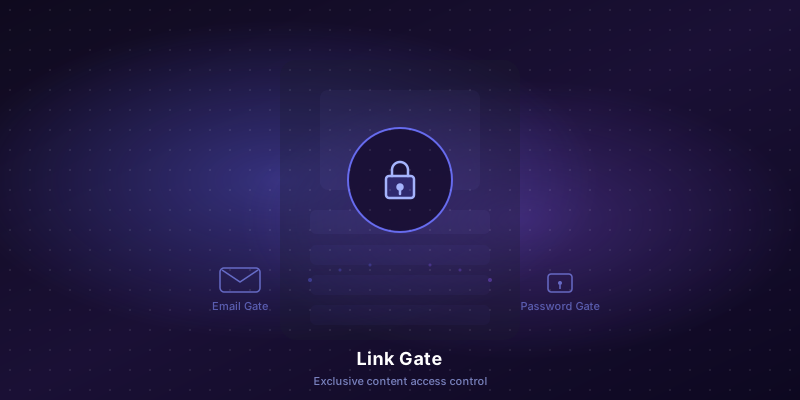
Link Gate lets you lock any PromoLink behind a gate. Visitors see a blurred preview of your content and must enter their email or a password to unlock it. It's simple, elegant, and incredibly effective.
There are two gate types:
- Email Gate — Visitors enter their email to access your link. That email is automatically saved to your subscriber list with a special "Gate" tag, so you know this person actively chose to access your content.
- Password Gate — Set a shared password or generate unique one-time codes. Share them with your VIP fans, press contacts, or Patreon supporters for truly exclusive access.
Why Gating Works
When everything is free and public, nothing feels special. Gating creates a moment of intention — the fan has to do something to get in. That small action changes the dynamic entirely.
Here's what artists are using it for:
- Early access releases — Let your email list hear the album 48 hours before everyone else. Gate the link, share it in your newsletter, and watch your open rates skyrocket.
- Press and playlist pitching — Send a password-gated link to blog editors or playlist curators. They feel like they're getting something exclusive, because they are.
- Building your email list — Every email gate subscriber is a high-intent fan. They didn't just stumble onto your page — they wanted in badly enough to give you their email.
- Fan club perks — Generate unique codes for your Patreon or Discord members. Each code works once, so only real supporters get through.
The Superfan Signal
Not all subscribers are equal. Someone who signed up through a gate actively chose to access your content. That's a signal. In your PromoLinks subscriber list, gate subscribers are tagged separately from regular email capture subscribers — so you can filter, segment, and prioritize them.
These are the people you want on your guest list. The ones who buy merch. The ones who tell their friends. Link Gate helps you find them.
Unique Codes with Labels
When you choose Password Gate with Unique Codes, you can generate up to 10 one-time codes. But here's the powerful part — each code can have a note attached. Click "+ note" next to any code, type a name (like "DJ Mike" or "Blog reviewer"), and press Enter. The note turns into a badge tag that sticks to that code forever.
Now when that code is redeemed, you know exactly who used it. No more guessing which contact actually opened your link.
You can also download all codes as a text file — click "Save" next to Generate. The file includes all codes with their notes, making it easy to share via email or keep a backup.
Real-Time Redemption Tracking
Every time someone unlocks your gated link, PromoLinks records:
- Which code or password was used
- When it was redeemed (with relative timestamps like "3m ago")
- Where the visitor is located (country and city)
- Who it was sent to (if you added a note to the code)
All of this is visible in the Redemptions section at the bottom of the Link Gate modal — always visible, never buried. For shared passwords, you can see every single unlock with location data. For unique codes, used codes are automatically consumed and can't be reused.
Instant Email Notifications
Turn on "Email me on unlock" and you'll get an email the moment someone redeems a password or code. The notification includes the link title, the code used, the visitor's location, and — if you added a note — who you sent it to.
Imagine sending a gated preview link to a playlist curator. You'll know the instant they open it, from where, and which code they used. That's actionable intel for your follow-up.
How to Set It Up
It takes about 10 seconds:
- Go to your PromoLinks dashboard
- Click the lock icon on any link
- Choose Email or Password
- For passwords: pick Shared Password or Unique Codes
- Add notes to your codes so you know who has which
- Enable "Email me on unlock" to get notified
- Save
That's it. Your link is now gated. Visitors see a beautiful blurred preview of your content with a clean unlock form on top. Once unlocked, the access is saved on their device — they won't need to enter the code again.
Available Now
Link Gate is available on Pro, Manager, and Label plans. If you're on a trial, you already have access — try it with your next release.
Your music is worth more than a public link. Make them earn it.
Ready to create your smart links?
Join thousands of artists using PromoLinks to promote their music smarter.
Get Started Free