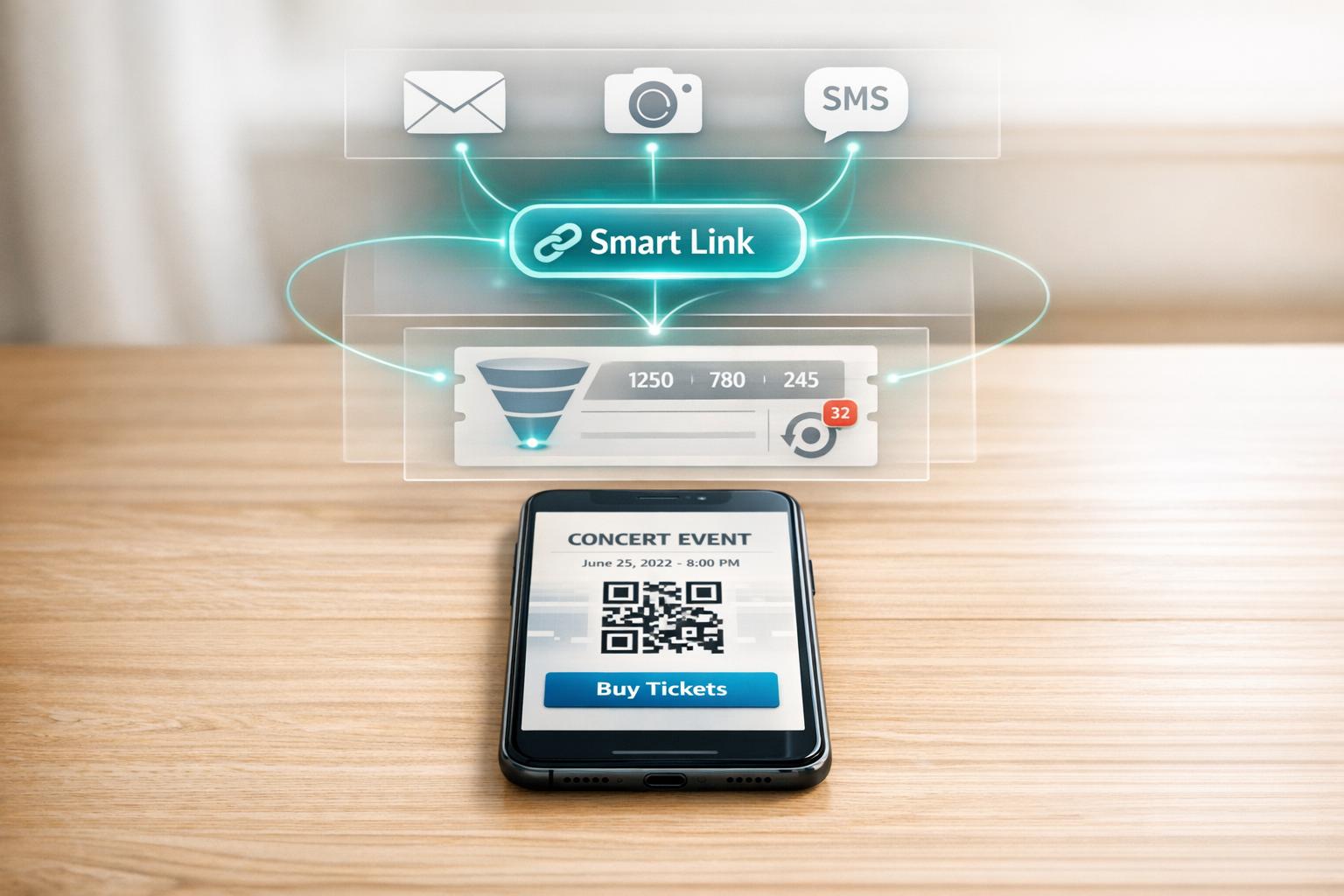
Smart Link Analytics for Event Ticketing
Smart link analytics have transformed how event tickets are sold. By using trackable landing pages, you can identify which promotional efforts drive ticket sales, whether it's Instagram ads, email campaigns, or offline QR codes. These tools provide real-time insights into audience behavior, such as traffic sources, geographic location, and device usage. For example, knowing that most fans access ticket links via mobile can help you optimize your campaigns for better conversion rates.
Key takeaways:
- Track every click and action: Smart links use UTM parameters and redirects to collect detailed data.
- Boost sales with real-time insights: Monitor ticket velocity and adjust campaigns as needed.
- Retarget potential buyers: Use pixel tracking to re-engage fans who didn’t complete their purchase.
- Simplify campaign management: Tools like PromoLinks.me streamline analytics, ticketing, and offline promotions.
With ticket prices and the live music market growing, relying on data is critical to maximizing sales and ROI. Smart link analytics give you the tools to make informed, effective decisions for your events.
Smart Links and Analytics for Ticketed Events
What Are Smart Links and How Do They Work?
A smart link is essentially a branded landing page that connects fans to all major ticketing platforms - like Ticketmaster, Eventbrite, or Dice - while collecting data about their behavior. These links use UTM parameters and conditional redirects to track where visitors come from, how long they stay, what devices they use, and what actions they take. Why does this matter? Because linking to just one ticketing platform can mean missing out on up to 70% of your potential audience.
Conditional redirects are particularly handy. They automatically send fans to the right ticket retailer based on their location or device, cutting down on unnecessary steps at a critical moment in the buying process. Plus, if ticketing providers or venues change, you can instantly update the destination URL without breaking the link.
These features don’t just simplify ticket purchases - they also provide data-driven insights that can improve your promotional efforts.
Key Benefits of Smart Link Analytics for Music Events
Smart link analytics offer a wealth of information to help optimize your ticketing campaigns. For starters, they provide a geographic breakdown of where your audience is, showing which cities or regions are generating the most interest. This data helps you decide where to add tour stops or focus your advertising budget.
Another key insight is device data. Knowing whether fans are browsing on mobile or desktop helps you design landing pages and ads that work best for their devices. Since most fans discover events through mobile social media, having a mobile-friendly page is crucial - otherwise, you risk losing potential ticket buyers.
Where smart links really shine is in tracking traffic sources. By identifying which platforms or channels drive the most engagement, you can adjust your promotional strategy to focus on what’s working. Joachim Speidel, Producer at We Are Fury, highlights this advantage:
"If you have a strong ad buying team and you're giving them these links, they can actually see where the traffic is coming from and retarget and double down on those platforms."
Another major perk? Smart links allow for first-party data collection. You can gather fan emails and RSVPs directly, which is becoming increasingly important as privacy rules tighten and social media algorithms grow less reliable.
Core Metrics to Track for Ticket Sales
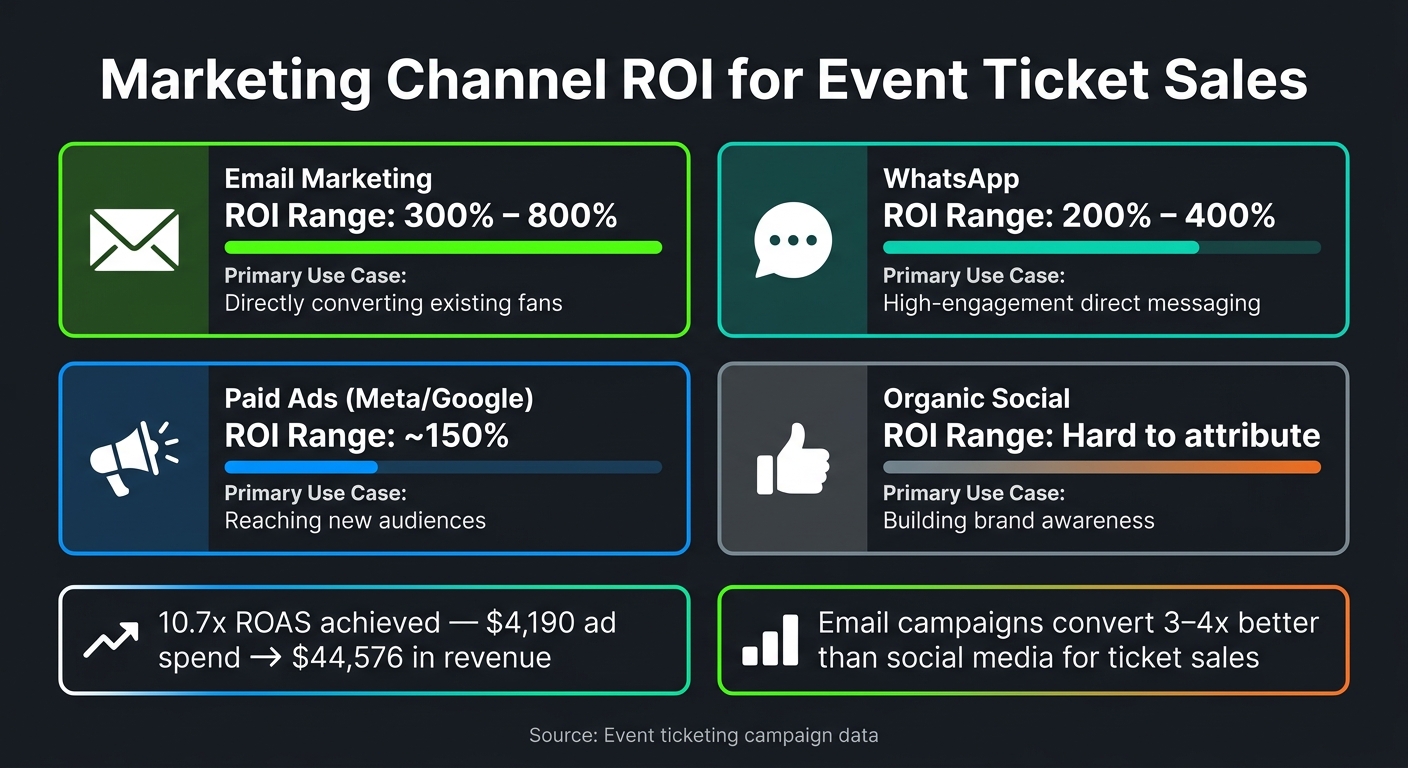
Marketing Channel ROI for Event Ticket Sales
Keeping an eye on the right numbers is essential. Without tracking the right metrics, you’re essentially throwing money at promotions without knowing what’s actually driving ticket sales.
Traffic and Engagement Metrics
Metrics like total clicks, unique visitors, and click-through rates give you a clear picture of how many people are landing on your event page and how engaging your promotional content is. But it doesn’t stop there - tracking the entire funnel, from the initial click to the final purchase, is critical. If people drop off mid-process, it could point to issues like unclear pricing or a confusing checkout experience.
Beyond just engagement, it’s equally important to measure conversions and revenue to understand how well your campaigns are performing.
Conversion and Revenue Metrics
Your conversion rate - the percentage of visitors who actually buy tickets - is one of the most direct indicators of success. For event ticketing pages, this typically falls between 2% and 5%. Alongside this, monitoring Cost Per Acquisition (CPA) and Return on Ad Spend (ROAS) helps gauge financial performance. For example, one campaign delivered a 10.7x ROAS, turning a $4,190 ad spend into $44,576 in sales.
Another critical metric is ticket velocity, which tracks daily ticket sales. If sales slow down significantly two weeks before your event, it might be time to roll out fresh promotions or limited-time offers to reignite interest.
Audience Insights and Channel Performance
Once you’ve got a handle on sales data, the next step is understanding which channels are driving the best results. Not all traffic sources are created equal - a thousand clicks from a targeted email campaign will likely lead to more sales than a thousand clicks from a generic paid ad. Using UTM parameters on your links allows you to compare performance across platforms like email, Instagram, TikTok, and SMS.
The ROI from different channels can vary greatly:
| Marketing Channel | Typical ROI Range | Primary Use Case |
|---|---|---|
| Email Marketing | 300% – 800% | Directly converting existing fans |
| 200% – 400% | High-engagement direct messaging | |
| Paid Ads (Meta/Google) | ~150% | Reaching new audiences |
| Organic Social | Hard to attribute | Building brand awareness |
"To understand if your campaign is truly driving ticket sales, you need analytics that tie all your channels together."
Channel-specific insights, like geographic and device data, can help you focus your ad spend where it matters most. This also allows you to fine-tune the user experience for your highest-converting audiences.
How to Use Smart Link Analytics to Sell More Tickets
Understanding which metrics matter is just the beginning. The real game-changer is using that data to actually drive ticket sales.
Building Trackable Campaigns
Start by adding UTM parameters (like ?utm_source=instagram) to your links. This lets you see exactly which platforms are driving ticket purchases, giving you clear attribution for every channel.
Take it a step further with branded short links (e.g., tickets.yourvenue.com/artist). These links not only build trust with fans but also remain functional even if you switch ticketing providers later on. Combine this with A/B testing to compare different landing page versions and find the one that converts best before scaling up your ad spend.
For offline efforts, use dynamic QR codes on posters, flyers, or other materials. These codes track every scan, so you can measure how much your street team or venue signage contributes to ticket sales.
Once your campaigns are trackable, you can use real-time data to make smarter decisions about where to focus your efforts and when.
Choosing the Right Channels and Campaign Timing
Analytics can quickly show you which channels deserve more investment. For example, email campaigns often convert 3–4 times better than social media for ticket sales. That doesn’t mean you should ignore social media - it’s about knowing when and where to allocate resources, especially as deadlines approach.
Pay close attention to ticket velocity - the daily rate of ticket sales. If sales slow down two or three weeks before the event, it’s time to act fast. Launch a limited-time offer or retargeting campaign to reignite interest. Real-time dashboards let you spot and respond to these dips immediately, rather than waiting until it’s too late.
"The era of gut-feel marketing is over and 'data is king' in event promotion." - Ticket Fairy
Retargeting Fans Who Did Not Buy Tickets
Once you’ve optimized your channels, shift your focus to warm leads - those fans who interacted with your smart links but didn’t complete their purchase. These leads aren’t lost; they’re an opportunity. Pixel tracking allows you to serve targeted ads based on how far they got in the buying process.
The key is behavioral segmentation. Not all non-buyers are the same, so your messaging shouldn’t be either. Here’s a quick breakdown of how to retarget based on where fans dropped off:
| Funnel Drop-Off Point | Retargeting Strategy |
|---|---|
| Event page view | Run ads that focus on the artist or lineup to build excitement. |
| Add to cart | Use urgency-driven ads like "Tickets selling fast!" to push them forward. |
| Begin checkout | Send direct reminders to complete their purchase, possibly with a small incentive. |
For fans who showed high intent - like clicking on VIP ticket links - you can feed this data into tools like Meta or Google’s lookalike audience feature. This helps you find new potential buyers with similar behaviors. And if ticket inventory is running low, use scarcity messaging in your retargeting ads (e.g., "Only 50 general admission tickets left") to nudge hesitant fans toward making a decision.
"Artists and marketing teams use this data to retarget fans more effectively - for example, showing ads to people who clicked on tour dates but didn't buy tickets." - Hopp
sbb-itb-e819543
Connecting Smart Link Analytics with Other Event Data
Once you’ve fine-tuned individual campaign metrics, the next step is integrating smart link data with your event systems. By connecting smart links to tools like ticketing platforms, CRMs, and email systems, you can gain a unified view of your event's overall performance. These systems each provide valuable insights, but smart links act as the bridge that brings it all together.
Combining Smart Link Data with Ticketing Platform Analytics
Using UTM parameters (like ?utm_source=instagram), you can track fan purchase behavior and feed this data directly into your ticketing dashboard. Many ticketing platforms offer a Link Tracking Summary report, which shows clicks, orders, and revenue generated per link. This allows you to quickly see which campaigns are driving ticket sales. By combining data from smart links and ticketing platforms, you can pinpoint the channels that successfully convert clicks into sales.
"The problem isn't a lack of data. That data exists. The problem is that nobody has connected it." - Samuel Fraga Mateos, CEO, Nevent
Using Smart Links with CRM and Email Marketing Tools
Smart links can also integrate seamlessly with CRMs by using Link Gates, which collect fan emails before they even reach the ticketing page. These emails can then be synced with platforms like HubSpot or Salesforce, helping you build detailed fan profiles that combine engagement data with purchase history.
Once fans are added to your CRM, you can automate follow-ups based on their behavior. For example, after an event, you could send a "thank you" email or offer a discount on merchandise - using attendee data pulled from your ticketing platform. Including UTM-tagged links in these emails helps you identify which audience segments are most likely to purchase tickets for future events.
Measuring ROI for Music Events
To measure ROI effectively, integrate data from smart links, ticketing platforms, and marketing tools. A simple formula - (Revenue from a campaign − Campaign cost) / Campaign cost × 100 - ensures that every channel's contribution is properly tracked.
Here’s a breakdown of how different tools contribute to ROI analysis:
| Tool Layer | Best For | Notes |
|---|---|---|
| Ticketing Analytics | Order and revenue reporting | Limited ability to merge data from multiple channels |
| CRM (HubSpot/Salesforce) | Fan profiles and automation | Crucial for audience segmentation and retention |
| BI Tools (Looker/BigQuery) | Cohorts and forecasting | Enables cross-source analysis; entry costs start under $500/month |
For instance, in 2026, a festival using retargeting and UTM tracking achieved a 10.7x ROAS, generating $44,576 in revenue from a $4,190 ad spend. This level of insight is possible when smart link data is directly tied to ticket revenue.
"Most event marketers can't prove ROI because each ad platform reports its own numbers. The fix is a single neutral source that ties campaign spend to actual ticket revenue." - TickX IQ
Integrating these data sources not only allows for real-time adjustments but also sets the stage for more effective campaign planning in the future.
How to Use PromoLinks.me for Event Smart Link Analytics
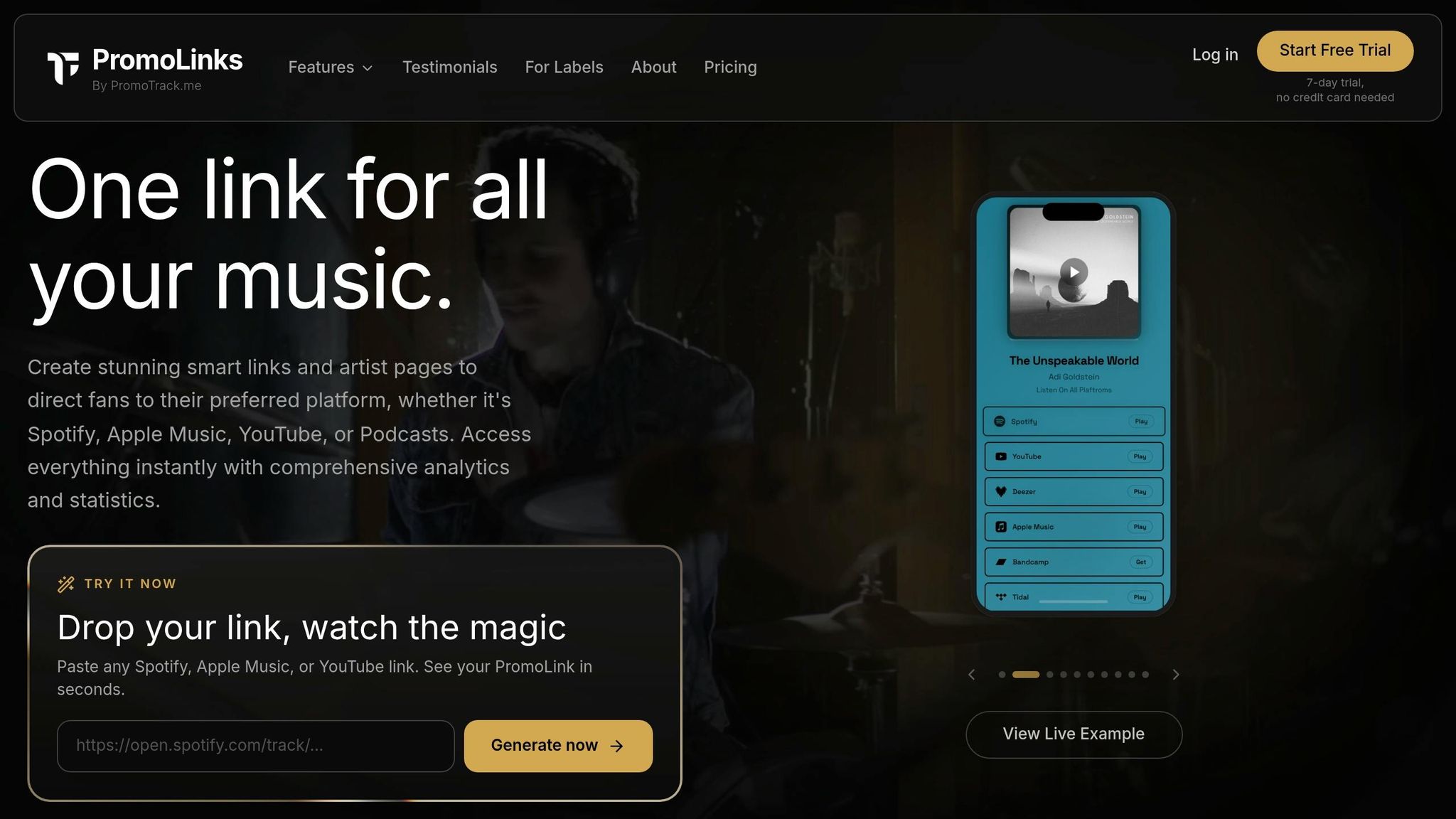
To stay on top of your event analytics, you need a tool that simplifies everything into a single workspace. PromoLinks.me does just that, offering musicians and labels a platform tailored for events. It combines dedicated event pages, real-time analytics, and QR code creation, so you no longer have to juggle multiple tools. From UTM tracking to audience insights and QR code functionality, it’s all here in one place.
"Events let you create stunning landing pages for your concerts, shows, listening sessions, album launches, DJ sets, and any live event." - PromoLinks.me
Setting Up Event Smart Links in PromoLinks.me
To create your event page, head to your dashboard and select Events → Create Event. Add the event title, date, time (with support for 43 time zones to ensure accuracy for fans worldwide), and venue details, which are powered by OpenStreetMap's autocomplete feature. Include your ticket purchase link from platforms like Eventbrite or Dice, customize the call-to-action button (e.g., "Buy Tickets Now"), and even display ticket prices directly on the page.
If you’re using the Pro plan, you can save time by importing tour dates straight from Bandsintown. This feature automatically pulls in venue details, dates, and ticket links, creating unpublished drafts - no manual input required. The page layout is highly customizable, with nine modular sections like Countdown Timers, Event Details, and RSVP forms. You can drag, reorder, or hide sections to design a page that suits your audience. For free events or cases where no ticket link is available, the platform generates an RSVP email capture form. Every sign-up sends you a real-time Telegram notification, keeping you in the loop.
Configuring Analytics and Tracking Pixels
To view your event’s performance, click the chart icon next to the event page in your dashboard. Here, you’ll find real-time data on metrics like page views, unique visitors, link clicks, and click-through rates.
One standout feature is the Source Copy tool. When you click "Copy Link" and select a platform - like Instagram, TikTok, Facebook, or WhatsApp - PromoLinks.me automatically appends the correct utm_source parameter. This eliminates the hassle of manually creating tracking URLs for each channel. The analytics dashboard also gives you insights into your audience, breaking down data by country, city, and device type. The Top Referrers section highlights the best-performing traffic sources. For event-specific tracking, you can monitor RSVP counts and ticket link clicks alongside standard engagement metrics.
| Metric | What It Tells You |
|---|---|
| Page Views & Unique Visitors | How many people are visiting and engaging with your page |
| CTR on Ticket Link | How well your page converts visitors into buyers |
| UTM Source Breakdown | Which platforms drive the most ticket clicks |
| Geo & Device Data | Where your audience is located and how they access your page |
| RSVP Count | Interest levels for free events or pre-ticket demand |
With these insights, you can refine your strategy and maximize your event’s reach.
Generating QR Codes for Offline Promotion
QR codes are a great way to connect your offline promotions to your online analytics. PromoLinks.me automatically generates a unique QR code for every event page. When scanned, it directs fans to your mobile-optimized page, complete with ticket links, a countdown timer, and venue details.
You can download the QR code as a high-resolution image from the link detail view, making it perfect for posters, merchandise, or other print materials. To match your event’s branding, you can customize the QR code’s background, border, and color scheme.
"Use QR codes on posters, merch, album packaging, or live event screens. The QR code links directly to your PromoLink page and can be downloaded as an image from the link detail view." - PromoLinks Help Center
A clever trick is enabling the "Show on Public Page" option. This adds a scannable QR badge to your digital event page, allowing fans at the event to easily scan and share the link with friends. This turns attendees into promoters, and each scan is logged in real time, so you can track which offline placements are driving traffic to your ticketing page.
Conclusion: Getting More from Smart Link Analytics in Event Ticketing
Ticket sales thrive on data, not luck. Every promotional channel - whether it's Instagram, TikTok, email campaigns, or even physical posters - offers valuable insights. Smart link analytics pull all these insights together, revealing where buyers are coming from, how quickly tickets are selling, and where potential fans might drop off before completing a purchase.
The live music industry is expected to grow significantly, reaching $62.59 billion by 2034 with an annual growth rate of 8.78%. The key to success for artists and labels who consistently pack venues lies in their ability to monitor and act on data.
"The difference between promoters who consistently book profitable shows and those who constantly scramble comes down to data discipline." - Matt Ford, Founder and CEO, Prism.fm
This highlights the importance of real-time data in every promotional effort. PromoLinks.me simplifies this process by consolidating all your promotional data into one platform. It offers tools like UTM-based channel tracking, geographic insights, RSVP capture, pixel retargeting, and QR code analytics in a single dashboard. Whether you're organizing a regional tour or hosting a one-time listening event, you’ll have access to the same high-level insights that major label marketers use.
The takeaway? Start tracking before your promotion begins. Tag every channel, keep an eye on ticket sales velocity from the start, and collect fan email addresses to refine your approach. A disciplined approach to data can transform every event into a success.
FAQs
How do I set up UTMs so ticket sales are properly attributed?
UTM parameters are small tags you can add to your URLs to track where your traffic is coming from. These tags help you identify the effectiveness of your marketing efforts. Common labels include:
utm_source: Identifies the source of your traffic (e.g., Facebook, Google, newsletter).utm_medium: Specifies the marketing medium (e.g., social, email, CPC).utm_campaign: Tracks specific campaigns (e.g., "spring_sale" or "product_launch").
To create these links, tools like Google Campaign URL Builder can be a lifesaver. They make it easy to generate properly formatted URLs.
When setting up UTM parameters, consistency is key. Use lowercase letters and stick to clear naming conventions to avoid messy or inaccurate reports. Once your links are ready, add them to your social media posts, email campaigns, or ads. This way, you can monitor conversions and see which channels are driving the most results.
What metrics matter most for improving event ticket conversions?
To improve ticket conversions, it's crucial to monitor every step of the sales funnel - starting from impressions and clicks to page views, add-to-carts, and finally, purchases. Pay close attention to metrics like ticket velocity, which highlights demand trends, and sell-through rate, a key indicator of how well your pricing and marketing strategies are working.
Dive deeper by analyzing the performance of different ticket tiers. This can reveal valuable insights into buyer preferences. Additionally, using UTM tags can help pinpoint which channels are driving the most traffic and conversions. Tools such as PromoLinks.me can provide real-time analytics, making it easier to fine-tune your marketing efforts for better results.
How can I retarget fans who clicked but didn’t buy tickets?
To reconnect with fans who clicked on your smart links but didn’t follow through with a ticket purchase, you can use tracking pixels to build custom audiences based on their interactions. By adding tools like the Meta Pixel or TikTok Pixel to your PromoLinks.me dashboard, you’ll be able to monitor visitors who checked out event details or began the checkout process. This data allows you to create tailored ads on social media, nudging them to complete their ticket purchase.
Related Blog Posts
Ready to create your smart links?
Join thousands of artists using PromoLinks to promote their music smarter.
Get Started Free