How to Use QR Codes to Promote Your Music Offline
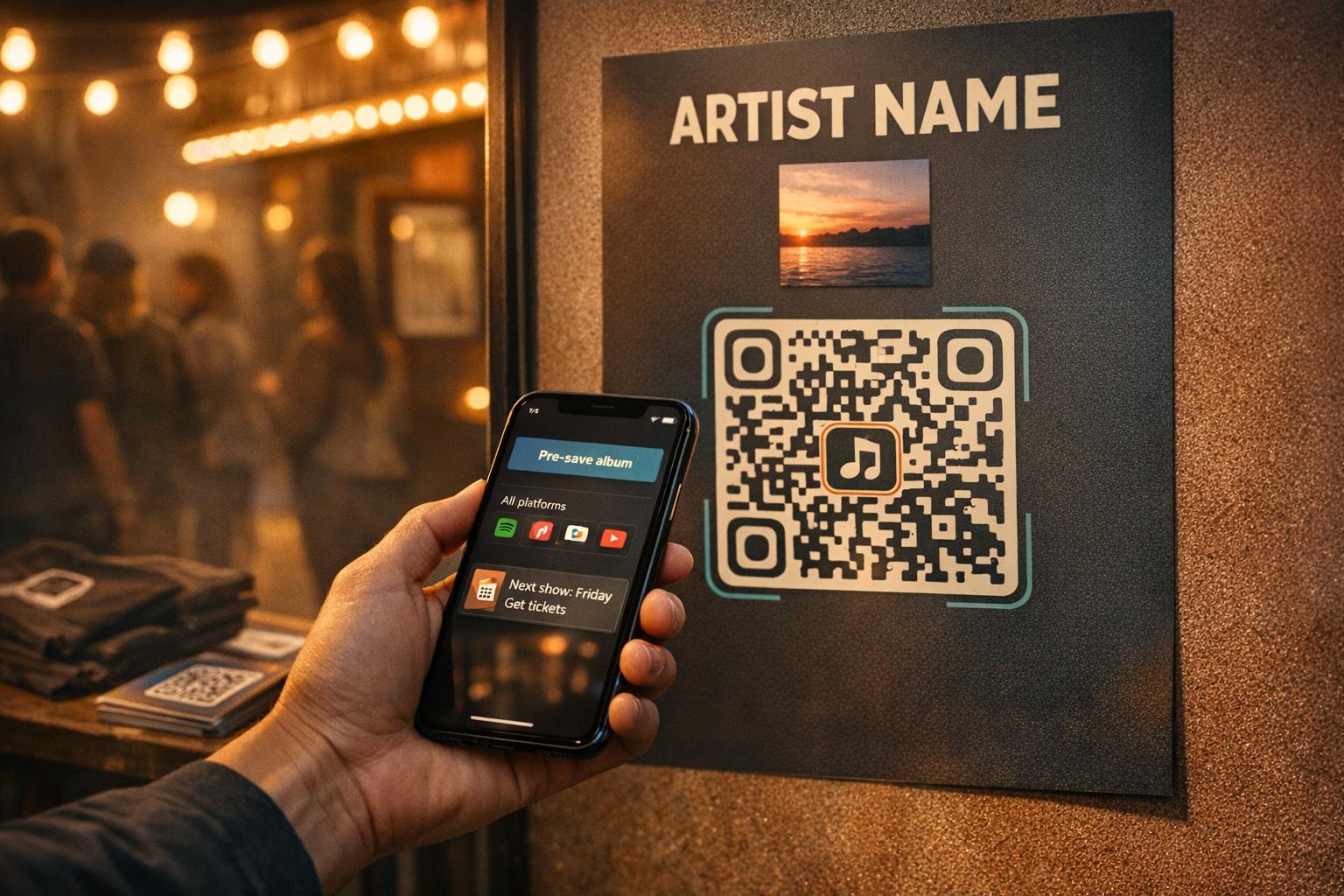
QR codes are a simple way to connect offline fans to your music online. By placing QR codes on posters, merch, or flyers, you can direct fans to pre-save links, event pages, or smart links. This eliminates the need for manual searches and creates a direct path for engagement.
Key Takeaways:
- Link smartly: Use QR codes to lead fans to ticket sales, email sign-ups, or streaming platforms.
- Dynamic codes: Update links without reprinting materials.
- Design tips: Customize QR codes to match your branding and ensure they’re easy to scan.
- Placement matters: Use high-traffic spots like merch tables, posters, or stage screens.
- Track results: Analyze scans and optimize future campaigns.
Start by creating dynamic QR codes with tools like PromoLinks.me, ensuring your music reaches fans wherever they are.
How to Use QR Codes to Promote Your Music Offline: Step-by-Step
Maximize Your Music Sales with QR Codes!
sbb-itb-e819543
Preparing Your Music Links and Campaigns Before Creating a QR Code
Before diving into QR code creation, it’s crucial to make sure the page it leads to is polished and ready to grab attention.
Choosing Where Your QR Code Should Point
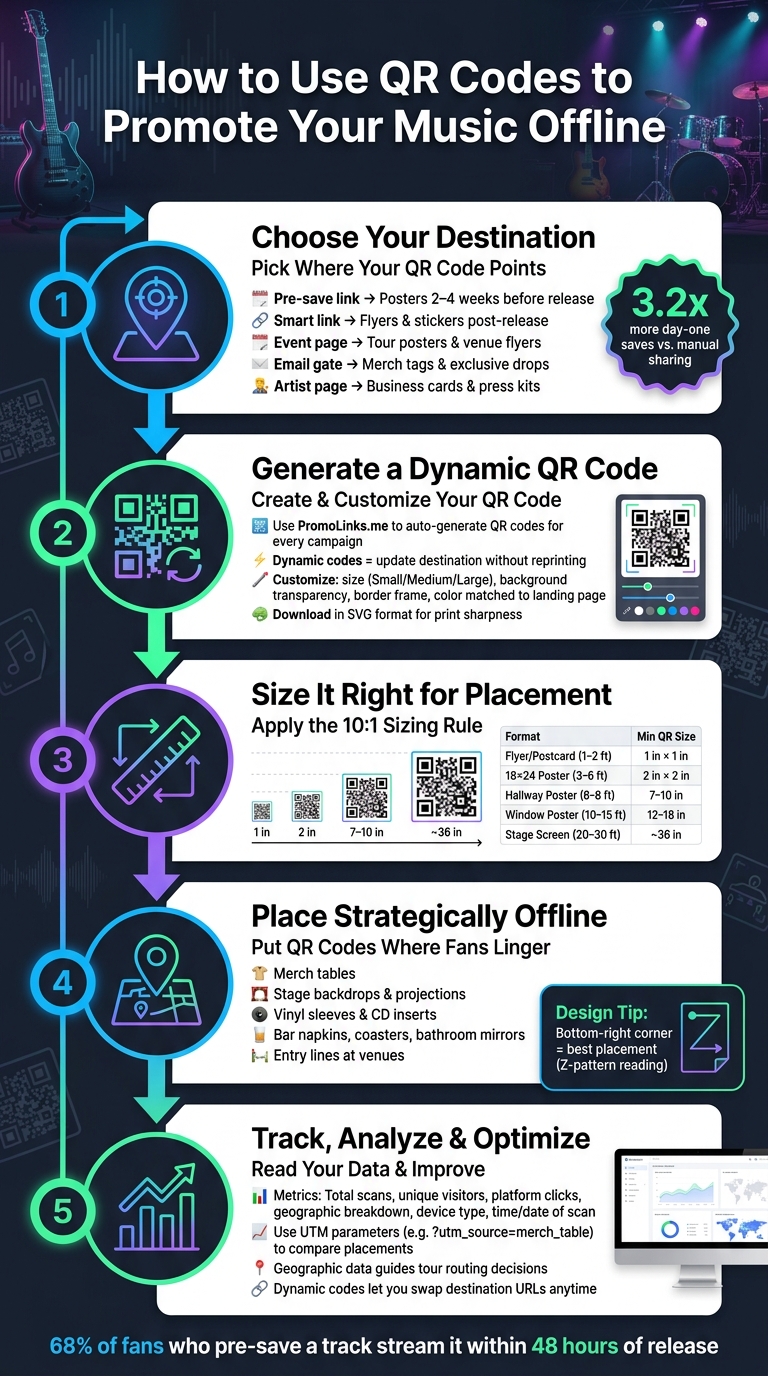
The destination of your QR code should align with its placement. For example, a QR code on a concert poster should link to ticket sales or an event page, while one on a merch tag might work better for capturing email addresses - turning a casual buyer into a loyal fan. On business cards or press kits, it makes sense to direct people to your artist page, giving them a one-stop shop to explore your work.
| Destination | Best Placement | Primary Goal |
|---|---|---|
| Pre-save Link | Posters 2–4 weeks before release | Boost algorithms & day-one streams |
| Smart Link | Flyers, stickers post-release | Stream aggregation & fan choice |
| Event Page | Tour posters & venue flyers | Drive ticket sales & RSVPs |
| Email Gate | Merch tags & exclusive drops | Grow your mailing list |
| Artist Page | Business cards & press kits | General discovery & social growth |
This strategy of matching the QR code’s destination to its context is more impactful than many artists realize. For instance, pre-save campaigns can deliver impressive results: artists often see 3.2 times more day-one saves compared to manual sharing. Plus, about 68% of fans who pre-save a track will stream it within the first 48 hours of release.
Once you’ve chosen the right destination, it’s time to set up your links using PromoLinks.me.
Setting Up Your Links on PromoLinks.me
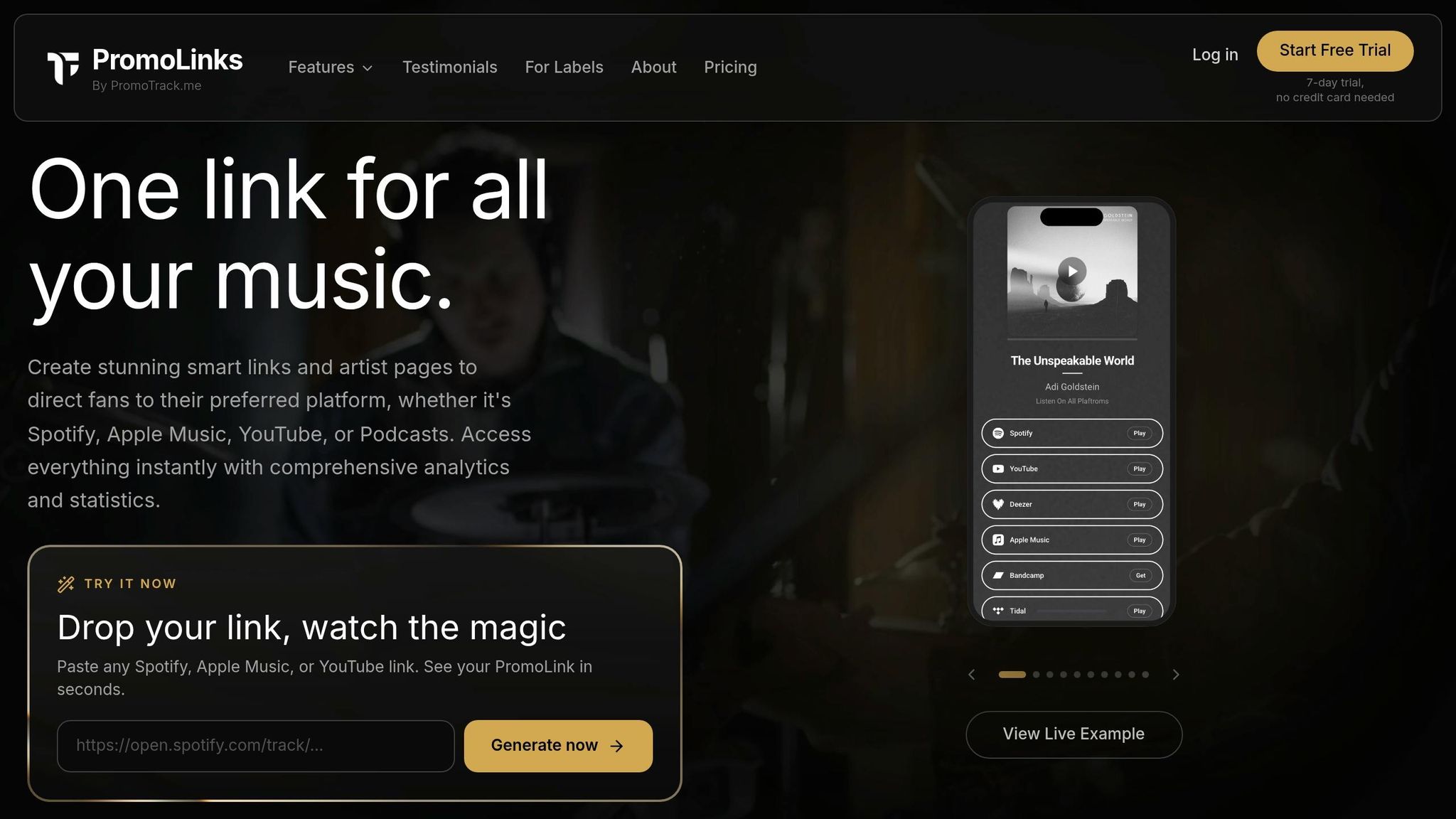
PromoLinks.me is designed specifically for music promotion. After logging in, you can create PromoLinks, Pre-Save campaigns, Event Pages, or Link Gates tailored to your goals. The platform also lets you add tracking pixels, email capture, and custom branding to boost engagement.
They offer two plans:
- Indie Plan ($7/month, billed yearly): Includes QR codes, pre-save campaigns, and basic analytics.
- Pro Plan ($15/month, billed yearly): Adds full analytics history and custom branding - perfect for physical campaigns.
With your links configured, the next step is choosing the type of QR code that works best for your campaign.
Static vs. Dynamic QR Codes: What's the Difference?
Static QR codes lock in the URL permanently, meaning you’ll need to reprint materials if the link changes. Dynamic QR codes, on the other hand, use a redirect, allowing you to update the destination through your dashboard without reprinting. PromoLinks.me supports dynamic QR codes, which means a poster you print today can link to a pre-save campaign now and later redirect to a smart link after your track is released.
"A QR code is not a link. It is a handoff moment - the instant when a fan's attention moves from a physical space into a digital one." - MusicBizQR
For materials like posters and merch that are meant to last, dynamic QR codes are the way to go. They keep your campaigns adaptable and ensure a smooth transition from offline to online. Static QR codes are best reserved for disposable, one-time-use items like event tickets.
How to Generate and Customize Your QR Codes
Generating QR Codes on PromoLinks.me
With PromoLinks.me, QR codes are automatically created for every smart link or campaign you set up. Whether it’s a smart link, artist page, pre-save campaign, or event page, each one comes with its own QR code. You can find these codes in the link details on your dashboard, ready for download. Even better, these QR codes are dynamic, meaning you can update them anytime without needing to reprint.
Customizing the Look of Your QR Code
Once your QR code is generated, you can tweak its appearance to align with your brand. QR codes don’t have to stick to the standard black-and-white design. PromoLinks.me automatically matches the QR code color to the color theme of your landing page, ensuring it fits seamlessly with your branding. By default, the PromoLinks logo appears in the center, giving it a polished and professional look.
From the QR code modal, you can adjust several key features:
| Option | What It Does |
|---|---|
| Size | Choose from Small, Medium, or Large based on where you plan to use it |
| Background | Make the background transparent for better integration |
| Border | Add a frame to help the code stand out on busy designs |
| Page Badge | Place the QR code directly on your live landing page (bottom left or right corner) |
| Hide on Mobile | Hide the badge for mobile users, as they’re already on their device |
For printed materials, always download your QR code in SVG format. Since SVG is a vector file, it maintains sharpness no matter how much you scale it - whether it’s for a small flyer or a massive stage banner. A cohesive, branded QR code design helps bridge the gap between your offline and online presence.
Testing Your QR Code Before You Print
Before finalizing your QR code, take the time to test it to avoid potential issues. Skipping this step can lead to costly mistakes if the code doesn’t work as intended.
"A code that does not scan is worse than no code at all." - Orphiq
Test your QR code on both iOS and Android devices, checking its functionality at various scanning distances and in different lighting conditions. Before committing to a full print run, print a test copy at home. This helps you confirm that your chosen colors and contrast work well in the real world. Also, if you’re using a frame or custom colors, ensure these elements don’t encroach on the quiet zone - the blank space around the code that’s crucial for accurate scanning.
Placing QR Codes on Physical Materials
Size, Placement, and Contrast Guidelines
After crafting your custom QR code design, placing it thoughtfully on physical materials is key to engaging your audience. One of the most common reasons QR codes fail is improper sizing. A simple guideline to follow is the 10:1 rule: the width of your QR code should be at least 1/10th of the distance from which it will be scanned. For example, a 12-inch QR code works for a poster viewed from 10 feet away, while a flyer only needs a 1.5-inch code.
| Format | Viewing Distance | Minimum QR Size |
|---|---|---|
| Flyer / Postcard | 1–2 ft | 1 in × 1 in |
| 18×24 Poster | 3–6 ft | 2 in × 2 in |
| 11×17 Hallway Poster | 6–8 ft | 7–10 in |
| Window Poster (Street) | 10–15 ft | 12–18 in |
| Stage Screen / LED | 20–30 ft | ~36 in |
Contrast is another critical factor. Dark QR code modules on a light background work best, especially in dimly lit venues. Aim for a contrast ratio of at least 4:1. Avoid inverting the code (light modules on a dark background), as many phone cameras struggle to process them. Additionally, make sure the quiet zone - the blank margin around the code - remains clear of text, graphics, or textures. This margin should be at least 4 modules wide.
For placement, the bottom-right corner of posters and flyers is ideal. This spot aligns with the natural Z-pattern Western readers use when scanning a page, making it a prime location for a call to action. Pair the QR code with a short, enticing message like "Scan to hear the new single" or "Scan for exclusive merch drops." A QR code without context risks being ignored.
Where to Put QR Codes Offline
The best locations for QR codes are those where fans are likely to stop and scan. At live events, the merch table is a perfect spot - linking the code to your full catalog or a mailing list sign-up can bridge the gap between physical and digital engagement. For larger venues, stage backdrops or projections during set breaks can work well, provided the code is sized appropriately for the viewing distance.
Other creative placements include vinyl sleeves, CD inserts, or hang tags, which can unlock extras like demos, behind-the-scenes videos, or personal artist messages.
"We were playing in front of 12 people at a dive bar. But one scan turned into 500 streams, three merch sales, and a fan who's followed us ever since." - Lena Cruz, Indie Soul Artist
Don’t forget high-traffic dwell zones - places where people linger naturally. Bar napkins, coasters, and bathroom mirrors at venues are all great options. Entry lines are another underutilized area where QR codes can grab attention.
Once you’ve chosen your offline placements, ensure your printed codes meet quality standards by working closely with your print shop.
Working with U.S. Print Shops
When preparing files for a U.S. print shop, always provide your QR code in a vector format like SVG or PDF (as available from PromoLinks.me). If a raster file is required, export the image at a resolution of at least 300 DPI - or 600 DPI for premium materials like album packaging - to prevent blurriness. Avoid using screen-sourced PNGs, as they may appear pixelated when printed.
Use the CMYK color mode and specify "rich black" for the QR code modules to ensure sharp, consistent contrast. Stick to a light background, and choose matte or satin finishes over glossy ones to reduce glare from stage lights or sunlight. For outdoor materials, request UV-resistant inks to prevent fading.
Before finalizing a large print run, ask for a physical proof on the actual material. Test the proof by scanning it with multiple devices, including older smartphones, and under the lighting conditions where it will be used. Keep the QR code at least 0.5 to 0.75 inches away from the trim edge to avoid issues with cutting tolerances. Following these steps ensures your QR code will work reliably, guiding fans seamlessly from the offline world to your curated online content.
Tracking and Improving Your QR Code Campaigns
Once your QR codes are out in the world - on posters, merch tables, and flyers - the real challenge begins. Printing the codes is just step one; the real magic happens when you track their performance and turn those insights into repeatable strategies.
Reading Your QR Code Analytics
PromoLinks.me provides essential offline metrics like total scans, unique visitors, and platform clicks, helping you understand where your fans are engaging. You’ll also get geographic data to see which areas are most active and device breakdowns to identify the types of devices being used. As of March 2026, PromoLinks introduced enhanced date-sorting, making it easier to analyze performance during specific timeframes, like a tour or release window.
| Metric Category | What It Tells You |
|---|---|
| Total Scans vs. Unique Visitors | Overall interest vs. actual new reach |
| Platform Clicks | Where your fans are listening |
| Geographic Breakdown | Which cities or regions have the most engaged fans |
| Device Type & OS | The most commonly used devices |
| Time & Date of Scan | When fans are most active offline |
These metrics provide a detailed picture of your campaign’s effectiveness and help you make informed decisions.
"The most critical insight isn't just that someone scanned your code, but whether that scan led to a valuable action. This is the difference between measuring attention and measuring results." - LucaG, Co-founder, ShortPen
Naming and Tagging QR Code Campaigns in PromoLinks.me
If you’re using multiple materials for a campaign, it’s important to know which ones are performing best. The easiest way to do this is by adding UTM parameters to your PromoLinks URL before generating the QR code. For example, using ?utm_source=merch_table versus ?utm_source=venue_poster clearly identifies which asset drove the scan.
Custom URL slugs, like promolinks.me/your-album-name, can also make your analytics easier to read while reinforcing your brand. A consistent naming system - one that includes details like venue name, material type, and campaign date - can save you a lot of time and effort when managing multiple codes at once.
Using Data to Improve Future Campaigns
The analytics and campaign tags you collect aren’t just numbers - they’re a guide to improving your future efforts. For instance, if one placement performs better than another, you can shift your budget to focus on what works.
"Tracking compares performance. Did the merch table QR code convert more signups than the poster code? That data tells you where to invest your effort." - Orphiq
Geographic data is another goldmine for planning tours. If scans are concentrated in cities like Austin or Nashville, but your next tour is headed to the Northeast, that’s a clear signal to rethink your route. Similarly, if most scans come from iOS devices, make sure your PromoLinks landing page works flawlessly on an iPhone before printing new materials. And since PromoLinks uses dynamic QR codes, you can update the destination URL - like switching from a pre-save page to a live release link - without having to reprint anything.
Conclusion: Getting Started with QR Codes for Music Promotion
Bridging the gap between offline interactions and online fan engagement has never been easier. Start by choosing your destination - a pre-save page, a smart link, or even an email signup form. Set it up using PromoLinks.me, generate a dynamic QR code, and customize it to reflect your branding. Then, place it where your audience naturally gathers: on merch tables, posters, show flyers, or album packaging.
Once your QR codes are live, shift your focus to data. Track which placements generate the most scans and identify cities with the highest engagement. These insights can guide your next moves, helping you refine your promotional strategies. The analytics provide a direct link between your offline efforts and measurable online results.
"A release is not a moment. It is a system. The pre-save fills it. The smart link routes it. The tour QR closes it. And then it starts again." - Muhammad Umar Ali, Content Strategist, Trimrly
As highlighted earlier, pre-save campaigns are highly effective at driving engagement. A simple QR code on a merch table or venue poster can often be the first step in creating a lasting connection with your audience.
FAQs
What should my QR code link to for each offline use?
When creating a QR code, it’s best to link it to a landing page that aligns with your promotional goal. Instead of sending fans directly to platforms like Spotify, think about directing them to an email signup page, a smart link page, or even a pre-save link. These options not only give you more control over the fan experience but also allow you to gather valuable data. Plus, you can offer multiple choices - like streaming platforms, merchandise, or exclusive content - to keep fans engaged and boost overall interaction.
How do I stop my QR code from failing to scan?
To make sure your QR code works smoothly every time, keep these tips in mind:
- Make it big enough: For printed materials, aim for at least 2.5 × 2.5 inches. If it's digital, go with a minimum of 200 × 200 pixels.
- Contrast is key: Stick with dark codes on light backgrounds for better readability.
- Leave breathing room: Keep a clear margin (often called a "quiet zone") around the code.
- Test it out: Scan the code on different devices to ensure it works before finalizing.
Good placement and proper lighting can also make a big difference in avoiding scanning issues.
How can I track which posters or merch items get scans?
Using unique QR codes or tracking links for each poster or merchandise item can be a game-changer. Dynamic QR codes, equipped with built-in analytics, allow you to track details like the number of scans, locations, device types, and even the time of interaction.
By assigning a specific code or link to each item, you can easily compare their performance and pinpoint which materials generate the most engagement. All the data is conveniently available in your analytics dashboard, giving you a clear view of what’s working and where improvements can be made.
Related Blog Posts
Ready to create your smart links?
Join thousands of artists using PromoLinks to promote their music smarter.
Get Started Free