Best Music Smart Link Tools with Pixel Support
If I had to sum it up in one line: PromoLinks.me fits most indie artists, Linkfire fits bigger teams, and Hypeddit or ToneDen make more sense when Meta ads are the main focus.
If you’re picking a music smart link tool in 2026, I’d look at 5 things first:
- Pixel support: Meta, TikTok, X, Spotify, and Google Analytics
- Pre-save support: especially for Spotify and Apple Music
- Reporting depth: clicks, CTR, device, location, referrers, and post-click streaming data
- Retargeting flow: email gates, audience building, and ad follow-up
- Price fit: from free plans to enterprise tiers
This comparison covers PromoLinks.me, Linkfire, Feature.fm, ToneDen, and Hypeddit. The short version is simple:
- PromoLinks.me gives indie artists and small teams a lot in one place: smart links, pre-saves, pixels, QR codes, and live reporting. This setup is essential for music promotion across platforms.
- Linkfire is the strongest pick when you want more reporting depth and label-level scale.
- Feature.fm works well if you want smart links plus audience tools in one system.
- ToneDen is more about Meta ad automation than broad smart-link reporting.
- Hypeddit is a lower-cost option for Meta-focused conversion campaigns.
One thing stood out to me: the gap is not just which pixels a tool supports. It’s also how easy those pixels are to apply across every release, how much data you get after launch, and whether pre-save pages and smart links both feed your ad audiences.
Facebook Pixel: Everything Music Artists NEED To Know
sbb-itb-e819543
Quick Comparison
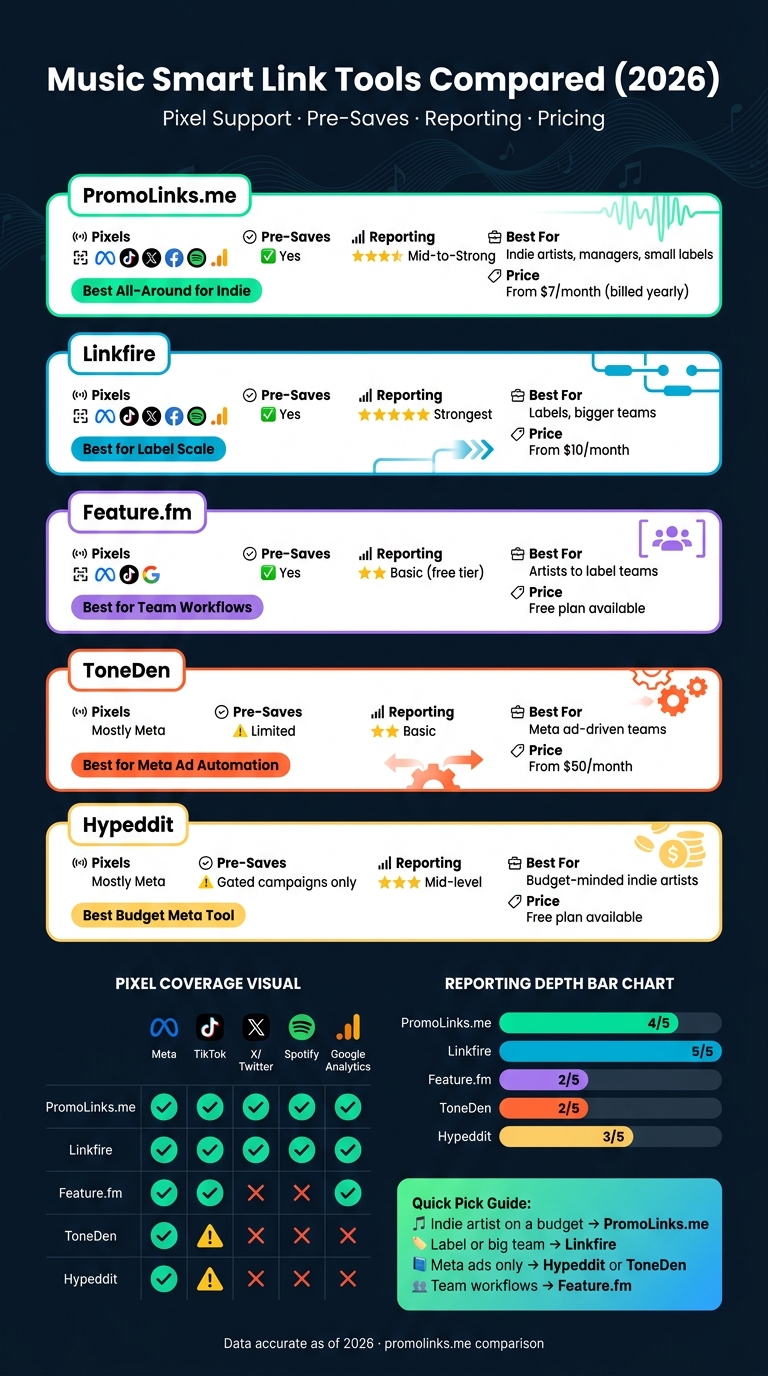
Music Smart Link Tools Compared: Pixels, Pricing & Features (2026)
| Tool | Pixel Focus | Pre-Saves | Reporting Depth | Best Fit | Entry Price |
|---|---|---|---|---|---|
| PromoLinks.me | Meta, TikTok, X, Spotify, Google Analytics | Yes | Mid-level to strong | Indie artists, managers, small labels | $7/month billed yearly |
| Linkfire | Meta, TikTok, X, Spotify, Google Analytics | Yes | Strongest in this group | Labels, bigger teams | $10/month |
| Feature.fm | Meta, TikTok, Google | Yes | Basic on lower tiers | Artists to label teams | Free plan available |
| ToneDen | Mostly Meta | Limited smart-link focus | Basic | Meta ad-driven teams | $50/month |
| Hypeddit | Mostly Meta | Gated campaign focus | Mid-level | Budget-minded indie artists | Free plan available |
Here’s the main takeaway: if you want broad pixel support with less setup work, start with PromoLinks.me or Linkfire. If your ad spend sits mostly inside Facebook and Instagram, Hypeddit or ToneDen may be enough.
That’s the lens I’d use for the full comparison below.
1. PromoLinks.me
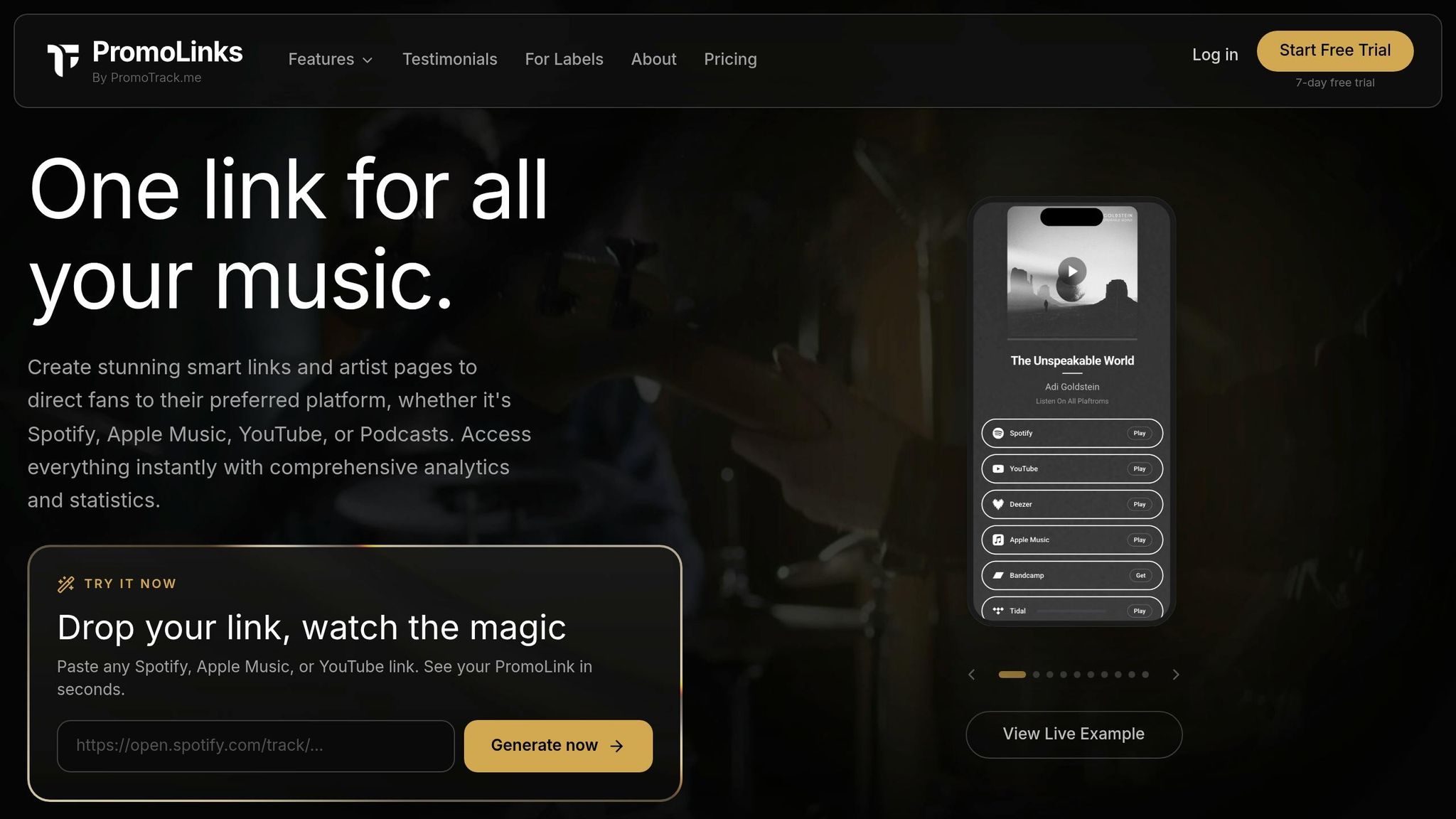
PromoLinks.me is made for musicians and labels. It handles smart links, artist pages, pre-save campaigns, QR codes, and fan email capture.
Pixel Coverage
Pixel support starts with the Pro plan. It works with Meta, TikTok, X, Spotify, and Google Analytics. You set it up once, and that same setup carries across every link. On top of that, Source Copy adds utm_source tags for Instagram, TikTok, and YouTube shares, which helps show where traffic came from.
That means attribution stays clean across each release link instead of turning into a mess halfway through a campaign.
Retargeting Workflow
Once links are connected, they can help build retargeting audiences. On Pro, Link Gates let you unlock content in exchange for an email or password. Those captured contacts can then be used for email, SMS, or WhatsApp follow-up. PromoLinks.me also includes downloadable QR codes, so you can place links on posters, merch, and live screens.
For artists running promo across both online and in-person channels, that kind of setup makes day-to-day campaign work a lot easier.
Analytics Access
After tracking is in place and audience data starts coming in, the next step is figuring out what deserves more budget or attention. PromoLinks.me includes real-time analytics, with 7 days of history on Indie and full history on Pro and higher plans. Manager and Label plans also include multi-artist reporting, which is handy for roster-level review.
Artist-Label Fit
| Plan | Price | Best For |
|---|---|---|
| Indie | $7/month billed yearly | Solo independent artists |
| Pro | $15/month billed yearly | Growth-focused artists running paid campaigns |
| Manager | $31/month billed yearly | Managers and boutique labels |
| Label | Custom pricing | Established labels and larger teams |
2. Linkfire
Linkfire is built for label-scale release campaigns. Major labels such as Universal Music Group often use it for large rollouts. In the U.S., its main draw is scale, pixel coverage, and deeper reporting.
Pixel Coverage
Linkfire supports retargeting pixels for Meta, TikTok, X, Spotify, and Google Analytics. That gives teams a clean way to track activity across several platforms instead of looking at each one in isolation.
Retargeting Workflow
The setup leans toward teams, not solo operators. Its A/B testing and campaign controls work well for groups handling multiple releases at once. So if you're running one simple smart link, it can feel like more tool than you need. But for marketing teams juggling a full release calendar, it makes a lot more sense.
Analytics Access
Pixels are only part of the story. Linkfire stands out more on the reporting side. Its streaming data partnerships show post-click activity, not just traffic. That's a big difference. A click tells you interest; post-click data gives you a better read on what happened next. More advanced analytics and data features are usually kept for enterprise pricing plans.
Artist-Label Fit
The pricing makes that split pretty clear too: solo artists tend to run into limits sooner than label teams.
| Plan | Price | Best For |
|---|---|---|
| Starter | $10/month | Basic smart links and insights |
| Pro | $25/month | Custom links, custom domains, re-ordering destinations |
| Enterprise | Custom pricing | Major labels, large teams, advanced data needs |
Starter does not include custom domains and limits destination options, which can be a drawback for independent artists. Linkfire fits best with label teams that need scale and deeper reporting.
3. Feature.fm
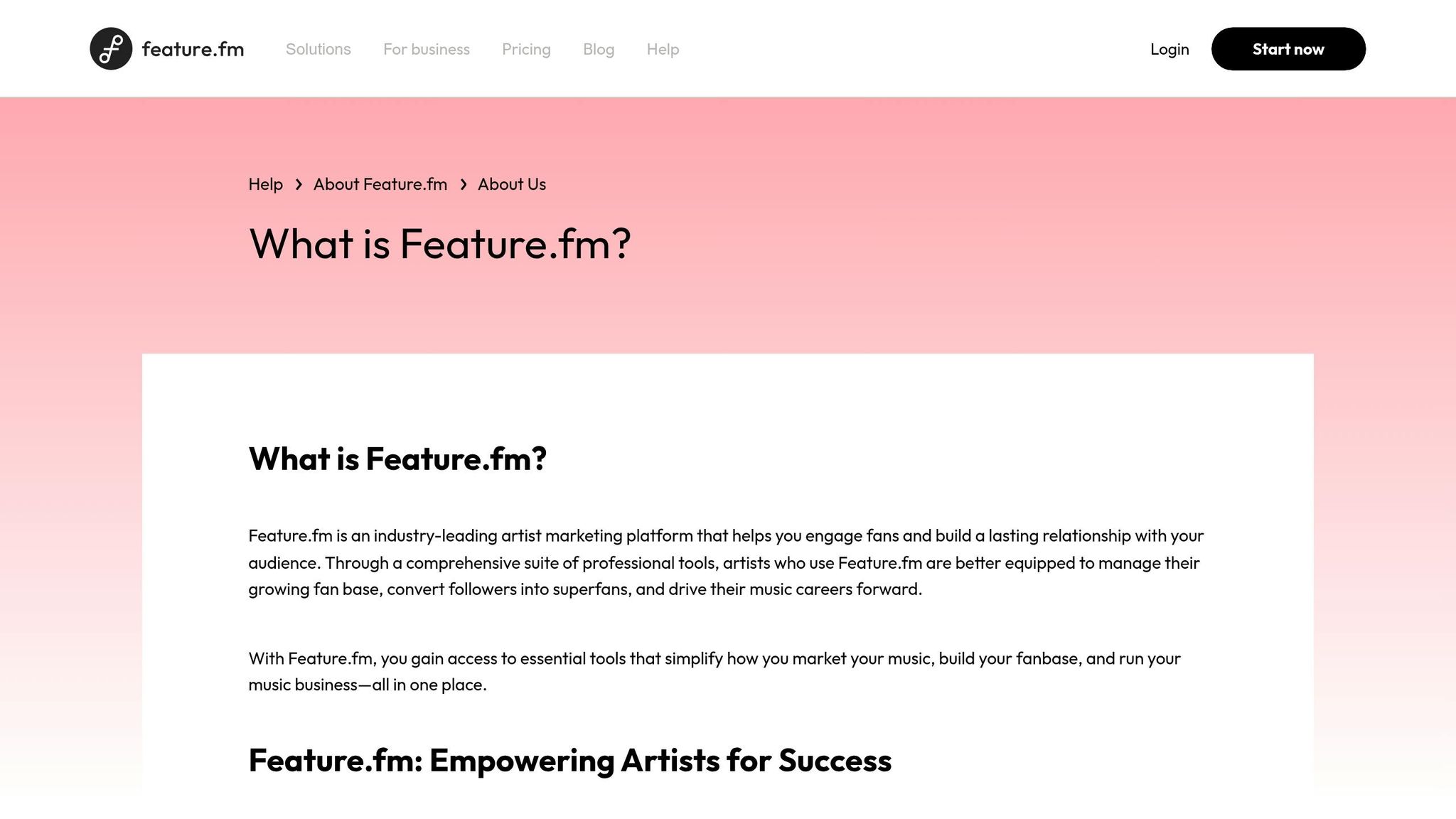
Feature.fm is a music marketing platform built for artists, labels, and marketers. Its smart links, Action Pages, and ad tools help turn fan clicks into audience data you can use later. For release campaigns, that matters a lot. Action Pages pull traffic capture, retargeting, and analytics into one setup, which makes campaign management a lot less messy. This is especially useful for artists looking to capture fan emails without a website.
Pixel Coverage and Retargeting Workflow
Feature.fm's Action Pages collect audience data tied to smart link traffic, which can feed retargeting campaigns and audience segments. From there, you can use that same data for follow-up campaigns and tighter audience segments. In plain English: someone clicks, you collect the signal, and you can reach them again later.
Analytics Access
The free artist plan includes a 7-day data analytics window, which limits post-launch analysis to 7 days. That makes the free plan a solid option for testing a campaign or checking early results. But if you're running a bigger release push, that short window can become a problem fast, since you may want more time to track what happened after launch.
Artist-Label Fit
Feature.fm scales from solo artists to labels that need higher-volume campaign tools and broader team use. So if you're working alone, it can still fit. If you're part of a label team running more campaigns at once, it has room for that too.
4. ToneDen
ToneDen puts less emphasis on broad smart-link coverage and more on automation-first Meta campaign management.
It’s a social media marketing platform built around automation, with its strongest use case in release campaigns tied to Meta ads and pre-saves and live dates.
Pixel Coverage and Retargeting Workflow
ToneDen’s pixel and ad support centers mostly on Meta, namely Facebook and Instagram. Its ad tools handle campaign creation and management inside Meta, and the smart link generator can spin up marketing links for music, tours, and live events with very little manual setup.
That makes the platform handy for teams that want to move fast. Set it up, launch the campaign, and let the system handle a good chunk of the work.
The trade-off is pretty clear: retargeting stays mostly inside Meta. So if your team wants pixel coverage across more channels, ToneDen may feel a bit narrow.
Analytics Access
Reporting is lighter than the automation side of the platform. So if your main goal is smooth ad setup and campaign workflow, ToneDen makes sense.
If you care more about deep attribution, though, you may want something with stronger reporting.
Artist-Label Fit
ToneDen is a better match for established independent artists, managers, and labels with real marketing budgets. Paid plans run from $50/month to $1,300/month for enterprise-level features, which puts it in a range that fits established indie teams and labels more than lean startup budgets.
For teams that want broader pixel coverage and deeper attribution, the next platforms go further.
5. Hypeddit
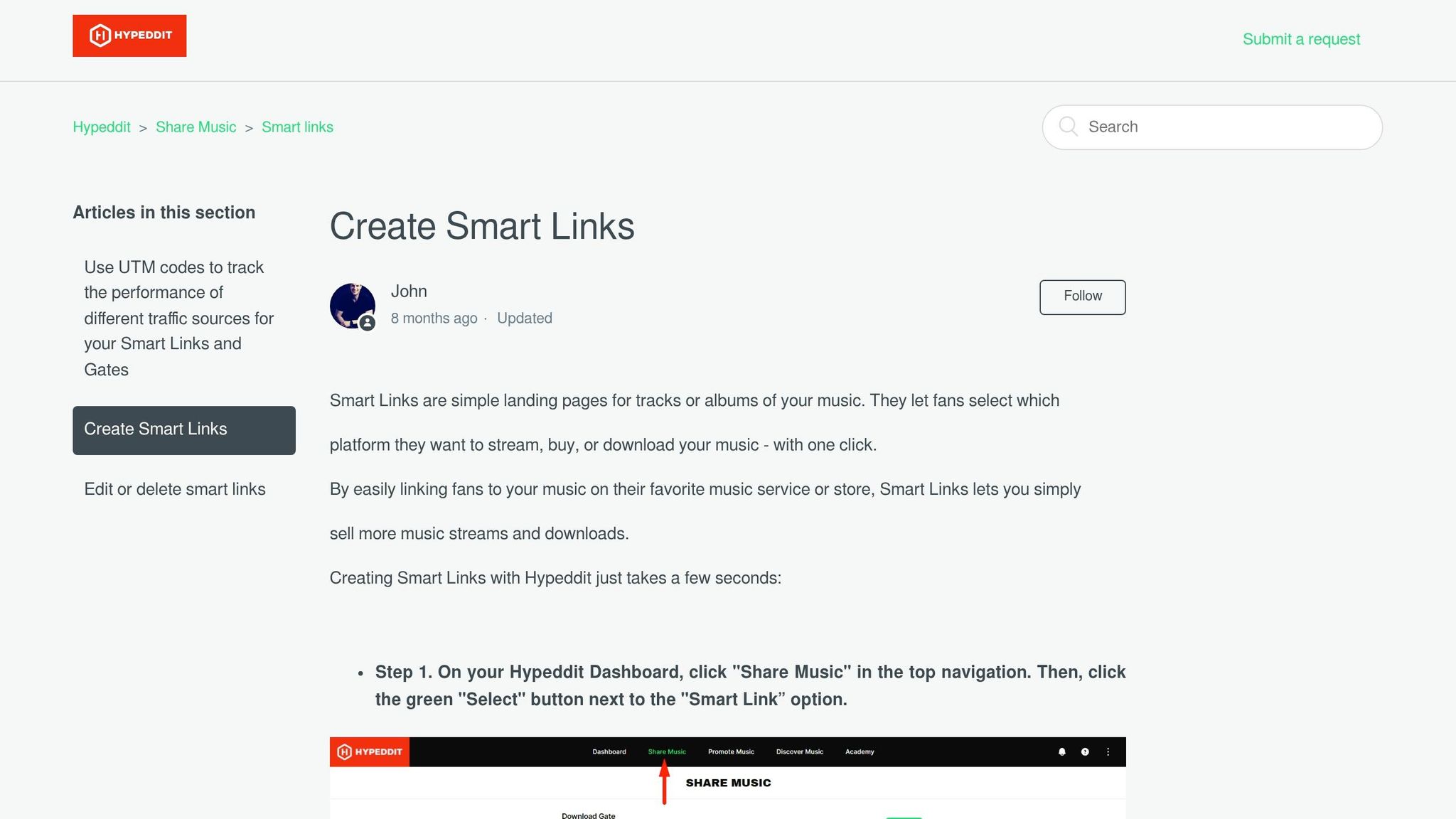
Hypeddit leans hard into Meta-based conversion tracking for music campaigns. If your release push lives mostly on Facebook and Instagram, that focus makes a lot of sense.
Pixel Coverage
Hypeddit supports pixels, with its clearest focus on Meta (Facebook and Instagram). For release campaigns that run mainly through Meta ads, that setup is a strong match.
Retargeting Workflow
What makes Hypeddit stand out is its gated landing pages. These pages ask fans to take an action, like following an artist on Spotify or sharing an email, before they can get the content.
That setup gives you a simple way to collect follows or emails and then retarget those users inside Meta campaigns. In plain terms, it works best when conversion capture matters more than having a broad smart-link toolset.
Analytics Access
Hypeddit reports total clicks and conversion rates. The reporting is pretty lean, which makes it a good fit for simple campaign tracking without a lot of extra layers.
Artist-Label Fit
Hypeddit is a good fit for budget-conscious solo indie artists. The free plan includes unlimited smart links and gated landing pages, while Pro adds email capture, custom domains, and placement in the platform's New Releases section.
6. PromoLinks.me
PromoLinks.me puts pixel tracking, pre-saves, and reporting into one workflow. If you want fewer moving parts, that setup helps. It supports pixel tracking on both smart links and pre-save pages.
Pixel Coverage and Retargeting Workflow
PromoLinks.me works with Meta, TikTok, X, Spotify, and Google Analytics pixels. When someone visits a smart link or pre-save page, that traffic can flow into your connected ad audiences on its own. Source Copy links also add UTM source tags for Instagram, TikTok, and YouTube.
A simple move here can pay off later: connect your pixels 2–4 weeks before release so you can build a retargeting audience ahead of launch. Then, once the campaign is live, the reporting has more context and gives you a clearer read on what happened.
Analytics Access
Reporting shows views, clicks, CTR, platform preference, location, device, and referral sources in real time. For pre-saves, you can track pledges, successful saves, and failures on release day.
Artist-Label Fit
PromoLinks.me offers a few plan levels, depending on how you work:
- Indie: $9/month for smart links and pre-saves
- Pro: $19/month with Meta and TikTok pixels
- Manager: $39/month with roster collaboration
- Label: custom pricing with roster analytics
A free trial is included.
The main differences now come down to setup, destination coverage, and reporting depth.
Pixel Setup, Platform Coverage, and Reporting Differences
After the platform-by-platform breakdown above, the main gaps come down to setup, coverage, and reporting depth.
How Pixels Are Added and Managed
Setup can look very different from one tool to the next. Some use account-level tracking that applies to every link. Others rely on campaign-level controls. And some are tied mostly to Meta workflows.
That matters more than it sounds. It shapes how much hands-on work your team has to do every time a new release goes live. If you're pushing out singles often, a setup that works across all links can save a lot of repeat work.
Supported Destinations and Pre-save Setup
Coverage also varies. Some tools support a broad set of streaming services, while others lean hard into Spotify-first flows. Pre-save setup changes along with that.
One detail is easy to miss: Apple Music pre-save authorization won't work inside in-app browsers like Instagram or TikTok. PromoLinks.me handles that by prompting fans to open the link in Safari to complete the authorization.
That small step can affect conversion volume, especially when most traffic is coming from social apps where people rarely leave the in-app browser unless they're prompted.
Reporting Depth After Launch
Once the campaign is live, reporting is where the differences become much easier to spot.
| Tool | Reporting Tier | Key Metrics |
|---|---|---|
| PromoLinks.me | Intermediate | Real-time clicks, geography, device, CTR, pre-save status, and UTM source |
| Linkfire | Advanced | CTR, referrer, device, OS, browser, country, city, streaming insights |
| Feature.fm | Basic | Referrer, country, album/song/artist/genre parameters |
| ToneDen | Basic | Total click volume |
| Hypeddit | Intermediate | Conversion rates, ad tracking metrics |
Some platforms tell you little more than total click count. Others let you dig into referrers, devices, location, and downstream streaming activity. If you're trying to figure out whether Instagram Stories beat TikTok, or whether Apple Music traffic behaved differently from Spotify traffic, that extra detail can make a big difference.
What These Differences Mean for U.S. Release Campaigns
In practice, this tends to matter most in two common release setups.
For single releases, account-level tracking can save time and cut down on repetitive setup. For multi-channel campaigns, platform-specific links make it easier to separate Instagram, TikTok, and YouTube traffic.
Use deeper post-click streaming insight when the campaign calls for service-level readouts by Spotify, Apple Music, or other destinations.
Pros and Cons
This table boils the comparison down to the trade-offs that matter most for pixel-driven music campaigns: coverage, reporting depth, and cost.
| Tool | Pros | Cons |
|---|---|---|
| PromoLinks.me | Broad pixel support, plus real-time geo and UTM data; visual customization that can lift CTR | Newer platform than legacy tools; advanced analytics and branding features are on paid tiers |
| Linkfire | Deepest post-click streaming verification; useful for global territory controls | Higher cost for advanced features; steeper learning curve |
| Feature.fm | Scales from indie to label teams; supports Meta, TikTok, and Google pixels | No deep post-click streaming data; free plan limits data access to 7 days |
| ToneDen | Strong ad automation for Meta-heavy campaigns | High-priced; paid plans start at $50/month and go up to $1,300/month; basic reporting |
| Hypeddit | Built for Meta conversion campaigns; free plan; Pro starts at $9/month | Limited design flexibility; narrower platform focus |
The next section breaks these trade-offs out by setup, platform coverage, and reporting depth. For more in-depth music promotion guides, explore our latest resources.
Conclusion
After looking at setup, pixel support, destinations, and reporting, the right pick mostly comes down to your campaign goal and the size of your team.
Indie artists who care most about conversions should lean toward strong pixel support and a setup flow that doesn't eat up half the day. PromoLinks.me Pro makes sense here because it gives indie artists what they need for conversion-focused campaigns without enterprise-level pricing.
Labels and larger teams usually need more from reporting. Linkfire stands out when you want post-click streaming data, and Feature.fm is a better fit when team workflows start to matter more. For U.S. releases, that post-click data can be the difference between seeing who clicked and seeing which channel led to actual listening.
If your push is mostly built around Meta, Hypeddit's Pro plan is a solid lower-cost choice for conversion tracking. ToneDen makes more sense when live events and event-led promos sit at the center of the plan, but its pricing will likely put it out of reach for many indie artists.
In plain terms, the choice usually comes down to three things:
- Use pixels to build audiences
- Use post-click data to show ROI
- Use roster-tier plans to handle multiple artists
FAQs
When should I install tracking pixels for a release?
Install tracking pixels during the pre-save phase, before your release date. When you connect your Meta, TikTok, or Google Analytics pixels to your pre-save page, you can start building retargeting audiences right away.
That means you can track early fan activity, measure conversions, and fine-tune your ads the moment the music goes live.
Do pre-save pages and smart links track the same audience data?
Yes. With PromoLinks.me, your pre-save page automatically turns into a smart link on release day, so your tracking stays continuous from start to finish.
When you connect your Meta, TikTok, or Google Analytics pixels, you can track visitor activity, measure conversions, and build retargeting audiences across the entire release cycle.
What metrics matter most after launch?
After launch, focus on the metrics that show what clicks with your audience and where your traffic is coming from.
- Real-time analytics: Look at platform preferences and geographic data to see who’s showing up and where they’re coming from.
- Landing page CTR: Anything above 60% is strong. If you’re below 40%, the page may need changes.
- UTM parameters and pixel conversions: Use these to spot your top traffic sources and tighten up your retargeting.
Related Blog Posts
Ready to create your smart links?
Join thousands of artists using PromoLinks to promote their music smarter.
Get Started Free