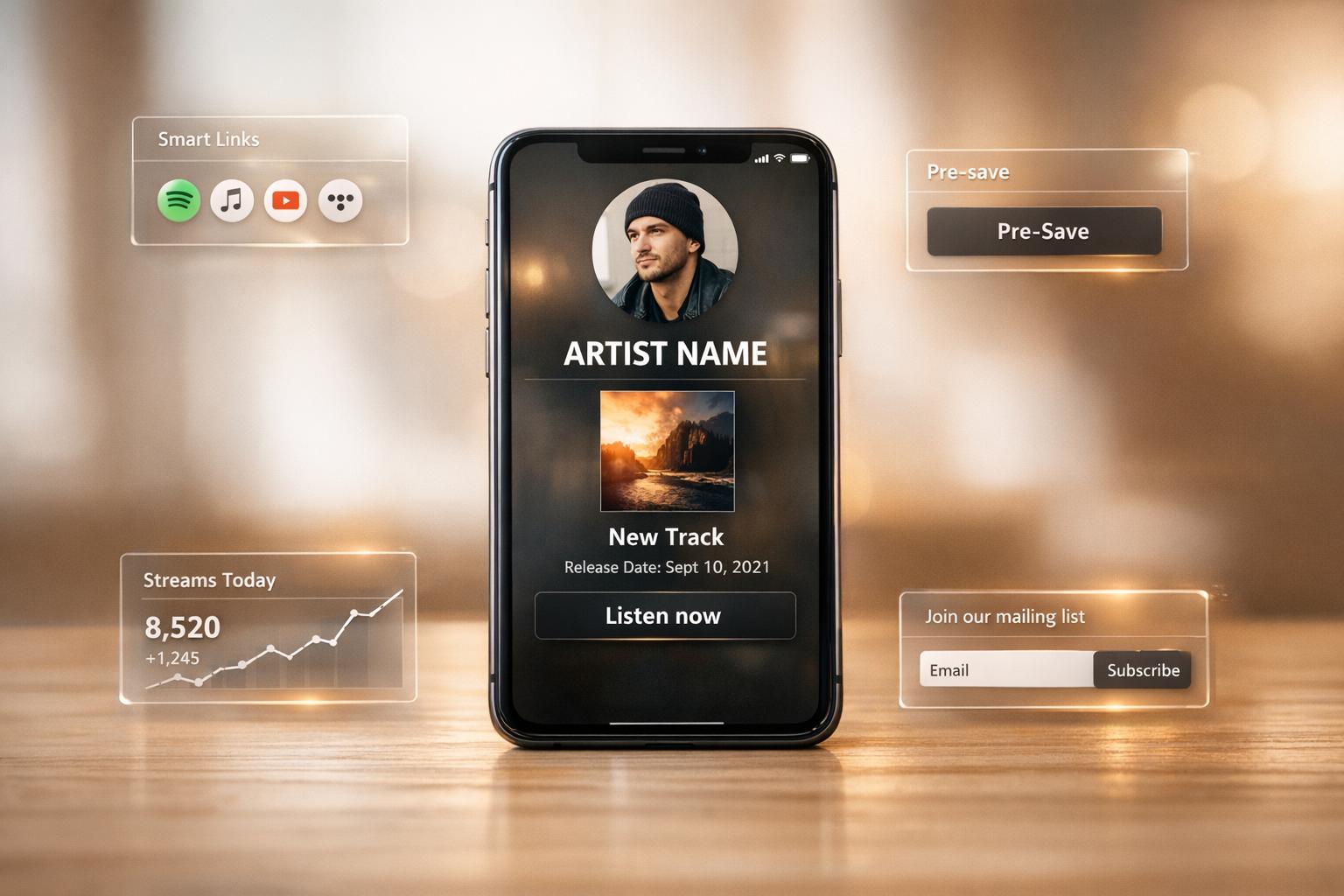
Setting Up Artist Pages for Music Releases
Creating an artist page for your music release ensures fans have a central hub to connect with you and your content. Unlike fleeting social media posts, an artist page serves as a lasting destination where fans can explore your music, bio, visuals, and streaming links. Here's a quick breakdown of how to set one up effectively:
- Gather Your Assets: Prepare high-quality visuals (cover art, profile photo, banner) and promotional graphics in multiple sizes for various platforms. Organize metadata like track titles, ISRC codes, and release dates.
- Design the Page: Choose a clean, mobile-friendly layout. Highlight your identity, latest release, and clear call-to-action (like promoting a single release) (e.g., "Listen" or "Pre-save"). Match the page's style to your music's mood.
- Smart Links and Tracking: Use tools like PromoLinks.me to create a single URL that directs fans to their preferred streaming service. Add UTM parameters and enable analytics to monitor fan engagement.
- Enhance Features: Include pre-save campaigns, email capture forms, and embedded content (e.g., videos or audio previews). Regularly update the page with new releases, tour dates, and content.
A well-designed artist page not only boosts your music's visibility but also provides a seamless experience for fans across platforms.
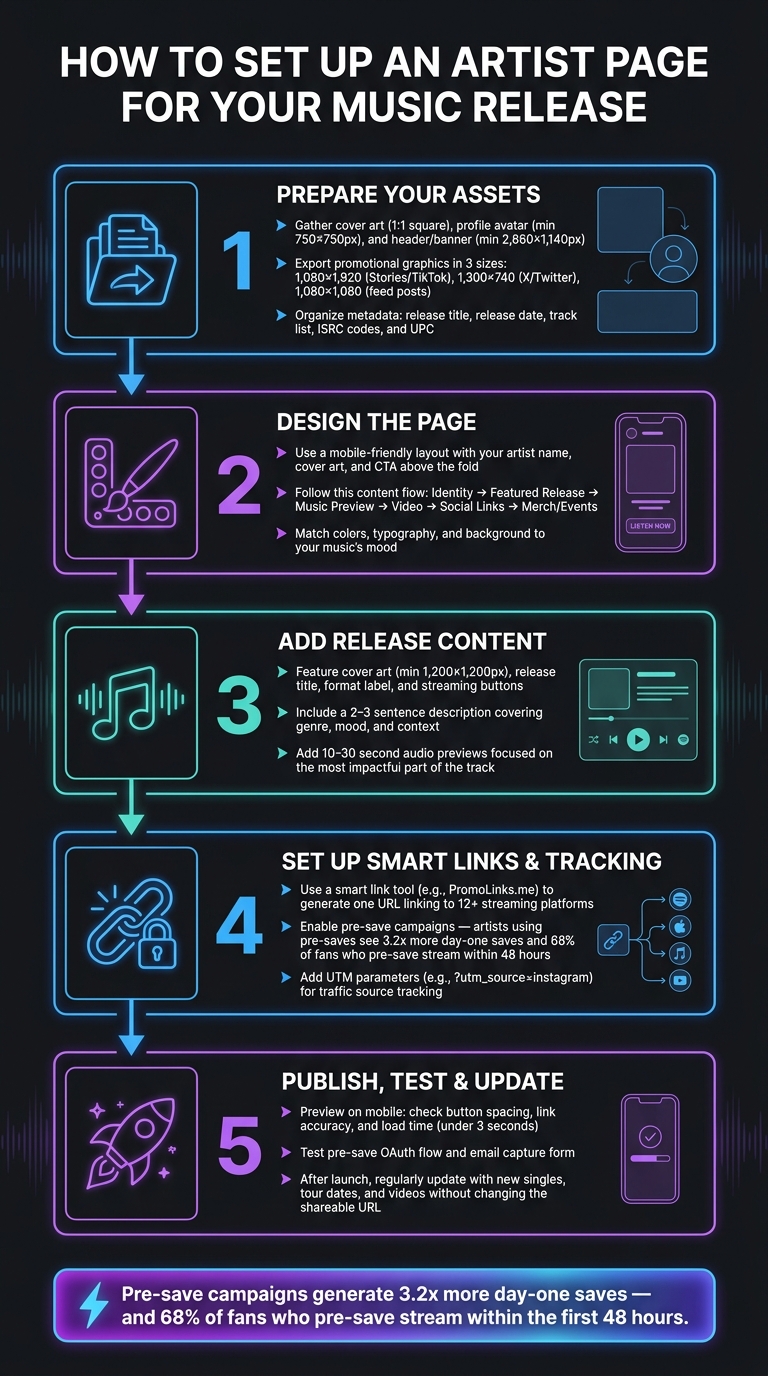
How to Set Up an Artist Page for Your Music Release
Prepare Your Release Assets
Before diving into a page builder, gather all your materials to avoid issues like placeholder images, broken links, or last-minute scrambling.
Gather Artwork and Visuals
Your cover art is the star of your release - a square (1:1) image that will appear on smart links, pre-save pages, and every streaming platform. Alongside this, you’ll need a high-resolution profile avatar (minimum 750 x 750 pixels) and a wide header/banner image (minimum 2,660 x 1,140 pixels) to create a cohesive look for the top of your page.
Consistency is key. Ensure your avatar, header, and gallery photos share a unified style and color palette. A good rule of thumb: use centered portraits for your avatar (since it’s often cropped into a circle) and wide, cinematic shots for your header. Avoid adding text or promotional copy to profile or header images - most platforms discourage this.
For promotional graphics, export them in three key sizes:
- 1,080 x 1,920 (portrait, ideal for Stories and TikTok)
- 1,300 x 740 (landscape, perfect for X/Twitter)
- 1,080 x 1,080 (square, for feed posts)
Having these ready in advance saves you the hassle of resizing under pressure when your release goes live.
Organize Metadata and Links
Accurate metadata ties everything together. At a minimum, prepare your release title, release date, track list, and ISRC codes (for individual tracks) or UPC (for albums). These details are critical for ensuring your release is discoverable across platforms like Spotify, Apple Music, and Deezer.
When it comes to streaming links, most smart link tools - like PromoLinks.me - can auto-generate links for other platforms using a single primary URL (usually Spotify or Apple Music). However, always double-check these auto-detected links to ensure they’re correct, as errors or regional mismatches can occur.
To track your promotions effectively, set up UTM parameters for each platform you’ll use. For example: ?utm_source=instagram or ?utm_source=tiktok. These help your analytics show exactly where your traffic is coming from.
Plan for Additional Features
Optional features can elevate your page but require early preparation. For example, pre-save campaigns should be live well before your release date. These campaigns can make a big difference - artists using pre-saves see an average of 3.2x more day-one saves, and about 68% of fans who pre-save a track stream it within the first 48 hours.
Another feature to consider is fan email capture (also called a link gate). This allows you to collect email addresses in exchange for early access, downloads, or exclusive content - giving you a direct connection to your audience that bypasses algorithms.
If you’re planning any physical promotions, finalize your QR code only after locking in your page URL. This ensures the code directs fans to the correct destination. By setting up these features ahead of time, you’ll be ready to hit the ground running when your page goes live.
sbb-itb-e819543
Build the Artist Page Structure
Using your prepared assets, it's time to design a page that instantly highlights your music. Your goal is to create a mobile-friendly layout that showcases your identity, your latest release, and a clear call-to-action (CTA) right away.
Choose a Clean, Organized Layout
Make sure your artist name, cover art, and primary CTA are all visible above the fold. Fans decide quickly, so your top section needs to grab attention immediately.
Think of your page as a guided experience. A structure that works well for most releases might follow this order: identity (your name and hero image) → featured release (artwork and CTA) → music preview or embed → video content → social links → merch or events. This flow naturally leads fans from "Who is this?" to "I want to listen" without making them search for information.
For your CTAs, stick to short, action-oriented phrases like Listen, Play, Pre-save, or Download. If you are still in the lead-up to your release date, follow a pre-save campaign guide to maximize day-one momentum. Since most users will visit on mobile, design with a vertical layout, large tappable buttons, and fast load times. Even a two-second delay can cause abandonment rates to spike as high as 87%.
"If your page doesn't capture emotion in those first moments, the rest of the design doesn't matter." - MusicBizQR
Finally, make sure your page design reflects your brand's personality.
Customize the Page to Match Your Brand
Your page's visual style should match the mood of your release. Everything - from colors to typography to background elements - should feel like an extension of your music, not just a generic template with your name slapped on it.
Platforms like PromoLinks.me offer templates designed with different artist aesthetics in mind. Here's a quick guide to help you find the right starting point:
| Template | Vibe | Best Fit |
|---|---|---|
| Midnight | Dark & cinematic | Moody, atmospheric, or late-night tracks |
| Neon | Bold colors | High-energy, electronic, or pop releases |
| Vinyl | Retro aesthetic | Lo-fi, indie, or classic-sounding music |
| Studio | Clean & professional | Minimalist branding or corporate projects |
| Aurora | Gradient effects | Dreamy, ambient, or colorful branding |
Once you've chosen a template, pull your color palette from your cover art to keep everything consistent. Match the background tone to the mood of your release - a dark, introspective single calls for a different vibe than a bright, upbeat summer anthem. Your page's visuals should amplify the essence of your music.
Add Music Release Content
Now that your layout and branding are set, it’s time to focus on the content that will turn visitors into listeners.
Feature the Release
Start by showcasing the essentials: the cover art (minimum size of 1,200×1,200px), the release title, format label (like single, EP, or album), and streaming buttons for platforms such as Spotify, Apple Music, YouTube Music, Tidal, Amazon Music, and Deezer. Use clear labels like "Listen on Spotify" instead of generic ones. This small detail builds trust and makes it easier for fans to take action.
Include a short description - just two or three sentences - that highlights the genre, mood, and context of the release. This helps create a stronger connection with your audience. As Bandcamp wisely notes:
"Presentation is part of the listening experience. It affects how ready the music feels before a note has even played."
Add 10–30 second audio previews, focusing on the most impactful part of the track. These short snippets are much more effective at driving conversions than longer previews.
Once you've featured your release, go a step further by providing context and giving credit to collaborators. This adds depth and authenticity to your page.
Add Credits and Supporting Details
Credits are more than just a formality - they help tell the story behind your music. Clearly list vocalists, producers, engineers, and any featured artists. Use terms like "feat." or "featuring" to ensure distribution platforms properly link collaborators to their profiles instead of creating duplicates. For example, Apple Music requires at least one performer credit and one producer credit to accept a release.
Beyond credits, consider adding a text block with lyrics, production notes, or a behind-the-scenes story. A quick paragraph about how the track came together can give fans something meaningful to connect with. As Narvuk explains:
"Clear framing does not remove mystery from the art. It removes confusion from the page."
If you have a supporting video, embed it directly on the page instead of linking to an external site. A two-column layout works great for this - place the video on one side and streaming links on the other. This setup lets fans watch the video and immediately access your music. For releases with multiple tracks, a brief track-by-track breakdown in a text block can add depth without overwhelming the design.
Connect Smart Links and Set Up Tracking
Now that your content is ready, it's time to make sure fans can easily find your music and you can monitor how they interact with it. Here's how to connect everything using smart links and track fan engagement effectively.
Set Up Smart Links
A smart link is like a one-stop shop for your music. Instead of juggling separate links for Spotify, Apple Music, Tidal, and others, you share a single URL that guides fans to their favorite streaming platform automatically.
With tools like PromoLinks.me, creating a smart link is simple. Just enter your main streaming URL into the dashboard, and it will automatically pull in your artwork, release title, and links for over 12 platforms, including Deezer, Amazon Music, SoundCloud, and YouTube Music. For upcoming releases, you can use the pre-save feature. This allows fans to connect their accounts in advance, and once your music is live, the same link transitions seamlessly to streaming mode.
"Pre-saves remove that friction entirely. The fan connects their Spotify account once with a single click, and the save happens automatically on release day." - PromoLinks.me
Turn On Analytics and Fan Engagement Tools
Once your smart link is up and running, activate tracking tools to understand how fans are interacting with your music. PromoLinks.me offers a real-time analytics dashboard that tracks key metrics like page views, unique visitors, clicks, click-through rates (CTR), geographic data, and device types. These insights can help you fine-tune your page and improve fan engagement.
You can also add UTM parameters (e.g., ?utm_source=instagram) to track where your traffic is coming from, and generate QR codes to expand your reach across both digital and physical spaces. Regularly checking the Top Referrers section in your dashboard will show you which platforms are driving the most traffic to your page.
To build a stronger connection with your audience, consider enabling email capture on your artist page. Features like Link Gates can ask fans for their email address or a password before accessing your music, turning casual visitors into contacts you can engage with directly.
Publish, Test, and Keep the Page Updated
Test the Page Before You Publish
Before publishing, take the time to ensure every element on your page works perfectly. A broken streaming button or a poorly displayed hero image on mobile can undo all the effort you've invested.
Start by previewing your page on mobile devices. Check that the layout looks good on smaller screens, verify that buttons are spaced well for easy tapping, and confirm all links lead to the right destinations. For pre-save flows, personally test the process by connecting a Spotify or Apple Music account and make sure the OAuth flow completes without any issues.
Another key step: ensure the page loads and engages users within 3 seconds. Reload the page and confirm that the hero section clearly communicates your identity and call-to-action.
Here’s a simple checklist to guide your testing process:
| Testing Area | What to Check |
|---|---|
| Links | Streaming buttons, social icons, page URL |
| Visuals | Hero image, mobile layout, consistent colors/fonts |
| Engagement | Pre-save OAuth flow, email capture form |
| Metadata | Open Graph tags, artist name attribution |
Once everything checks out, you’re ready for a smooth launch. But remember, your work doesn’t stop there.
Update the Page After the Release
After launching your page, keep it fresh and relevant with regular updates. Your artist page should grow and evolve alongside your release assets.
Don’t fall into the trap of letting your page become outdated - static pages can lose fan interest. One of the best ways to keep your page engaging is by updating the featured release section. Add new singles, videos, or tour dates as they become available. Tools like PromoLinks.me allow you to update your page’s content without changing the shareable URL, ensuring your social media links remain functional even as your focus shifts.
Tour dates are another great addition. Listing upcoming shows gives fans a clear next step after discovering your music. Plus, properly structured event data can help boost your visibility in local searches. Beyond this, use your analytics dashboard to track page views and click-through rates. Spot trends in regions or platforms where your audience is growing and tweak your page content to align with those insights. Even small, data-backed updates can turn your page into a dynamic part of your music promotion strategy rather than a one-and-done effort.
Conclusion: Key Takeaways for Setting Up Artist Pages
Creating an artist page that resonates with fans requires thoughtful planning, cohesive visuals, and the right tools. Start by gathering high-quality assets, organizing metadata, and ensuring the page design reflects your music's identity. This attention to detail can make all the difference in capturing your audience's attention.
As MusicBizQR puts it:
"If the design feels intentional, they assume the music is intentional. If the page feels chaotic, they assume the music might be too."
That critical first impression - formed in just 3 seconds - can determine whether someone stays to explore your music or moves on.
Don't overlook the practical aspects, either. Features like shareable smart links and pre-save campaigns have been shown to generate 3.2x more day-one saves. Tools for email capture and real-time analytics can also help you engage directly with fans and track their interactions. Platforms like PromoLinks.me make it easier to manage promotions and monitor your audience's growth. By focusing on these strategies, you can build an artist page that not only looks great but also actively supports your music's success.
FAQs
What should I include above the fold on my artist page?
Make the most of your PromoLinks artist page by spotlighting your latest release right above the fold. Here's how to structure it for maximum impact:
- Artwork, Title, and Release Date: Feature your release’s cover art prominently alongside the title and release date. This ensures fans know exactly what’s new at a glance.
- 30-Second Audio Preview: Add a short audio snippet to give listeners a taste of the track. It’s a great way to hook them instantly.
- Clear Streaming Buttons: Provide direct links to popular platforms like Spotify, Apple Music, or YouTube. Make sure the buttons are easy to spot and labeled clearly, so fans can jump straight to their favorite service.
To keep things engaging, include a short, enticing blurb about the release. For example, share the inspiration behind the song or what makes it stand out. End with a strong call to action, such as “Pre-save now” or “Stream today.”
If it fits, you can also add a brief bio or release notes in a text block next to the buttons. This might include details like the story behind the track, collaborations, or upcoming plans. Keep it concise but meaningful to connect with your audience.
How can I track which promo channels get the most clicks?
PromoLinks.me offers a real-time analytics dashboard that lets you monitor clicks across all your campaigns, social media posts, and platforms. This data gives you a clear picture of which channels are generating the most engagement.
For those with a PromoLinks Pro account, there’s even more to unlock. You can connect Meta and TikTok Pixels, making it easier to track conversions and fine-tune your marketing budget based on performance data. This means smarter spending and better results for your campaigns.
When should I launch a pre-save campaign before release day?
Kick off your pre-save campaign 2–3 weeks before your release date. This window strikes the perfect balance: it gives your fans enough time to see the link multiple times (most people need 3–5 exposures to take action) without risking a loss of interest. Starting too early - over 4 weeks out - can cause excitement to fizzle, while launching too close to the release might not give your campaign enough time to gain traction.
To make things easier, you can use tools like PromoLinks.me. They simplify the process by turning your pre-save link into a live smart link as soon as your release goes live.
Related Blog Posts
Ready to create your smart links?
Join thousands of artists using PromoLinks to promote their music smarter.
Get Started Free