WAV vs FLAC vs MP3 for Music Releases
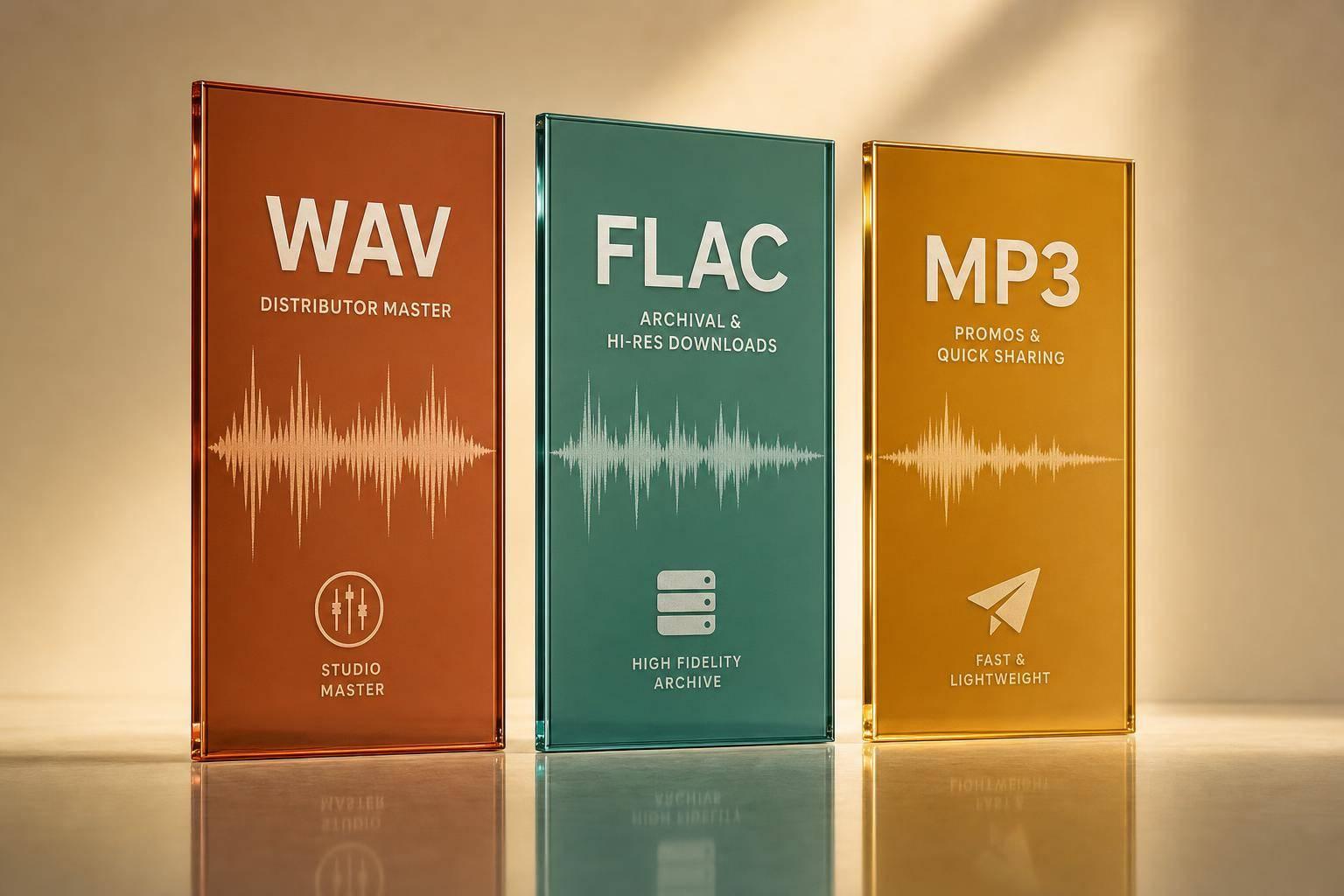
If I had to give one short answer: use WAV for delivery, FLAC for storage, and MP3 for sharing. That’s the whole article in one line.
Here’s the plain-English version:
- WAV keeps the full audio with no compression, but files are large.
- FLAC keeps the same audio quality as WAV, while cutting file size by about 40% to 60%.
- MP3 makes files much smaller, but it removes audio data and can add artifacts.
- WAV is usually the safest pick for distributors.
- FLAC is a smart choice for archives and fan downloads.
- MP3 at 320 kbps works best for promos, demos, and private review links.
One stat stands out: a WAV file is often about 10 MB per minute, while a 320 kbps MP3 is often around 1 to 2.5 MB per minute. So your format choice affects sound, storage, uploads, and file handling right away.
WAV vs FLAC vs MP3: Audio Format Comparison for Music Releases
FLAC vs WAV vs MP3 | How to Choose the Right Audio File Format
sbb-itb-e819543
Quick Comparison
| Format | Sound | File Size | Tags/Artwork | Best Use |
|---|---|---|---|---|
| WAV | Lossless, uncompressed | Large | Limited | Masters, distributor uploads |
| FLAC | Lossless, compressed | Medium | Strong | Archives, hi-res downloads |
| MP3 | Lossy | Small | Strong | Promos, previews, review links |
If I want one simple rule, it’s this: keep your main release files lossless, and only use MP3 when small size matters more than full quality.
WAV vs FLAC vs MP3: Quality, File Size, and Metadata
Audio Quality and Master Integrity
If a file is going to be mastered, distributed, or reused, audio integrity comes first. WAV and FLAC are lossless, which means they preserve the master exactly. MP3 uses lossy compression, so it can dull high frequencies, soften transients, and narrow stereo detail. That gap shows up most once files leave your DAW and move into a distributor’s pipeline.
There’s another catch with MP3: if you send an MP3 to a distributor, it gets encoded again for streaming. That second pass adds more compression artifacts. And now that major streaming services support lossless playback, delivering a lossy master throws away that edge.
Once quality is set, the next tradeoff is simpler: file size.
File Size and Storage Impact
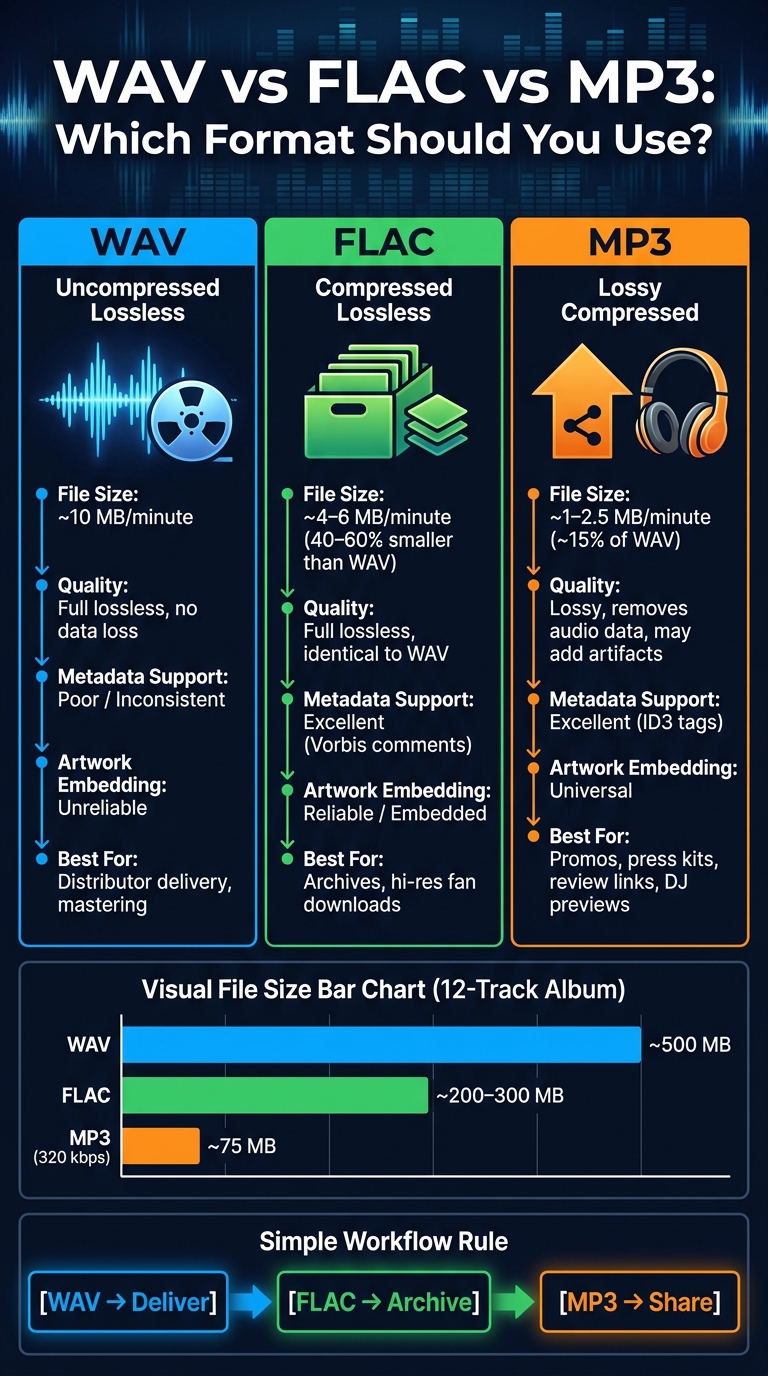
A standard 16-bit/44.1 kHz WAV file uses about 10 MB per minute. A 12-track album can get close to 500 MB in WAV. FLAC trims that by about 40% to 60%, which brings the same album down to roughly 200 MB to 300 MB. MP3 at 320 kbps usually lands around 1 to 2.5 MB per minute, or about 15% of WAV.
In day-to-day use, that gap matters more than people think. FLAC uploads faster than WAV and keeps the audio intact. MP3 is the go-to pick for email attachments or low-bandwidth sharing when small files matter more than top-end fidelity, often used alongside music promotion tools for quick distribution. One thing to keep in mind: converting an MP3 to WAV only gives you a bigger file. It does not bring back lost audio.
File size helps with storage and transfer, but it doesn’t fix cataloging. That’s where metadata starts to matter.
Metadata, Artwork, and Catalog Organization
WAV is the weakest option here. Its metadata support is inconsistent, so tags and artwork don’t always survive when you move files between apps. FLAC does a much better job with metadata, including artwork, lyrics, BPM, key, genre, and composer credits. MP3 uses ID3 tags, and those tags show up well across most devices.
| Format | Metadata Support | Artwork | Best Catalog Use |
|---|---|---|---|
| WAV | Poor / Inconsistent | Unreliable | Recording, mixing, mastering |
| FLAC | Excellent (Vorbis comments) | Reliable / Embedded | Archiving, hi-res downloads |
| MP3 | Excellent (ID3) | Universal | Promos, demos, casual sharing |
In plain English: use FLAC when you want organized archives and tagged promo copies. Use MP3 when you need fast sharing and smaller files. That split matters when you’re trying to keep archives clean, releases searchable, and promo delivery consistent.
Best Format for Each Release Scenario
The best format comes down to the job you need it to do.
Final Masters and Distributor Delivery
For distributor delivery, WAV is the standard. Send a 24-bit WAV to your distributor. Skip MP3 masters, since they add compression before the track gets encoded again for streaming.
Export a 24-bit WAV at your session’s native sample rate for distributor delivery. If your distributor accepts it, FLAC can also work as a backup.
Archives and High-Quality Downloads
For archives and high-quality downloads, FLAC makes the most sense. You get the same sound quality, but with file sizes cut by about 40% to 60% across a full catalog.
Platforms like Bandcamp also give fans a choice at checkout. They can pick formats like MP3, FLAC, and AAC, as long as you upload a lossless source file.
Private Review Links and Lightweight Promo Files
For private review links, go with MP3 at 320 kbps. It uploads fast, downloads easily on almost any device, and stays small enough for smooth sharing. If you’re sending private review links, PromoLinks.me is a good fit for pairing MP3 previews with real-time analytics.
Use one format for delivery, one for storage, and one for sharing. That keeps things simple and avoids mix-ups later.
| Scenario | Best Format | Backup Format | Main Reason |
|---|---|---|---|
| Distributor delivery | WAV (24-bit) | FLAC | Prevents double-encoding artifacts and keeps the master lossless for streaming delivery |
| Internal archives | FLAC | WAV | Saves 40% to 60% of storage with zero quality loss and stronger metadata support |
| Fan downloads | FLAC | - | Highest fidelity for audiophile listeners on platforms like Bandcamp |
| Press & DJ promos | MP3 (320 kbps) | - | Small enough for email and strong enough for club or radio previews |
A Simple Format Workflow for Independent Artists
Master in WAV, Archive in FLAC, Share in MP3
Once you’ve picked the right formats, the workflow gets pretty easy. The idea is simple: use one format for delivery, one for storage, and one for sharing. Each file has a job.
Keep the approved 24-bit WAV for delivery. Then convert that file to FLAC for archive storage, and use 320 kbps MP3s only for previews, press kits, and review links. Using custom domains for artist branding on these links can further professionalize your presentation. One rule is worth making bold: do not master or edit from MP3.
File Naming and Version Control for Release Day
Messy file names can turn release day into a headache. A file name like final_master_v2_REAL.wav might feel clear in the moment, but later on, it tells you almost nothing.
Use this structure: ArtistName_SongTitle_Version_SampleRate_BitDepth_Date.wav
For example: JaneDoe_Afterglow_Master_44.1kHz_24bit_2026-07-07.wav
Use the same pattern for every version, including instrumental, clean edit, and promo MP3. That way, the format, spec, and date are always right there in the file name. If you’re putting out an album or EP, add a two-digit track number at the start, like 01_ or 02_, so everything sorts the right way in any file browser.
Folder setup matters just as much as file naming. A tidy release folder might look like this:
| Folder | Contents |
|---|---|
| /Master | Final WAV files for distributor delivery |
| /Archive | FLAC copies for long-term storage |
| /Alternates | Instrumental, acapella, and clean versions |
| /Promo | MP3s (320 kbps) for press and review links |
| /Assets | Artwork, ISRC/UPC info, and lyric sheets |
Before you upload anything, do one last QC listen to the WAV export from start to finish on a different playback system, like headphones or laptop speakers. It’s a simple check, but it can save you from annoying problems like clicks, pops, truncated fades, or an accidental mono export.
Conclusion: Which Format Should You Use?
Once you separate delivery, archive, and promo files, the answer gets pretty straightforward: there isn't one best format for everything. Each format does a different job.
Keep your masters lossless until delivery. Use WAV or FLAC for working files, storage, and distributor uploads. Save MP3 for lightweight review copies and track engagement with music analytics.
Key Takeaways for Artists, Managers, and Labels
Here’s the simple rule of thumb:
| Format | Best Use |
|---|---|
| WAV | Delivery, mastering |
| FLAC | Archive, hi-res downloads |
| MP3 (320 kbps) | Promo, review links, DJ previews |
When release day comes around, delivery format matters most. Most professional distributors reject MP3 masters, so WAV or FLAC is the safer choice for delivery.
FAQs
Should I upload WAV or FLAC to my distributor?
Upload WAV or FLAC to your distributor. Both are widely accepted lossless formats, which means they keep the full quality of your master intact.
Skip MP3s. They use lossy compression, so you can lose audio detail before streaming platforms encode the file again.
There’s no audible difference between WAV and FLAC when you deliver your music. FLAC just takes up less space, so it’s easier on storage. One last thing: make sure your file matches your distributor’s required bit depth and sample rate.
Can I convert an MP3 to WAV for release?
No. Converting an MP3 to WAV does not bring back the audio data lost during MP3 compression.
It only changes the file format. The missing detail is still gone.
And if you release that converted file, streaming platforms will encode it again. That extra round of encoding can add more audible damage.
For professional distribution, always start with a high-resolution lossless master.
What sample rate should I use for my master?
Deliver your master at your project’s native sample rate. For major streaming platforms, 44.1 kHz is the minimum.
So if your session was recorded and mixed at 48 kHz, 88.2 kHz, or 96 kHz, export the final master at that same rate. Don’t downsample or convert it before delivery unless you have to. That extra step can add unwanted artifacts.
The main goal is simple: keep the sample rate the same across the full release.
Related Blog Posts
Ready to create your smart links?
Join thousands of artists using PromoLinks to promote their music smarter.
Get Started Free