10 Smart Link Email Tips for New Releases
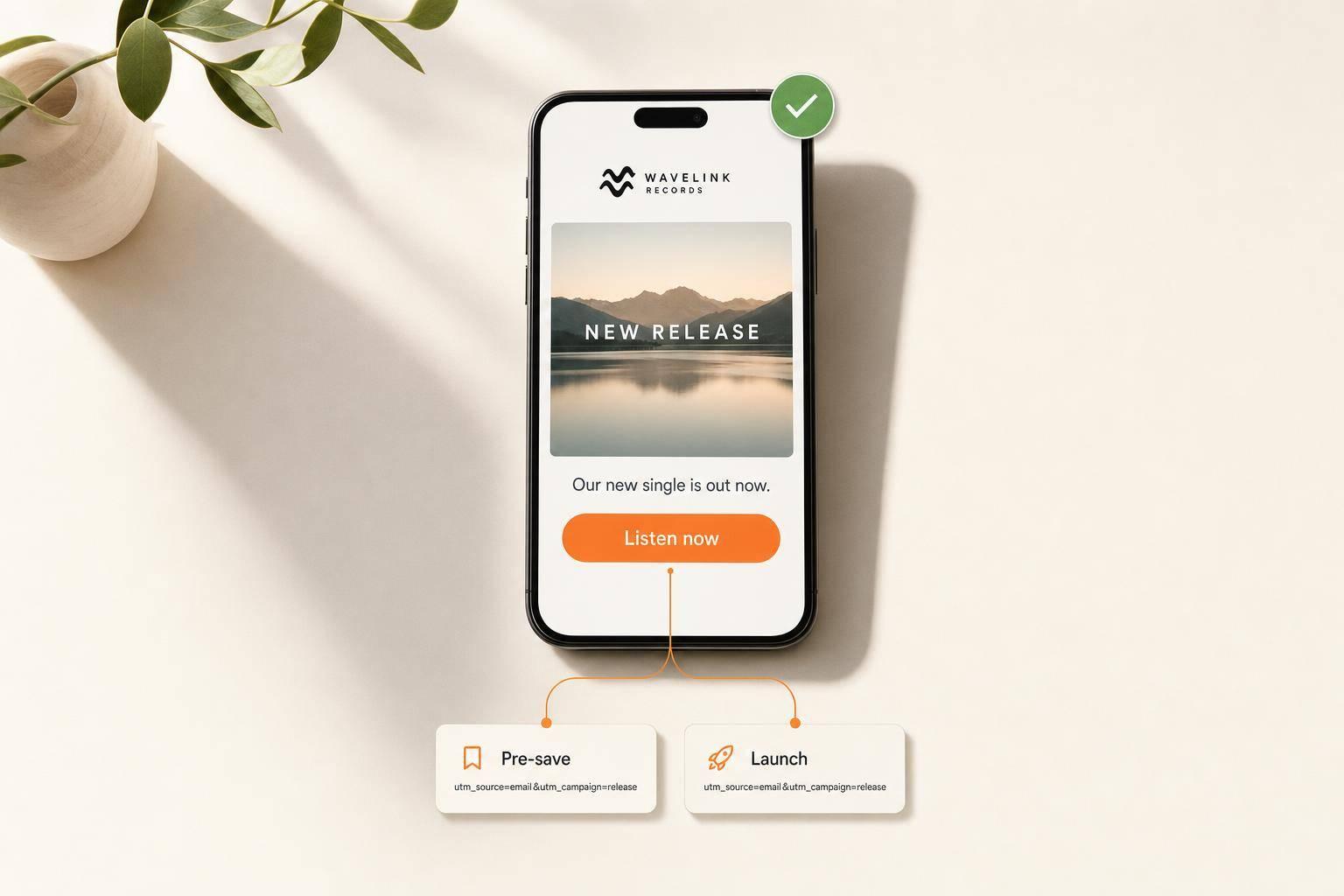
One release email should drive one click. If I want more fans to pre-save or stream, I keep the email simple: one subject line, one button, one smart link, and clean tracking from start to finish.
Here’s the short version: I send pre-save emails 1–3 weeks before release day, use separate links for pre-save and launch day, add UTM tags the same way every time, test on desktop and mobile, and review opens, CTR, unsubscribes, and platform picks after the send. I also keep the layout near 600 px wide and the total email size under 102 KB so it displays well and avoids Gmail clipping.
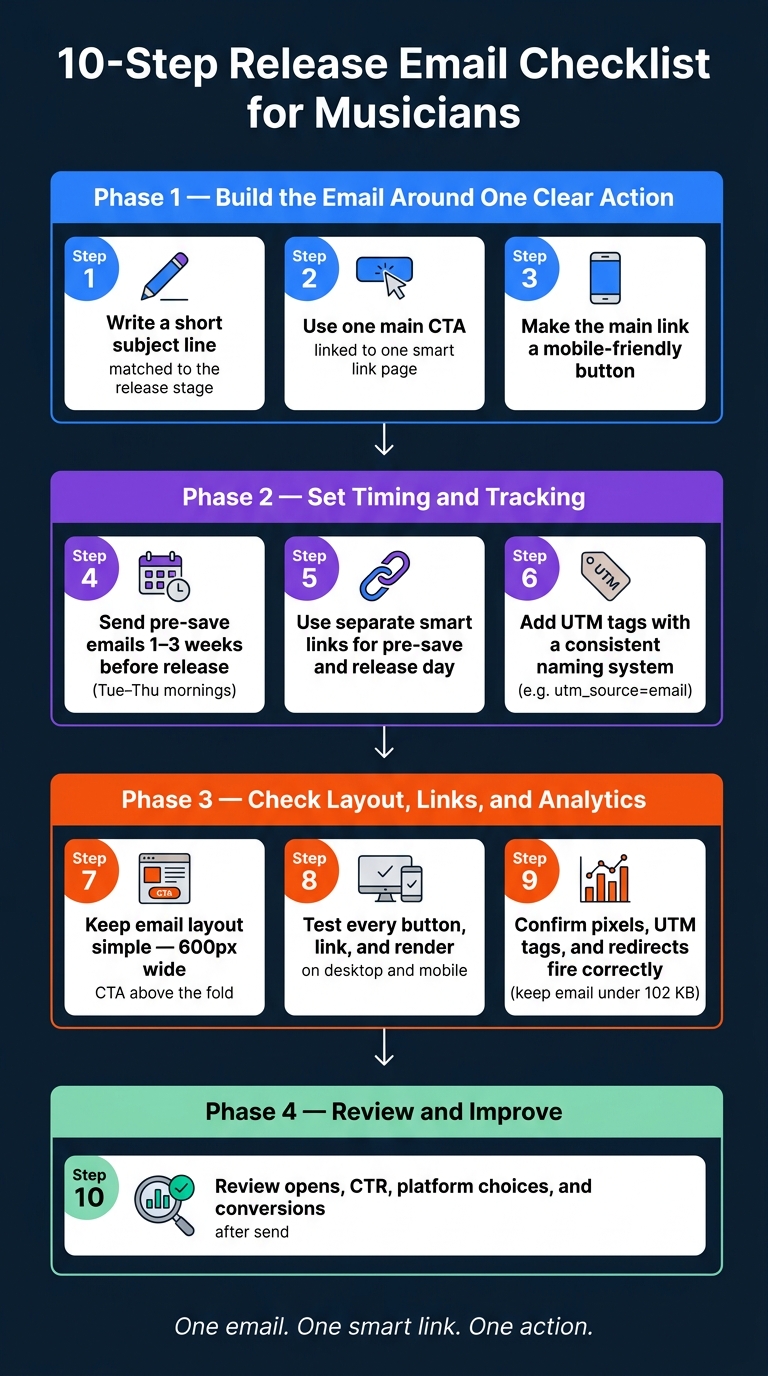
If I were checking a release email fast, I’d look for these 10 points (similar to my pre-release marketing checklist):
- short subject line tied to the release stage
- one main CTA
- mobile-friendly button near the top
- pre-save timing set early
- separate smart links for each stage
- consistent UTM naming
- simple layout
- full link and render testing
- working analytics, pixels, and redirects
- post-send review of clicks, conversions, and fan platform choice
10-Step Release Email Checklist for Musicians
How I Got Over 150 PRE-SAVES with a simple 5-minute EMAIL ✉️ 🚀
sbb-itb-e819543
Quick Comparison
| Tip | What I check | Why it matters |
|---|---|---|
| 1 | Short subject line | More opens and less clutter |
| 2 | One CTA, one smart link | Fewer drop-offs |
| 3 | Mobile-friendly button | More taps on phones |
| 4 | Pre-save sent 1–3 weeks early | Gives fans time to act |
| 5 | Separate links by stage | Cleaner reporting |
| 6 | Consistent UTM tags | No split data |
| 7 | Simple layout | Easier to scan |
| 8 | Test links and rendering | Fewer send-day mistakes |
| 9 | Check pixels and redirects | Tracking stays in place |
| 10 | Review results after send | Better next campaign |
The main idea is simple: fewer choices, fewer errors, and cleaner data usually lead to more clicks.
Build the email around one clear action
Each release email should push one action: click the smart link. If you pile on extra asks, the message gets muddy and people pause instead of clicking.
Use these three checks to make that click path simple and direct.
1. Write a short subject line that fits the release stage
Keep the subject line short, and match it to where the campaign is. For pre-save campaigns, lean into exclusivity or early access.
2. Use one main CTA linked to one smart link page
Choose one goal for each email: pre-save before release or stream on release day. Then shape the whole email around that one move. Both CTAs should send fans to a single smart link landing page, like one made with PromoLinks.me, where they can pick their platform.
The first 24 hours matter most, so get fans to the smart link fast. This is a core pillar of music promotion across platforms.
Then make that click easy on mobile.
3. Make the main link a mobile-friendly button
Put your CTA button near the top of the email so readers can see it on the first screen. Some inboxes don't render buttons well, so add the smart link as plain text right below the button.
Set timing and tracking before you send
Once your CTA is in place, sort out timing and tracking before you send the email. This part does a lot of the heavy lifting. If you miss it, even a strong email can underperform.
Get these three checks done before you hit send.
4. Start pre-save emails early enough to matter
For Friday releases, send pre-save emails 1–3 weeks in advance. Aim for Tuesday through Thursday mornings or early afternoons.
That window gives fans enough time to act without feeling rushed. It also gives you space to send a reminder closer to release day, which can make a big difference.
5. Use separate smart links for pre-save and release day
Don’t use the same smart link for both stages.
Keep pre-save clicks and release-day clicks separate by sending each email to its own page: a pre-save page before the release, then a live streaming page on drop day. That way, your data stays clean, and you can see what each email actually did.
6. Add UTM tags with a consistent naming system
Tag every link before it goes out. Use one format each time:
utm_source=emailutm_medium=release_newsletterutm_campaigntied to the release, likeutm_campaign=summer-ep-presave
Small differences in naming can mess up your reporting. If one campaign uses Email and another uses email, your data gets split. It sounds minor, but it throws off the numbers fast. Pick one naming system and use it across every release.
After tracking is set, check the email itself before sending.
Check layout, links, and analytics before sending
With timing and tracking in place, check the email itself before you send it. Tiny misses can do damage on release day: a broken button, a missing UTM tag, or a pixel that never fires.
7. Keep the email layout simple and easy to scan
Use a clean, stripped-down layout: a short intro, your cover art, and one main smart link button. Make the CTA a clear button, not a plain text link. That one change can make the next step obvious.
Keep the email width around 600 pixels so it displays well across Gmail, Outlook, and Apple Mail. Place the main CTA above the fold so fans can see it right away, without scrolling. If you use images, add descriptive ALT text so the email still makes sense when images are blocked.
The goal is simple: keep the smart link as the only obvious action.
8. Test every button, link, and render before sending
Never assume a link works. Click every one.
That includes:
- the logo
- the main CTA button
- any social icons
- the footer unsubscribe link
Then send test emails to Gmail, Outlook, and Apple Mail on both desktop and mobile. Check that your cover art scales down cleanly on a small screen. Make sure the release title and date appear in live text, not buried inside an image. If images are blocked, the message still needs to read clearly.
Test the CTA on a phone too. Tap spacing matters more than people think. If it's easy to hit the wrong thing, add more space.
Keep the total file size under 102 KB to avoid Gmail clipping and slow load times.
9. Confirm analytics, pixels, and redirects are working
Before sending, click through every link in a test setup. PromoLinks.me preserves tracking through redirects, so check that your UTM parameters still appear intact in the browser address bar. A stray character or bad paste can break a tag without any warning.
Next, verify that your tracking pixel fires on the landing page. You can check this with your browser's developer tools or a pixel helper extension. Also test smart link redirects on both iOS and Android to make sure users land on the right platform.
Once analytics are checked, review opens, clicks, platform choices, and conversions after send.
Review results and repeat the checklist
10. Review opens, clicks, platform choices, and conversions
Once the email goes out, the next job starts: use the data to make the next release email better.
Check results the same day. Look at open rate, CTR, and unsubscribes. Then dig into your smart link dashboard to review total clicks, platform choice, and tied conversions. Pay close attention to the platform your fans picked most often. If one service keeps coming out on top, place it first on future smart link pages.
It also helps to log every send in a spreadsheet, including pre-save, release-day, and follow-up emails. Over time, patterns start to show. You'll spot which subject lines get more opens and which platforms your audience tends to choose most often.
Also track any new contacts collected during the campaign.
10-point checklist summary for every release email
Use this summary before every pre-save and release-day email.
| # | Checklist Item |
|---|---|
| 1 | Write a short, clear subject line matched to the release stage |
| 2 | Use one main CTA linked to one smart link page |
| 3 | Make the main link a mobile-friendly button |
| 4 | Start pre-save emails early enough to count |
| 5 | Use separate smart links for pre-save and release day |
| 6 | Add UTM tags with a consistent naming system |
| 7 | Keep the email layout simple and easy to scan |
| 8 | Test every button, link, and render before sending |
| 9 | Confirm analytics, tracking pixels, and links are working |
| 10 | Review opens, clicks, platform choices, and conversions after send |
FAQs
How many release emails should I send?
Put your energy into one well-timed email on release day. Send it between 8:00 AM and 10:00 AM in the time zone where most of your listeners live, and place your smart link right at the top.
You can automate release-day alerts through your pre-save campaign. That helps. But a personal email to your list is still your strongest channel for driving streams and saves.
One caveat: only email fans who have explicitly opted in.
What should I include on a smart link page?
Keep it simple and clean. Show your release cover art, a short description, and an audio preview so fans can get the idea fast and hit play right away.
Add one clear call to action above the fold, use labeled buttons for major streaming platforms, and include an email capture form. If you're running a pre-save campaign, add a countdown timer and make the pre-save button visible right away.
Which email metrics matter most after sending?
Track metrics in both your email service provider and your PromoLinks.me dashboard.
Your email platform shows open rate and click-through rate or click-to-open rate. Those numbers help you judge subject lines and CTA performance.
PromoLinks.me shows traffic sources, geographic data, and device usage. That gives you a clearer view of which channels send the most listeners to your smart link.
Related Blog Posts
Ready to create your smart links?
Join thousands of artists using PromoLinks to promote their music smarter.
Get Started Free