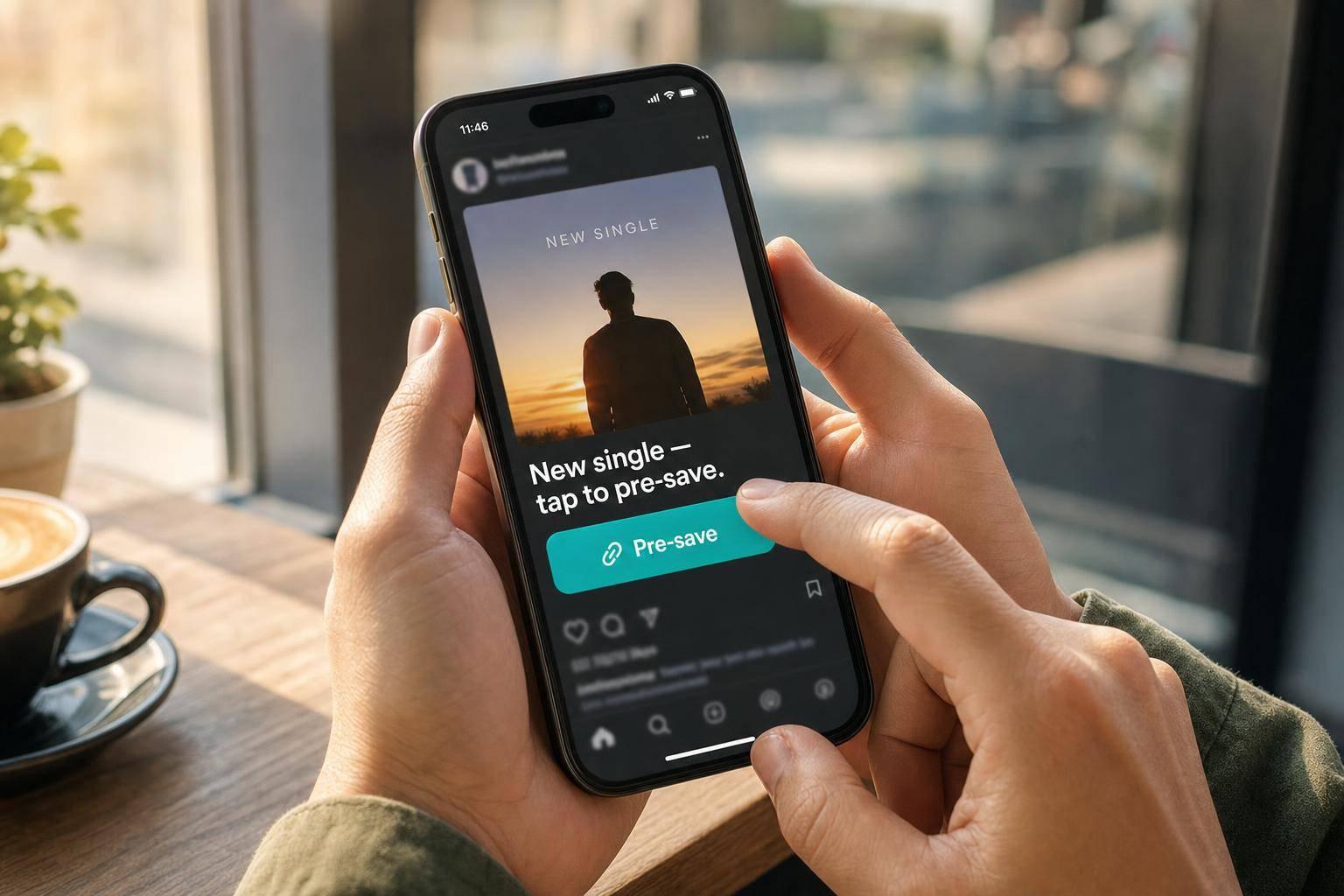
Why Social Pre-Save Campaigns Miss Fan Clicks
Most pre-save campaigns don’t fail because fans don’t care. They fail because the click path is too hard.
If I want more pre-saves, I need to fix four things fast:
- Make the link easy to find
- Cut extra steps
- Use clear words on a clean mobile page
- Post more than once across 2 to 4 weeks
The article’s main point is simple: social interest does not turn into pre-saves when fans hit friction. A buried bio link, a long funnel, weak page copy, or too little promotion can kill results. And on mobile, even 1 extra second of load time can hurt conversions, with rates dropping by 4.42% per added second from 0 to 5 seconds. This friction is why tracking music analytics that matter is essential for identifying where you're losing fans.
Here’s the short version:
- If fans can’t spot the link, they won’t tap
- If the flow takes too many actions, they leave
- If the page is slow or cluttered, they hesitate
- If they only see the offer once, many won’t act
I’d treat this like a leak check, not a fan problem. Cut steps, make the link the main action, keep the page clear, and repeat the offer enough times for people to see it.
That’s the whole game this article lays out.
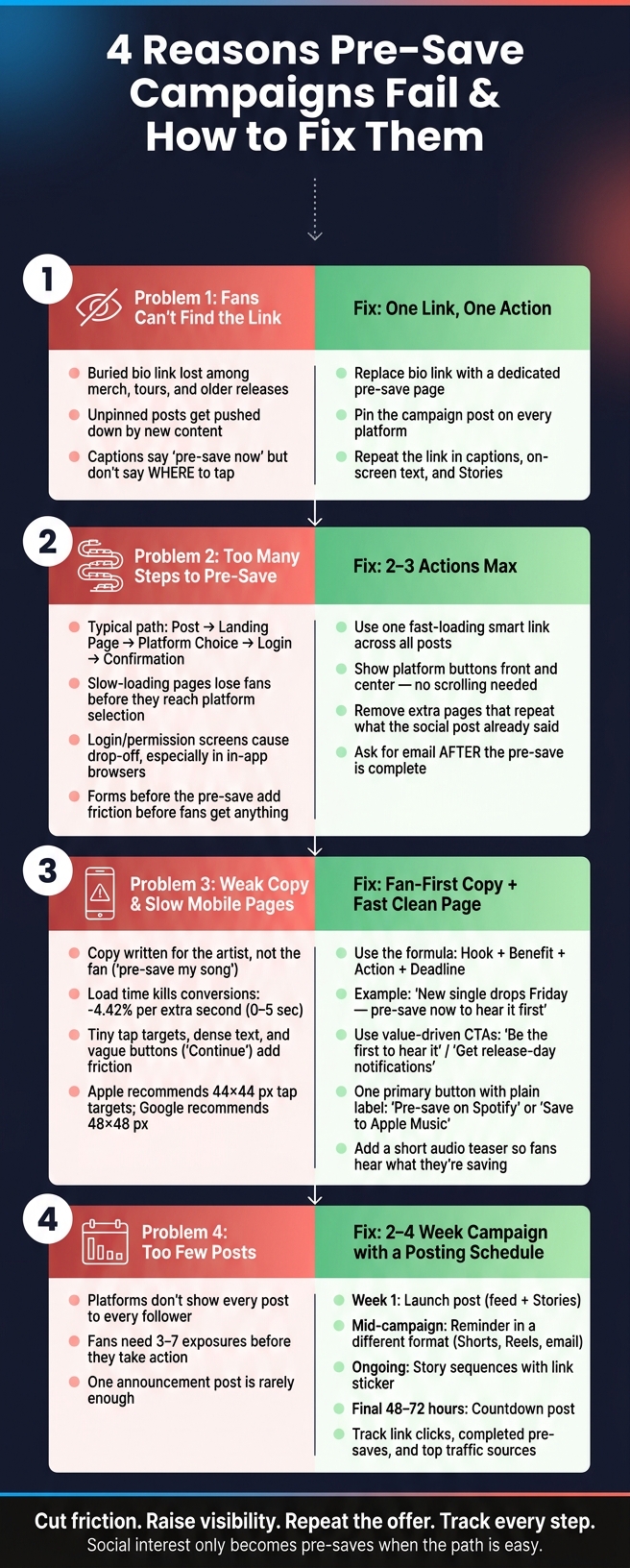
4 Reasons Pre-Save Campaigns Fail (And How to Fix Each One)
I DOUBLED My Spotify Pre-Saves With This EASY Trick
sbb-itb-e819543
Problem 1: Fans do not see the link or know where to tap
Fans often miss the pre-save for a simple reason: they don't see it. That's a visibility issue, not a sign that people don't care about the song.
Buried links cut social click-through
When the pre-save link is buried, clicks drop.
A packed bio page is a common problem. If fans tap your bio link and land on a page with merch, a newsletter, an older single, a YouTube channel, and tour dates, the pre-save becomes just one small option in a sea of choices. Too many options create choice overload, and that usually means fewer clicks. Most people won't stop and sort it out. They'll tap something else or leave.
Unpinned posts cause the same kind of friction. On social platforms, your main pre-save post gets pushed down as new content goes live. So when someone visits your profile for the first time, they usually see the latest posts, not the one tied to the campaign.
The caption can also make things worse. Copy like "Pre-save [Song Title] now" sounds clear at first, but it leaves out one key detail: where to tap. On TikTok and Reels, the link isn't clickable in the post itself. If fans have to hunt for the right place, most won't do it.
Fix: make one campaign link the main destination
During the campaign, use one main link in your bio. Replace the generic homepage or older release page with a dedicated pre-save link. Then make the bio text plain and direct. Something like "Pre-save [Song Title] - link below" tells people exactly what to do.
Pin the main campaign post on every platform that allows it. That keeps the pre-save message at the top of your profile, even as newer posts stack up.
It also helps to repeat the link in a few places:
- captions
- on-screen text
- Stories
Save those Stories to a Highlight so the link stays easy to find for the full campaign window. PromoLinks.me can keep the pre-save action front and center on a focused page.
This visibility check is a critical part of any pre-release checklist. Once fans can see the link, the next leak is the number of steps between tap and save.
Problem 2: The pre-save flow asks fans to do too much
Even when a fan taps the link, that click is just the beginning. Getting from the first tap to a finished pre-save usually takes several steps, and every step gives people a chance to leave.
Where fans drop off in multi-step funnels
A typical funnel looks like this: social post → landing page → platform choice → login → confirmation. On mobile, that path can feel long fast, and each step can lose people.
The landing page is often the first big leak. If it loads slowly, or if the pre-save button sits below a busy page, plenty of fans won’t even make it to the platform selection screen.
The next drop-off point usually shows up at the login or permission screen. Login pages and permission prompts often lose fans, especially inside in-app browsers.
Forms that appear before the pre-save is done add friction before the fan gets anything in return. If you want an email, ask for it after the pre-save is complete.
Fix: shorten the path and cut non-essential steps
The goal is simple: move a fan from tap to confirmation in two or three actions as part of your single release promotion. Use one fast-loading smart link as the single destination across your posts, Stories, and bio. On the first screen, put platform buttons front and center so fans don’t need to scroll. Remove any extra pages that just repeat what the social post already said.
Once the flow is shorter, you can see what’s broken more clearly. Real-time analytics show exactly where fans exit, which makes it easier to fix the weakest step first. That beats guessing and saves time.
And even a short flow can still fall apart if the copy and mobile page don’t give fans a clear reason to finish.
Problem 3: Unclear copy and poor mobile pages lose fans at the last step
A short funnel can still break down at the final step. If the copy is vague or the page feels clunky, fans get one last reason to hesitate. And when they hesitate, the leak shifts from the post to the page.
Weak copy gives fans no reason to act now
One of the most common copy mistakes in music promotion across platforms is writing for the artist instead of the fan. A line like pre-save my song tells people what the artist wants. It doesn't tell the fan why they should do it.
A better formula is hook + benefit + action + deadline:
New single drops Friday - pre-save now to hear it first.
That works because it gives the fan a clear reason to care right now. The message is simple: there's something in it for them, and there's a time cue that adds a little urgency.
Use direct fan-focused value, like:
- be the first to hear it
- unlock early access
- get release-day notifications
Poor mobile pages push fans away
Most fans open pre-save links on their phones. So if the page loads slowly or looks messy, clicks disappear fast. Conversion rates fall by an average of 4.42% for each additional second of load time between 0 and 5 seconds, and that drop hits pre-save completions directly.
Speed is only part of it. Layout issues can stop fans from finishing the action even after they land on the page. Tiny buttons, blocks of dense text, too many options, and weak labels like Continue all add friction at the worst moment.
Apple and Google both set clear tap target guidance. Apple recommends a minimum of 44×44 px, and Google recommends 48×48 px. On top of that, use one clear primary button with plain language, such as Pre-save on Spotify or Save to Apple Music.
Fix: pair direct copy with a clean mobile page
The post and landing page should make the same promise in almost the same words. If the post says pre-save to hear it first, the first thing fans should see on the page should repeat that promise, with the action button right in front of them. No scrolling. No hunting around. And after the save, show a clear confirmation so fans know it worked.
PromoLinks.me offers mobile-friendly templates, audio previews, and a drag-and-drop page builder for a fast pre-save page. A short audio teaser on the page can help too. It gives fans a reason to commit because they can hear what they're saving before they tap.
Once the page works, the next problem is reach: fans still need to see the campaign more than once.
Problem 4: One or two posts are not enough to drive results
The issue is simple: reach. Most followers won’t see every post you publish, and many won’t act the first time they do. Even a strong campaign can stall if fans only run into the pre-save link once.
Why posting too little lowers completed pre-saves
Social platforms don’t show every post to every follower. Distribution is uneven, so one announcement usually isn’t enough to drive action. Research suggests consumers need about 3 to 7 exposures before they take action. That means a single post rarely does the job by itself.
More exposure gives fans more chances to notice the offer, tap the link, and finish the pre-save. It’s a bit like hearing about a movie from a friend, then seeing the trailer, then spotting the poster a few days later. By the third or fourth touch, it sticks.
A workable pre-save window is 2 to 4 weeks before release, with reminders spread across that period. To reach different parts of your audience, mix formats and channels:
- Feed posts
- Stories
- Shorts
Fix: build a simple posting schedule and track what works
Once the link is easy to find and the page loads fast, posting frequency often becomes the next bottleneck. The goal isn’t to spam people. It’s to keep the same offer in front of fans in a few different ways so more of them actually see it.
A simple pre-save campaign strategy can work well:
- A launch post
- A mid-campaign reminder in a different format
- A Story sequence with a link sticker
- A countdown post in the final 48 to 72 hours
Use the pinned post as the anchor for each reminder so fans always have one clear place to go.
Posting on a steady rhythm also helps you spot patterns. Some posts may get views but few clicks. Others may drive clicks but not completed pre-saves. That’s where tracking matters.
PromoLinks.me tracks link clicks, completed pre-saves, top traffic sources, QR code scans, and fan email capture so you can see which posts and channels drive pre-saves. That makes it easier to figure out whether the campaign needs more repetition, better creative, or both.
Conclusion: Cut friction, raise visibility, and measure each step
Each fix in this article reduces friction between interest and action. Cut friction, repeat the message, and track which posts turn interest into pre-saves.
FAQs
How many steps should a pre-save flow have?
Keep it short and simple. Every extra step can cost you up to 50% of your audience, so use as few actions as possible to finish the pre-save.
Best case, fans land on the page, tap once, and connect their streaming service. One clear call to action cuts friction and helps more people finish.
What should a pre-save landing page include?
An effective pre-save landing page should stay simple and focused on one goal.
Use high-quality artwork, place a pre-save button where people can see it right away without scrolling, and add a countdown timer to create a sense of urgency.
An audio preview can help boost conversions. An email capture field can also help with long-term engagement.
PromoLinks.me offers customizable, mobile-optimized templates that keep pages clean, professional, and easy to use.
How often should I post a pre-save link?
Launch your pre-save campaign 2 to 3 weeks before release. That gives fans enough time to see the link the recommended 3 to 5 times before they act.
During that stretch, share your pre-save link across your social platforms 8 to 10 times. Don’t post the same thing over and over. Mix it up with hook snippets, behind-the-scenes clips, and countdown reminders.
As release day gets closer, step it up to 1 to 2 posts a day.
Related Blog Posts
Ready to create your smart links?
Join thousands of artists using PromoLinks to promote their music smarter.
Get Started Free