Amazon Music Audio Formats: Guide
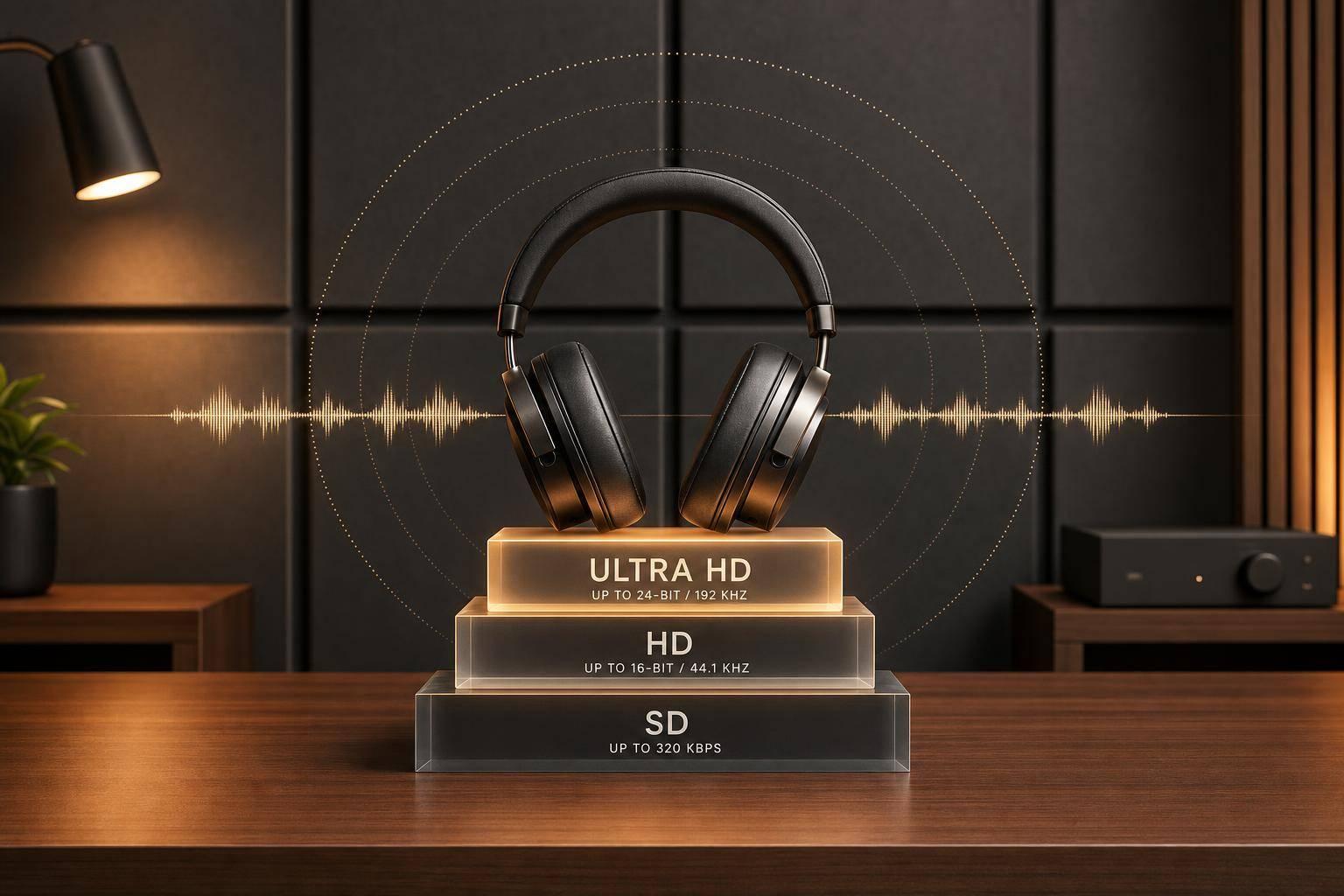
If you want your music to sound right on Amazon Music, send a lossless master at your session’s native resolution and leave headroom. Amazon can stream your track as SD (Opus), HD (16-bit/44.1 kHz FLAC), Ultra HD (24-bit up to 192 kHz FLAC), or spatial audio like Dolby Atmos and 360 Reality Audio. That means one bad export choice - like uploading MP3 instead of WAV - can limit playback quality across the platform.
Here’s the short version:
- SD is lossy and uses Opus
- HD is lossless CD quality at 16-bit/44.1 kHz
- Ultra HD is lossless 24-bit audio up to 192 kHz
- Atmos and 360 Reality Audio are separate immersive mixes
- For stereo, I’d deliver WAV or FLAC, not MP3 or AAC
- I’d aim for about -14 LUFS integrated and -2 dBTP true peak or lower
- For Atmos, I’d use 24-bit/48 kHz ADM/BWF and keep loudness at ≤ -18 LKFS
Amazon Music Unlimited includes HD, Ultra HD, and spatial audio at no extra charge, so listeners can hear higher-quality playback without paying more. In plain terms: if I upload a weak master, that weakness can show up fast on better speakers, headphones, and lossless playback.
Amazon Music Audio Formats: SD vs HD vs Ultra HD vs Spatial Audio
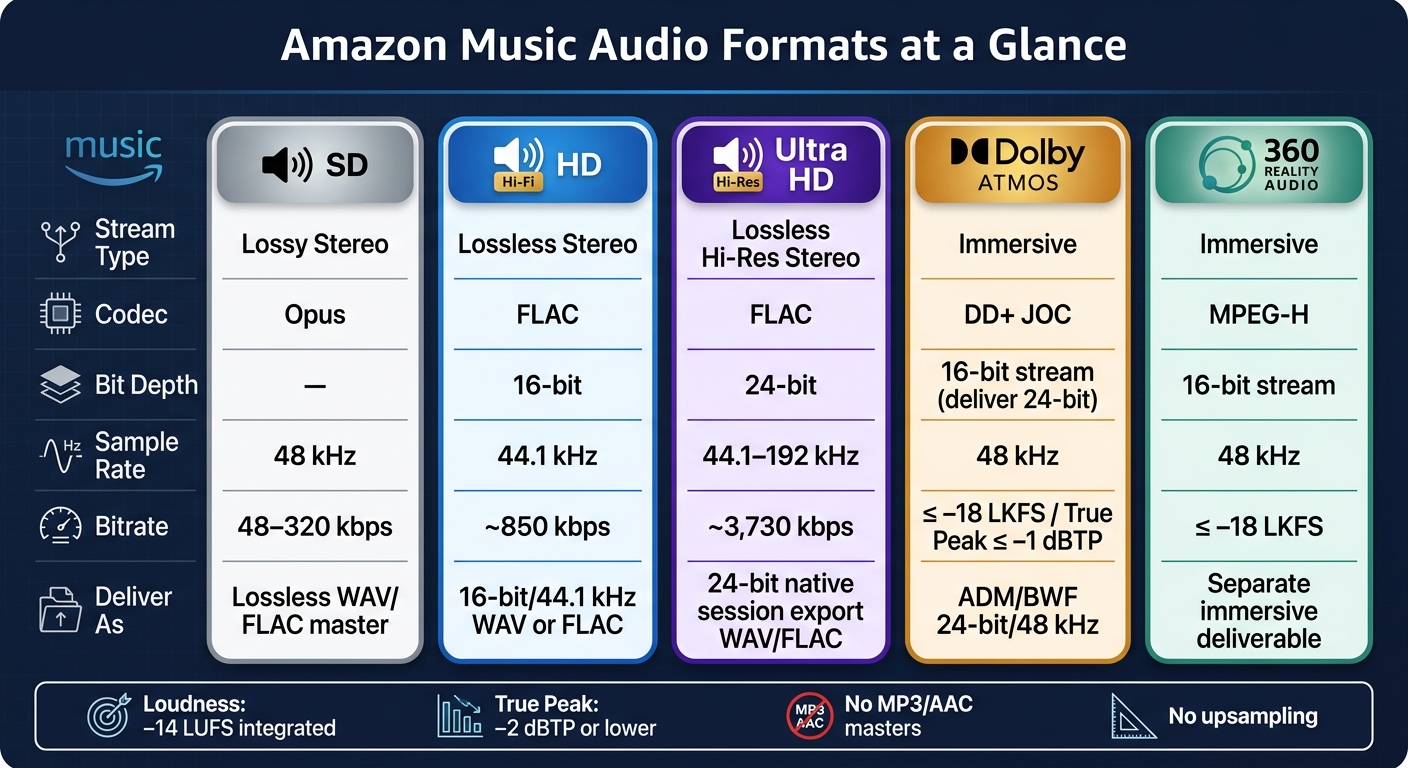
Quick Comparison
| Format | Stream Type | Codec | Typical Audio Spec | What I’d Deliver |
|---|---|---|---|---|
| SD | Lossy stereo | Opus | 48–320 kbps | Lossless stereo master |
| HD | Lossless stereo | FLAC | 16-bit/44.1 kHz, ~850 kbps | 16-bit/44.1 kHz or native session export |
| Ultra HD | Lossless hi-res stereo | FLAC | 24-bit, 44.1–192 kHz, ~3,730 kbps | 24-bit native session export |
| Dolby Atmos | Immersive | DD+ JOC | 16-bit/48 kHz stream | ADM/BWF, 24-bit/48 kHz |
| 360 Reality Audio | Immersive | MPEG-H | 16-bit/48 kHz stream | Separate immersive deliverable |
A few rules keep things simple: don’t upsample, don’t submit lossy files as masters, check the rendered file for clipping, and keep metadata, ISRCs, and version names matched across formats. If I were planning a release, I’d send files to my distributor 3–4 weeks early and make sure cover art is at least 3,000 × 3,000 pixels.
Below, I’d walk through what each Amazon tier means, what codecs sit behind them, and how to prep stereo and immersive files so the release gets through ingest cleanly.
sbb-itb-e819543
Amazon Music quality tiers and streaming formats
Amazon Music uses four playback tiers in the app: Standard Definition (SD), High Definition (HD), Ultra HD, and spatial audio. Each one lines up with a different format and technical setup.
SD, HD, Ultra HD, and spatial audio
SD is the baseline lossy stream. HD is lossless, CD-quality audio at 16-bit/44.1 kHz, with a bitrate of around 850 kbps. Amazon says HD delivers more than twice the bitrate of standard streaming. Ultra HD moves into lossless high-resolution audio at 24-bit and up to 192 kHz, with a bitrate around 3,730 kbps.
Spatial audio is not just better stereo. It’s a different format category. Dolby Atmos and Sony 360 Reality Audio change how the mix is presented, so sounds can seem to come from above, behind, and around the listener. These are separate immersive mixes, not stereo files with a quality bump. In the app, Amazon shows HD, Ultra HD, Atmos, and 360 badges so listeners can see what format is playing.
Opus, FLAC, Dolby Digital Plus JOC, and MPEG-H
You don’t pick the playback codec yourself. Amazon and your distributor handle the transcoding. Your job is to deliver the best master you can.
Amazon assigns codecs by tier:
- SD uses Opus, a lossy codec that runs at roughly 48 kbps to 320 kbps.
- HD and Ultra HD use FLAC, a lossless format where the decoded audio matches the original PCM master.
- Dolby Atmos streams use Dolby Digital Plus JOC (DD+JOC) at 16-bit/48 kHz.
- Sony 360 Reality Audio uses MPEG-H, also at 16-bit/48 kHz, to encode immersive audio objects around the listener.
Those codecs matter because every stream starts with the master you upload.
Streaming formats vs. uploaded masters
Here’s the key difference: listeners hear streaming formats, but artists and labels submit master files. In practice, that means you deliver uncompressed PCM masters - usually WAV files at the target bit depth and sample rate - to a distributor, and the distributor passes them to Amazon. Amazon then creates the Opus stream for SD, the FLAC stream for HD and Ultra HD, and the immersive streams for Atmos and 360 Reality Audio when those versions exist.
Do not submit MP3, AAC, or Opus as a master. Once audio data is lost, it’s gone for good, and compression artifacts can carry over into HD and Ultra HD versions. A simple way to think about it: your stereo master is the source, and the streamed files are outputs made from that source.
Spatial audio follows the same idea, but with one extra wrinkle. Atmos and 360 Reality Audio need purpose-built immersive deliverables. You can’t take a stereo master, rename it, and call it immersive. Those files go through a separate ingest and QC process, and Atmos often uses an ADM BWF file.
With the tiers and codecs laid out, the next step is pairing bitrate, sample rate, and bit depth with the right master.
Bitrate, sample rate, and bit depth targets
Before you export, it helps to know what each number is doing.
Bitrate is the amount of data used each second. It mainly affects compression artifacts and file size. Sample rate is how often the audio is measured, which sets the recorded bandwidth. Bit depth affects dynamic range and the noise floor.
Bitrate ranges by tier
These bitrate numbers describe playback output, not the setting you should export at. Think of them as delivery targets, not export choices.
| Tier | Codec | Bit Depth | Sample Rate | Avg. Bitrate |
|---|---|---|---|---|
| SD | Opus (lossy) | - | 48 kHz | 48–320 kbps |
| HD | FLAC (lossless) | 16-bit | 44.1 kHz | ~850 kbps |
| Ultra HD | FLAC (lossless) | 24-bit | 44.1–192 kHz | ~3,730 kbps |
FLAC bitrate changes with the complexity of the audio, so the HD and Ultra HD numbers above are averages.
These are the stream targets. The next step is making sure your master matches the right resolution.
CD quality vs. high-resolution audio
Once the tier targets are clear, the next question is simple: what resolution should you deliver?
For delivery, HD lines up with 16-bit/44.1 kHz lossless audio. Ultra HD uses 24-bit audio and can range from 44.1 kHz to 192 kHz. That pushes dynamic range to about 144 dB, which is useful during mixing and mastering because it keeps more headroom and cuts quantization noise.
How to choose the right master resolution
A good rule here is straightforward: export at your native session resolution.
If your project was mixed at 24-bit/48 kHz, export at 24-bit/48 kHz. If your session is 16-bit, deliver 16-bit/44.1 kHz WAV or FLAC for HD.
Don’t take a 16-bit/44.1 kHz master and bump it up to 24-bit/192 kHz after the fact. Upsampling doesn’t add new detail, and it can introduce extra processing artifacts.
With the target resolution set, The next step is export settings and final quality checks as part of your music marketing checklist.
How to prepare masters for Amazon Music delivery
Stereo master export settings and accepted file types
Send a stereo WAV or FLAC master at the same resolution as your session. In plain English: export what you actually worked in. For most mixes, that means 24-bit/48 kHz, or the highest native sample rate used in the project.
Before you hand anything off to your distributor, open the rendered file in a DAW or audio player and listen all the way through. Check that the fades sound clean, and make sure the left and right channels stay locked together. It also helps to keep file names neat and consistent. Include the artist name, track title, version, and mix type so the release is easy to match on the distributor side.
After export, give the file one more pass for loudness and peak headroom before delivery.
Loudness, true peak, and final quality checks
Once the file is exported, loudness and true peak become the next checkpoint. Aim for about –14 LUFS integrated and keep true peak at –2 dBTP or lower. And don't just trust the live session meter. Run a true peak meter on the final rendered file itself, then listen for distortion, clicks, or clipping before you submit it.
Do one last playback check on both headphones and monitors before sending it out. A track can sound fine in one setup and show problems in another.
Stereo is only one route. Immersive formats need their own files.
Spatial audio deliverables for Atmos and 360 Reality Audio
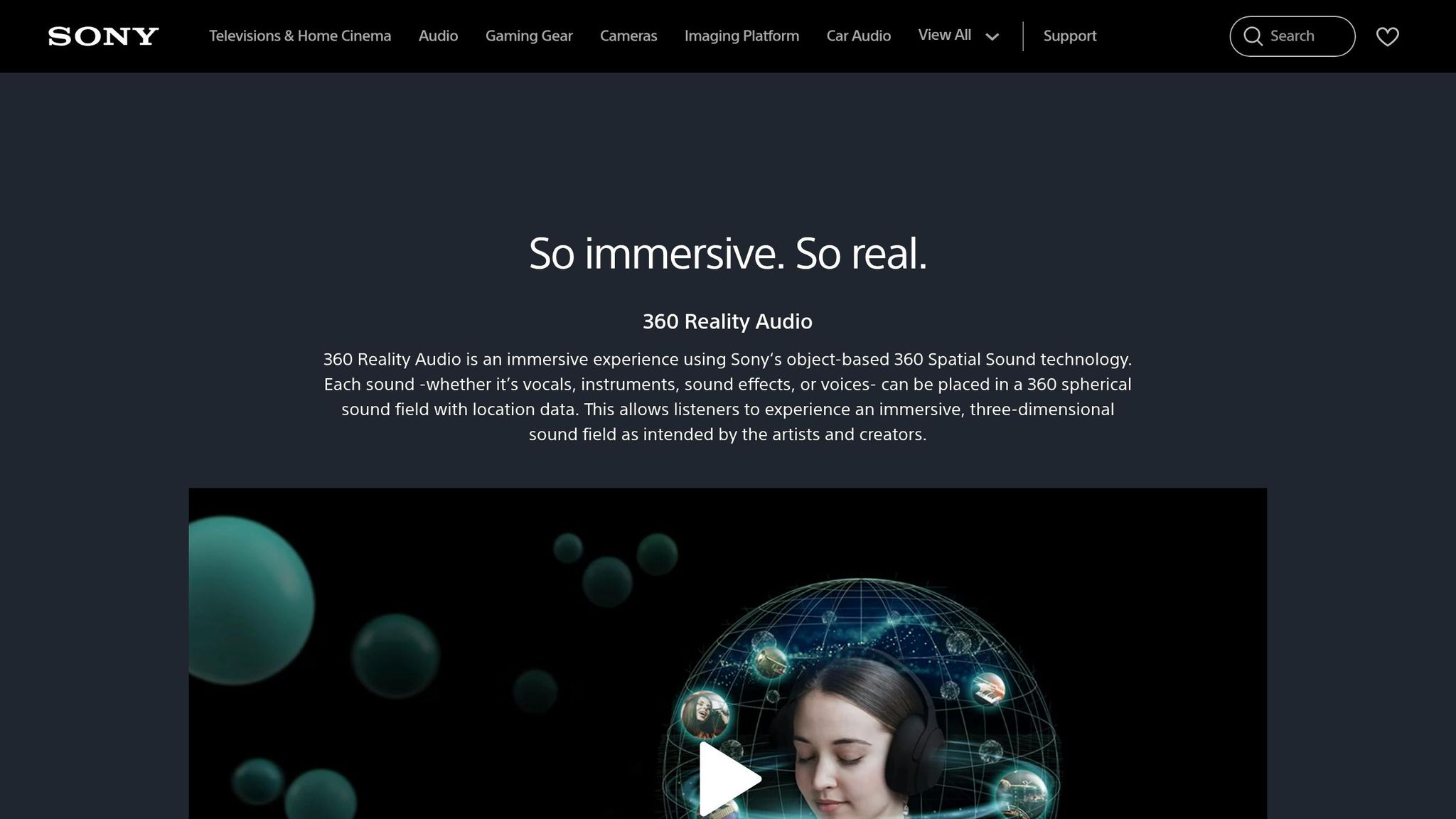
If you're delivering immersive versions, prep Dolby Atmos and 360 Reality Audio as separate assets. These should be submitted alongside the stereo master, not folded into it.
For Dolby Atmos, the standard workflow uses 24-bit LPCM audio at 48 kHz, delivered as an ADM/BWF file through an immersive-audio studio and a distributor that supports immersive audio. The loudness rules are tighter than stereo. Integrated loudness should be ≤ –18 LKFS under ITU-R BS.1770-4, with a true peak ≤ –1 dBTP. Those specs line up with what major platforms, including Amazon Music, expect for immersive releases.
Not every project needs a spatial version. But if your release does include immersive mixes, send them through the distributor alongside the stereo master.
Release coordination and conclusion
Once the master is exported, delivery details become your last quality check. At that stage, release delivery comes down to clean metadata and consistent file labels. If identifiers are missing or don’t match, you can end up with missed royalties.
Send your final files to your distributor at least 3–4 weeks before your release date. That gives Amazon Music time to ingest the files, run quality checks, and flag problems before launch. Before delivery, lock your ISRCs, title versions, explicit status, and cover art.
Your cover art should be square at 3,000 × 3,000 pixels or larger, in JPEG or PNG format, with no URLs, pricing, or logos. If you’re sending both stereo and spatial versions, label them in a clear, direct way, like Album Title (Dolby Atmos), so your catalog doesn’t get crossed up.
Using PromoLinks.me to support Amazon Music release campaigns
Once delivery is locked, effective music promotion can do its job. PromoLinks.me helps you send fans to Amazon Music with one smart link, track clicks with real-time analytics, and collect pre-saves before release.
Key takeaways for a clean Amazon Music delivery
Use this short checklist to keep the release clean from upload to launch:
- Keep identifiers and version names the same across every format.
- Deliver spatial audio as separate Dolby Atmos ADM/BWF and 360 Reality Audio files with matching metadata.
- Assign new ISRCs only when the recording itself changes.
FAQs
Can Amazon upgrade an MP3 to HD or Ultra HD?
No. Amazon can’t turn an MP3 into HD or Ultra HD audio.
Here’s why: MP3 is a lossy compressed format. That means some audio data gets removed during conversion, and once it’s gone, it’s gone. Amazon can’t put that missing detail back in later.
If you want your release to meet Amazon Music’s high-definition standards, send high-resolution master files to your distributor during release prep. In most cases, that means 16-bit or 24-bit WAV files.
Low-quality compressed files permanently reduce audio fidelity.
Should I export at 24-bit/48 kHz or 16-bit/44.1 kHz?
Always deliver your masters as a 16-bit/44.1 kHz WAV file. MP3 files aren’t a good fit here because they cut down sound quality.
If you’re working with 24-bit files, make sure every track on your EP or album uses the same bit depth and sample rate. That helps you avoid distribution issues later on.
Do Dolby Atmos and 360 Reality Audio need separate masters?
Yes. Dolby Atmos and 360 Reality Audio need their own masters, separate from your standard stereo master.
Here’s why: these formats use object-based mixing and a different authoring workflow than standard two-channel stereo. So you can’t just repurpose a stereo master and call it done. It’s a different setup from the ground up.
Your standard stereo master should still be delivered as 16-bit/44.1 kHz WAV files.
Related Blog Posts
Ready to create your smart links?
Join thousands of artists using PromoLinks to promote their music smarter.
Get Started Free