Music Metadata Guide for Streaming Platforms
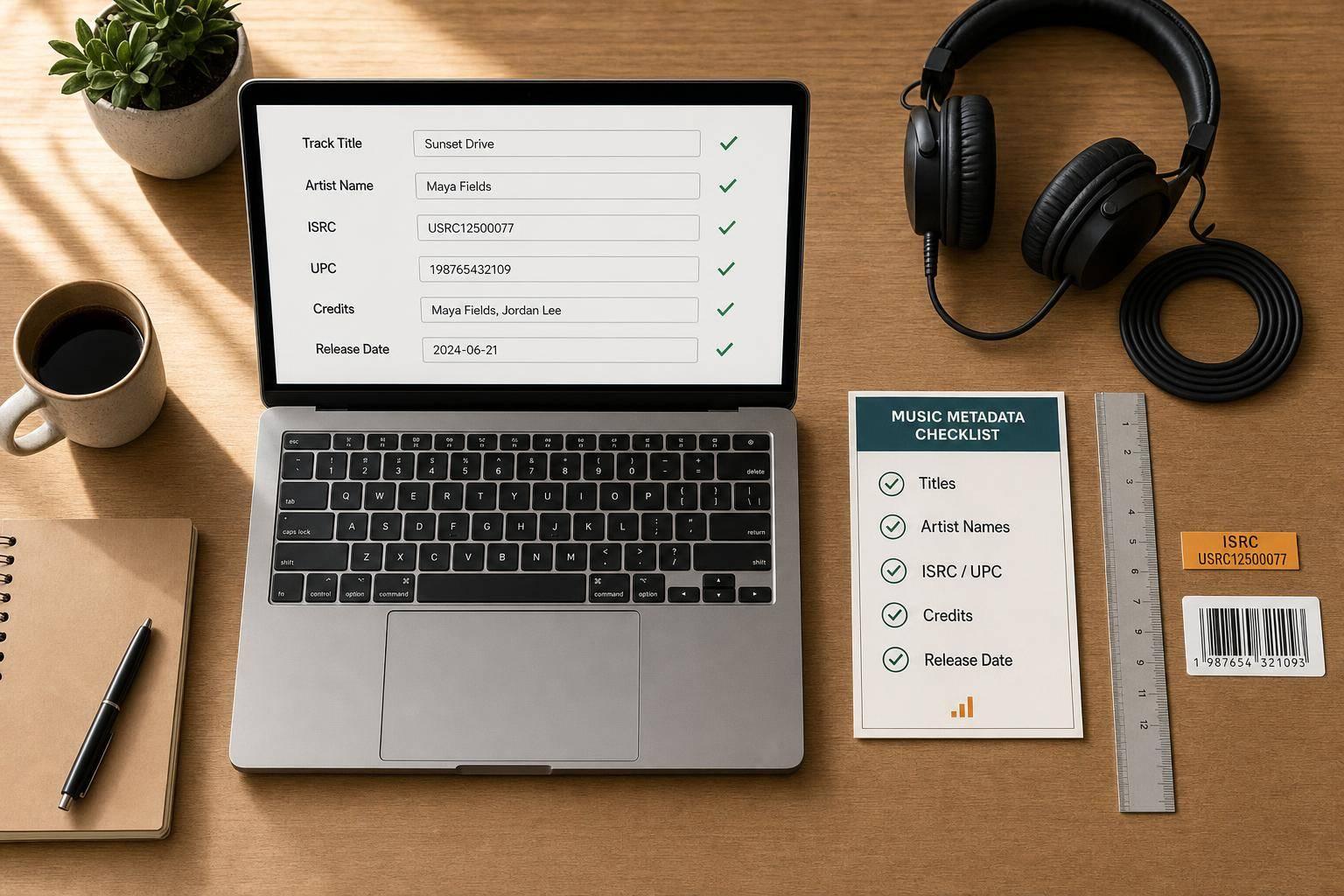
Bad metadata can split streams, misroute artist pages, and slow royalty payments. If I want a release to land on the right profile, keep credits in order, and avoid cleanup after launch, I need to lock down a music marketing checklist of fields before upload.
Here’s the whole article in plain English:
- Track data and release data do different jobs. A track has its own ISRC. A single, EP, or album has one UPC.
- Titles and artist names must match every time. Small differences can split catalogs or send music to the wrong page.
- Featured artists belong in the feature field, not the title.
- Release date, genre, and explicit flag affect timing, sorting, and how a platform handles the release.
- Credits matter for payment and matching. That includes songwriters, composers, publishers, producers, mixers, and engineers.
- ISRC and UPC should be logged and reused the right way. A bad code choice can split reporting.
- Label, ℗, and © fields must show the right rights owner with the correct year.
- Spotify, Apple Music, and YouTube Music each read metadata a bit differently, but all depend on clean source data.
- One master sheet should control every upload, smart link, pre-save page, and promo asset. Setting up a pre-save campaign ensures these details are locked in early.
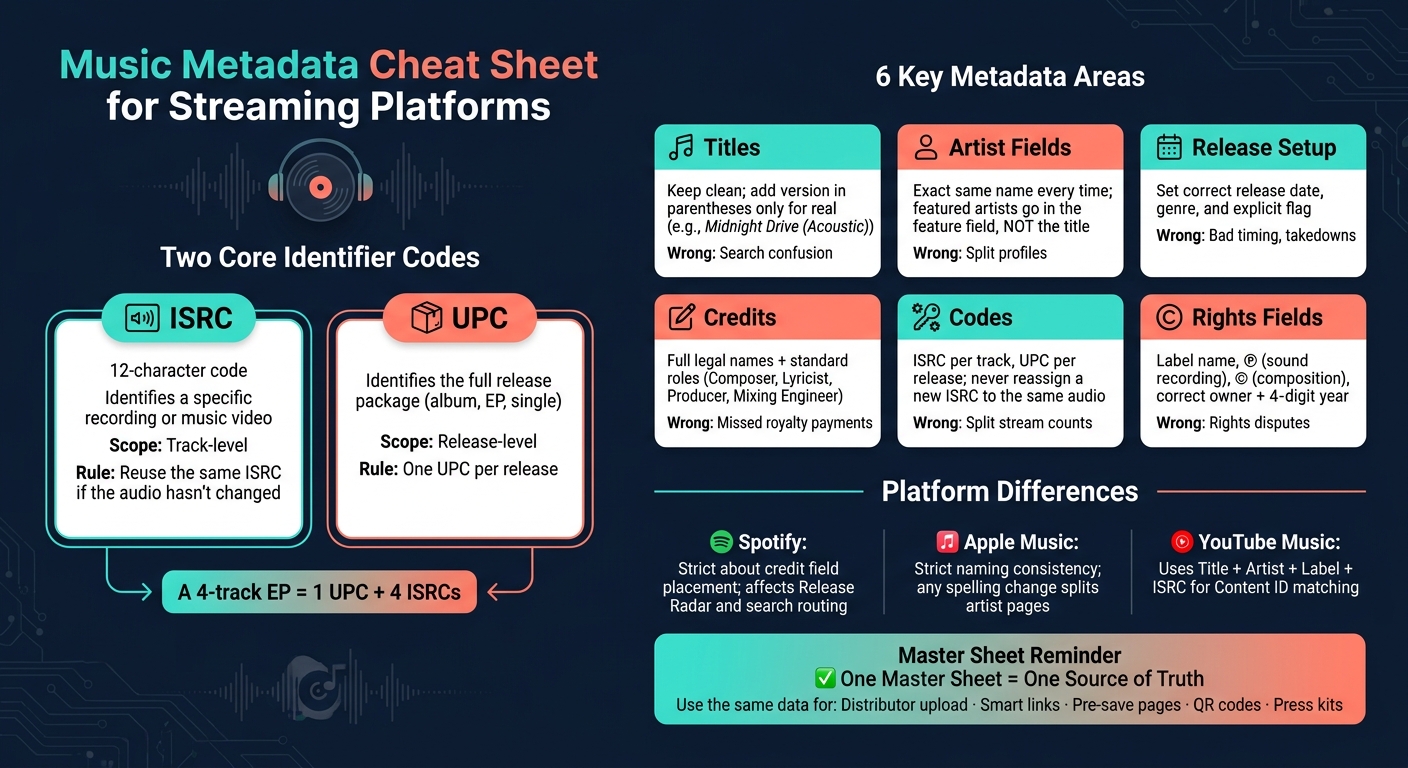
A simple example: if I upload a 4-track EP, I need 1 UPC for the EP and 4 ISRCs for the four recordings. If I change an artist spelling, use the wrong feature field, or assign a new ISRC to the same audio, I can end up with split stream counts and messy reports.
Music Metadata Cheat Sheet: ISRC, UPC & Key Fields for Streaming Platforms
MUSIC METADATA EXPLAINED | MUSIC INDUSTRY TIPS
sbb-itb-e819543
Quick overview
| Area | What I need to get right | What can go wrong if I don’t |
|---|---|---|
| Titles | Clean title, version only when needed | Search confusion |
| Artist fields | Same artist name every time; features in the right field | Split profiles, wrong routing |
| Release setup | Release date, genre, explicit status | Bad timing, bad sorting, takedowns |
| Credits | Legal names and standard roles | Match and payment issues |
| Codes | ISRC per track, UPC per release | Split reporting, lost history |
| Rights fields | Label, ℗, ©, owner names, year | Rights disputes and catalog issues |
| Promo links | Matching URLs and release data | Broken pre-saves and QR codes or dead links |
Bottom line: if I keep one clean source of truth and use it everywhere, I cut down on errors across DSP delivery, discovery, and royalty tracking.
Core Metadata Fields That Shape Search and Discovery
These are the first fields platforms use to read a release. If you get them right, you cut down on routing issues and give your music a better shot at showing up in search and recommendation systems.
Title and Version Formatting
Keep the title clean. Add version details in parentheses only when the track is a real alternate version. For example: "Midnight Drive (Acoustic)".
If it’s just the main recording, don’t tack on a version label. That only adds clutter and can confuse platforms.
Artist Name, Featured Artists, and Profile Routing
Use the exact same artist name on every release. Even small changes can lead to split profiles, which is a headache you don’t want.
Featured artists belong in the dedicated featured artist field, not in the track title. That keeps the title neat and makes sure the feature credit stays tied to the release metadata.
From there, the next layer is the credit data that supports ownership and payments.
Release Date, Genre, and Explicit Status
Use the release date to control when the music goes live and how it lines up with date-based placements.
Genre helps platforms sort and recommend the release.
Make sure the explicit flag matches the lyrics and audio.
Next, add the rights and identifier fields that connect the release to ownership, credits, and royalty delivery.
Rights, Credits, and Identifier Codes
After the main search fields, the next layer is the metadata that proves ownership and drives reporting. Once the title and artist fields are in place, credits and identifiers decide ownership, routing, and catalog accuracy.
Songwriter, Composer, Publisher, and Contributor Credits
Every person involved in making or controlling a track - songwriter, composer, publisher, producer, mixer, or engineer - should be listed with full legal names and standard role labels. Use role names like Composer, Lyricist, Producer, Mixing Engineer, and Mastering Engineer.
Credits shape display, matching, and payment. Spotify and Apple Music show credit panels based on the metadata you deliver. If legal names don’t match, PROs may fail to match works correctly, and payment can get held up.
Apple Music's style guide specifies that production and engineering credits should name the people involved, not a studio or company.
Use one legal spelling everywhere. If a name changes from one delivery to the next, credits can fragment fast.
Once credits are clean, identifiers keep the recording and release connected to the right reports.
ISRC for Recordings and UPC for Releases
These two codes identify your music at different levels. ISRC is a 12-character code for a specific sound recording or music video, while UPC identifies the full release package, such as an album, EP, or single.
Each release package needs its own UPC, and each recording needs its own ISRC. If the same recording is delivered again with no changes, reuse the original ISRC.
| Code | Identifies | Scope |
|---|---|---|
| ISRC | A specific recording or music video | Track-level |
| UPC | The release package | Release-level |
Reusing the wrong ISRC - or assigning a new one when you shouldn’t - can split reporting and royalty trails. If the same recording is uploaded again through a new distributor with a different ISRC, stream counts can split across two codes, past playlist placements may disappear, and royalty reports may stop lining up. Treat both codes as permanent, and log them in a master sheet right away.
Label Name, Copyright, and Rights Ownership Fields
Your label name should match the imprint or legal entity that controls the master rights. If you're self-releasing, use your own imprint or registered business name - not your distributor's name. Keeping the label name the same across your catalog also makes takedowns, territory restrictions, and re-licensing easier to manage, because distributors check requests against the rights data on file.
Copyright fields usually split into two lines: the ℗ line for sound recording rights and the © line for composition rights. Both should name the correct owner and use a four-digit year. If these fields are wrong, the issue goes beyond display. Licensing talks can get messy, and catalog sales can slow down because chain of title is harder to prove.
With credits and codes locked in, The next step is carrying that same structure into platform-specific delivery, which is essential when you promote a single release across multiple stores. Next comes platform-specific formatting for Spotify, Apple Music, and YouTube Music.
Platform-Specific Setup for Spotify, Apple Music, and YouTube Music
Once your credits and identifiers are locked in, the next job is making sure each platform reads them the way you expect. The smartest move is to keep one master sheet for titles, artist names, release dates, ISRCs, and explicit flags so that data stays the same across every DSP.
Those core fields matter everywhere. The difference is in how each platform displays them and how it uses them behind the scenes.
Spotify: Search Routing, Credits, and Release Visibility
Spotify is picky about where credits go. Main artist, featured artist, remixer, and producer credits need to sit in the right fields so tracks connect to the right profile and show up in Release Radar. If a featured credit is filed the wrong way, it can split the path for the main artist or weaken it.
Keep artist names and producer credits out of the title field. That might seem like a small thing, but it can throw off routing and search. Release date also matters because it affects Release Radar and other discovery systems tied to timing. And the explicit tag isn't just a formality. If it's wrong, your reach can get limited or the release can be taken down.
Apple Music: Style Consistency and Catalog Accuracy
Apple Music is strict about naming rules and catalog accuracy. Keep artist names the same every time, and don't add roles, instruments, dates, or URLs in the name field. Even a tiny spelling change can split one catalog into separate artist pages.
That ties back to legal-name consistency too. The same naming discipline helps rights data stay lined up when it moves to collecting societies and other partners.
YouTube Music: Metadata and Content ID Alignment
YouTube Music leans on metadata to line up Content ID claims. It uses Title, Artist, Record Label/rights owner, and ISRC to match recordings, which makes the ISRC the main identifier for each track, not some side detail. Keep titles specific and label names consistent so uploads match cleanly.
If titles are too generic, matching gets weaker and some uses may go unclaimed. After delivery, use that same metadata again in smart links and pre-save pages.
Metadata Workflow and Final Checklist for Independent Releases
Build a Release Master Sheet Before Uploading
Once your platform setup is done, put the same release data into one master sheet before you upload anything. Keep ONE source of truth. If a detail isn't in the sheet, don't upload it.
That sounds strict, but it saves a lot of headaches. When distributor data says one thing and your promo assets say another, the cleanup gets messy fast.
At a minimum, your sheet should include these categories:
| Metadata Category | Essential Fields |
|---|---|
| Identity | Title, Artist Name, Version (e.g., Remix, Radio Edit) |
| Classification | Release Date, Genre, Explicit Status |
| Tracking | ISRC (per track), UPC (per release) |
| Legal | Songwriter, Publisher, Rights Owner, Key Contributors |
Build the sheet first, then use that same data for every upload. That way, your release info stays aligned from distributor dashboard to cover art to press kit.
Use Clean Metadata in Smart Links and Pre-Save Campaigns
Use that same release data again in your smart links, pre-save pages, and QR codes.
Pre-save campaigns rely on a small set of fields being correct. The release date controls when the automated save fires. The Spotify or Apple Music URL is what allows the save to happen in the first place. If those URLs are missing, automated saves won't go through on release day.
Use matching metadata across smart links and pre-save pages too. PromoLinks.me supports this with smart links, pre-save pages, QR codes, and real-time analytics for multi-platform releases, with auto-detection that works only when the metadata matches.
One more thing: lock your link slug before you start sharing it. For example, promolinks.me/your-song. If you change it later, every QR code and shared link pointing to the old URL will stop working.
Conclusion: The Metadata Fields That Matter Most
The fields doing most of the heavy lifting are titles and artist names, the release date, genre and explicit status, songwriter and contributor credits, ISRC and UPC, and label and rights ownership fields.
Get those right before upload, and your distribution, promotion, and royalty tracking stay in sync.
FAQs
When should I reuse an ISRC?
Use a unique ISRC for each track.
An ISRC is a permanent ID for a specific recording. So in most cases, you shouldn't reuse one if the audio has changed, like with a new mix, edit, or remaster.
Using the right code for every track can help you avoid royalty delays and platform eligibility issues. It also helps to keep all your ISRCs in one central record, so your releases and promo stay consistent.
How do I fix a split artist profile?
A split artist profile happens when your music ends up spread across more than one artist page on streaming platforms. It’s a common mess, and it usually comes down to metadata.
To fix it, keep your artist name exactly the same on every release. That means the spelling, spacing, punctuation, and format should match your distributor profile every time.
You’ll also want to:
- Use the same artist name in all credits
- Put collaborators in the proper featured artist fields
- Check that your metadata is correct, including ISRC codes and artist naming
If your catalog is already split, contact your distributor and ask them to correct the metadata or merge the profiles.
What goes in the ℗ and © fields?
In the ℗ field, enter the sound recording copyright owner for the track or release, such as the label or rights holder. In the © field, enter the musical work copyright owner, such as the publisher(s) of the composition or song.
These details help platforms attribute rights correctly, route royalties to the right parties, and connect credits with the right release for discovery and setup.
Related Blog Posts
Ready to create your smart links?
Join thousands of artists using PromoLinks to promote their music smarter.
Get Started Free