How Smart Links Grow Music Fan Communities
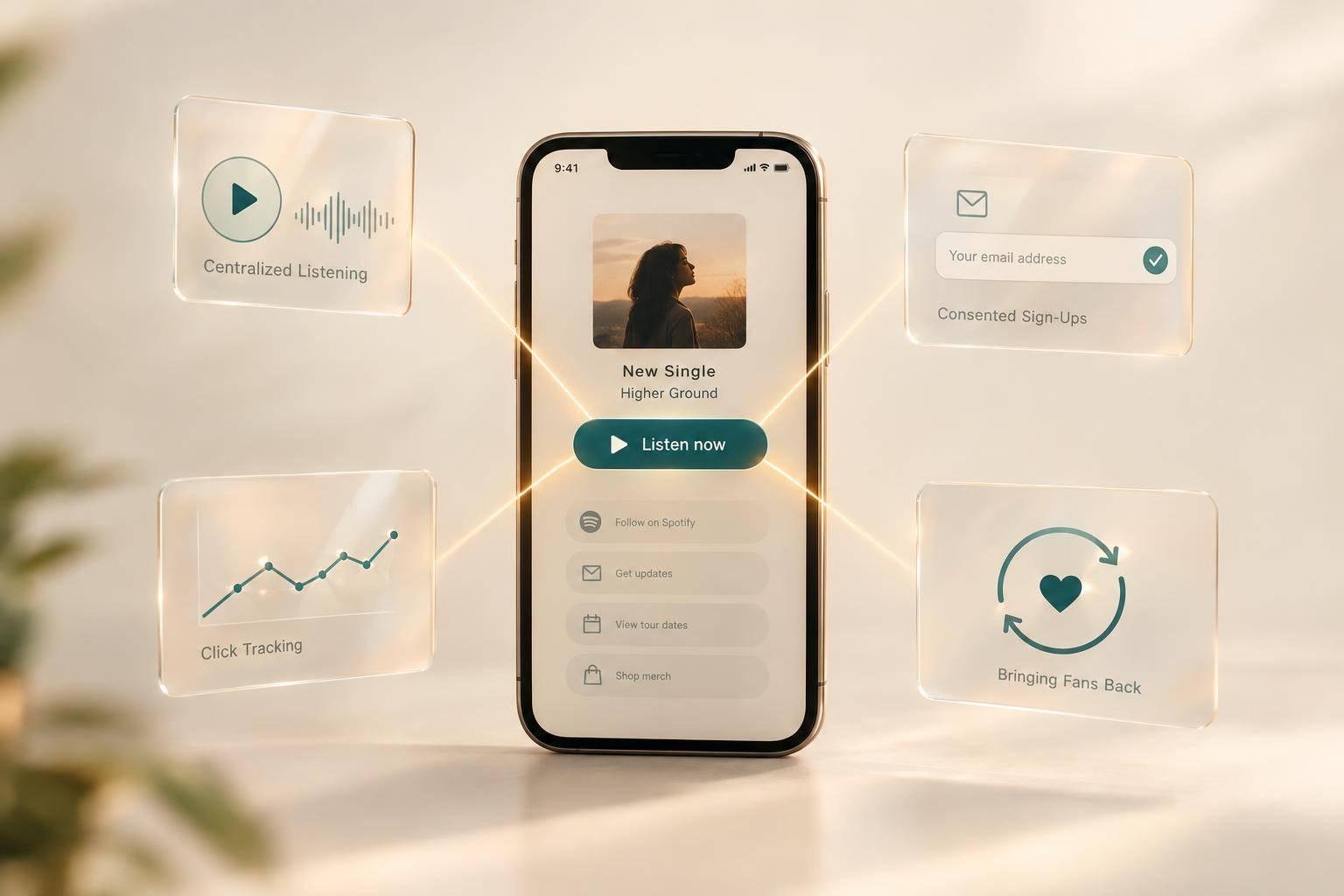
I use a music smart link to give fans one place to listen, sign up, and come back. My starting point: one main action, working links on mobile and desktop, and an optional email signup that explains what fans will receive.
Here’s the process I follow:
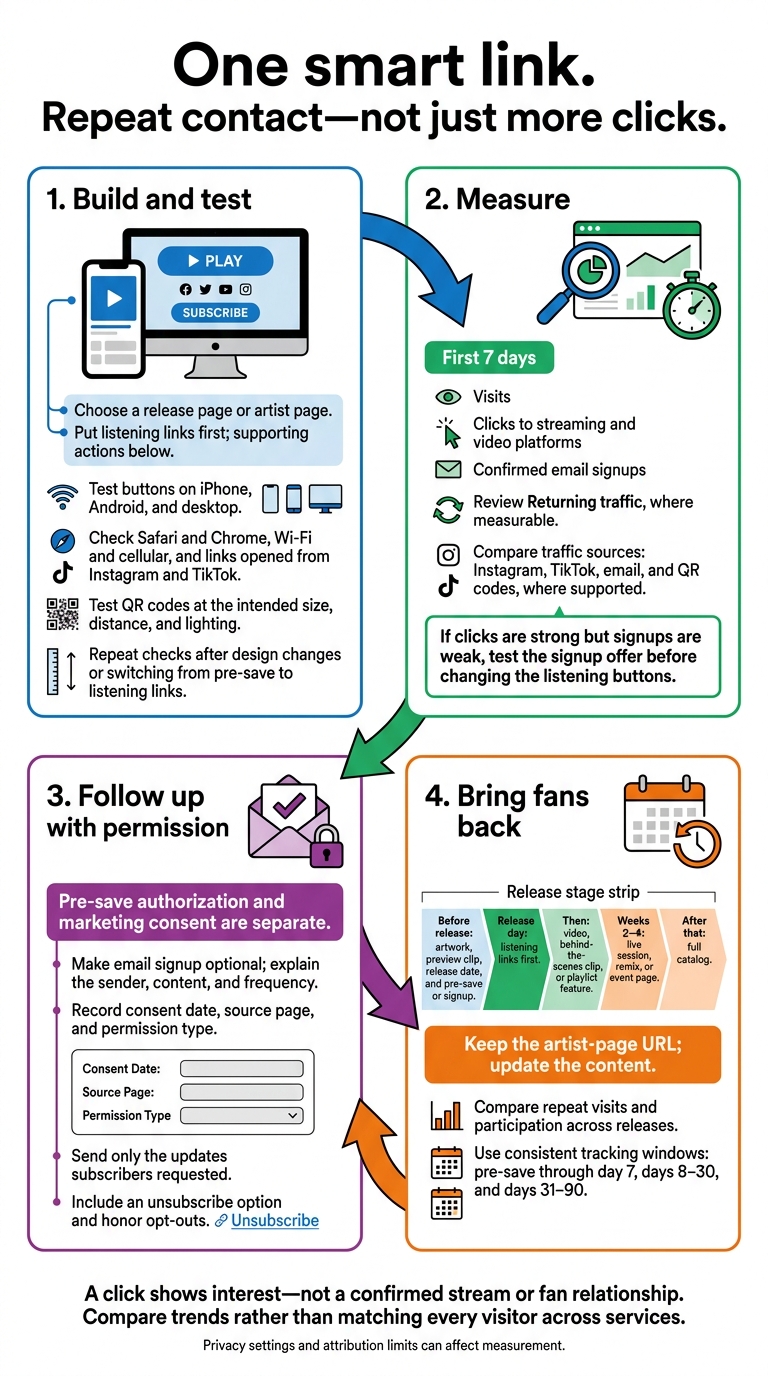
- Build and test: Choose a release or artist page, put listening links first, and test buttons and QR codes before sharing.
- Measure: Compare visits, platform clicks, and confirmed signups during each release’s first 7 days. A click shows interest - not a confirmed stream or fan relationship.
- Follow up: Keep email permission separate from pre-save approval, send only the updates subscribers requested, and honor opt-outs.
- Bring fans back: Update the same page with videos, shows, merch, and community links, then check for repeat visits and participation across releases.
My goal is <u>repeat contact, not just more clicks</u>. The smart link gives fans a next step; the music, messages, and conversations give them reasons to stay.
Music Smart Links: Build, Measure, Follow Up, Repeat
Create One Page for Music and Fan Actions
Choose a Release Page or Artist Page
Once your smart link is live, choose the page type that fits your campaign. Use a release page for a single, EP, or album. Start with a pre-save page, then switch to live listening links on release day. An artist page gives fans a place to browse your catalog, videos, socials, merch, events, and booking info. Keep that page in your bio and share the release page in campaign posts.
Before sharing, make sure fans can recognize the release and see what to do next. Use the same artwork, artist name, and colors they saw on your social profile or show poster. Keep the release title and main action near the top, with clear button labels: Listen on Spotify, Play on Apple Music, and Watch on YouTube. Place supporting actions below the music instead of giving every link equal weight.
Set Up and Test Your Page
Before publishing, check the basics: a short URL, mobile-friendly layout, correct artwork and title, working links, button order, and readable text. PromoLinks.me supports artist subdomains and custom domains. Choose an address that's easy to type, compress your artwork, and make sure the text is easy to read against the background.
Test the page on iPhone, Android, and desktop. Check Safari and Chrome, try both Wi-Fi and cellular, and open the link from Instagram and TikTok. Tap every button, including without the streaming app installed, and confirm it opens the right release. Look for cropped artwork, broken links, and signup forms that don't work. Repeat these checks whenever you change the design or switch from pre-save to listening links.
Use the same page offline, too. Before printing a PromoLinks.me QR code for show signage or your merch table, scan a test copy at the size, distance, and lighting fans will use. Confirm it opens the same page linked in your posts. Put one person in charge of updates so printed codes keep pointing to the current campaign.
sbb-itb-e819543
Smart Links For Music Marketing & Growing Spotify Streams (Full Guide)
Collect Fan Emails and Understand Traffic
Once your page is live, use it to collect contacts with permission and see which channels get fans to act.
Ask Fans to Subscribe With Clear Consent
Use PromoLinks.me email capture for release reminders, tour announcements, or exclusive demos. Tell fans who sends the emails, what they’ll include, and how often they’ll arrive. Place optional signups beside each page’s main action.
Pre-save authorization and marketing consent are separate. Use clearly labeled choices, not prechecked boxes. A signup gives you permission to stay in touch beyond the release click.
Record each subscriber’s consent date, source page, and permission type. Link to a privacy notice, and include a clear unsubscribe option in every marketing email. The FTC requires you to honor opt-out requests within 10 business days. The unsubscribe mechanism must work for at least 30 days after you send the email.
Group Clicks by Platform and Traffic Source
Use PromoLinks.me’s real-time analytics to compare destination clicks for Spotify, Apple Music, and YouTube. Where supported, tag traffic from Instagram, TikTok, email, and QR codes consistently. Check whether each source brings listening clicks, signups, or both. Lost referral data and stripped parameters can leave gaps, so use the patterns with those limits in mind when planning your release promotion checklist.
Platform clicks show patterns - not identified fans. They can guide button order and messaging, but they don’t identify fans by listening service. Build contact groups from data people have consented to share, such as signup source or requests for tour updates. Disclose tracking pixels and obtain consent where required. Don’t hide tracking permission inside an email signup.
Choose Follow-Up Actions Based on Your Metrics
Use these metrics to decide what to change on your next release page.
| Metric | What it indicates | Measurement limits | Decision it supports |
|---|---|---|---|
| Visits | How much traffic reached the page | May include repeat visits, bots, or privacy-limited browsers | Improve promotion, page copy, or source mix to bring fans to the page |
| Clicks to streaming and video platforms | Which listening or viewing options prompt action | Does not prove a stream, save, purchase, identity, or fan relationship | Test button order and messaging to encourage listening and return visits |
| Confirmed email signups | How many people explicitly agreed to receive email | Depends on form quality, confirmation steps, duplicate handling, and consent records | Send a relevant release, tour, or community update to the permitted audience |
| Returning traffic, where measurable | Whether visitors come back after the initial campaign | Requires consistent analytics and a defined comparison period | Update the artist page, announce a new asset, or schedule a re-engagement message |
Compare the first seven days of each release. If clicks are strong but signups are weak, test the signup offer before changing the listening buttons. Smart-link clicks don’t prove music performance. Use those results to adjust the next campaign, then measure whether fans return.
Bring Fans Back After Release Day
Once launch traffic peaks, give fans reasons to return through the same smart link.
Update Your Page at Each Release Stage
Keep one PromoLinks.me artist-page URL in your bio, emails, and QR codes. Change what fans see as the release moves forward.
Before release, feature the artwork, preview clip, release date, and pre-save or signup. On release day, put listening links first. Then swap in a video, behind-the-scenes clip, or playlist feature. In weeks 2–4, add a live session, remix, or event page. After that, point fans to your full catalog. Each update should give someone who clicked once a reason to come back.
Check the page on mobile and desktop after every change. Remove expired pre-save buttons, check ticket links and event dates, and confirm that printed QR codes still lead to current content. Keep fan club, social community, and YouTube links visible so fans can find places to interact. The URL stays the same; the content changes with each release milestone.
Send Updates Fans Have Agreed to Receive
Use the signups you collected to send only what fans asked for, whether that’s new music or local shows. Make the message easy to recognize with a familiar sender name and artwork. Give readers one clear next step back to your page or community.
Stick to the frequency you promised at signup, and use your email service to handle delivery, automation, and unsubscribes.
Track Fan Participation Across Releases
Compare release cycles to see whether your updates bring fans back. Use the same campaign names and tracking windows each time: pre-save through day 7, days 8–30, and days 31–90. Keep those labels consistent across smart-link, email, and community reports.
| Release signal | What it suggests about repeat engagement | Where to check |
|---|---|---|
| Page visits | Returning traffic, where measurable | Smart-link analytics with enough history |
| Streaming/video clicks | Repeat engagement across later campaigns | Later campaign reports and destination analytics |
| New email signups | Whether subscribers keep opening and clicking | Separate email-service reports |
| Event-page visits | Ticket clicks, RSVPs, or attendance | Ticketing and check-in reports |
| Community clicks | Continued activity in the linked community | Community reports |
Compare trends rather than matching every visitor across services. Privacy settings and different attribution rules can make person-by-person matching unreliable. Look for another visit, another click, or another community action - not just a traffic spike. Repeat subscriber activity, continued community participation, and attendance after launch offer stronger evidence that fans are coming back.
Conclusion: Build, Measure, and Follow Up
Use one smart link to send fans to the right destination, track clicks, and follow up with the right audience. Test every button on mobile and desktop before sharing the same URL or QR code everywhere. Group subscribers by what they agreed to receive, then send relevant updates that give them a reason to return.
Track visits, platform clicks, and voluntary signups - not just total traffic.
PromoLinks.me brings smart links, analytics, and email capture into one workflow for artists and labels. Use that cycle - route, measure, follow up, repeat - to turn release traffic into a fan community.
FAQs
How can I encourage signups without distracting from my music?
Keep your smart link clean and put listening first. During the teaser and release phases, place streaming or pre-save buttons at the top. Move email signup forms and other secondary actions lower on the page so they don’t compete with your music.
Use a “more options” toggle to hide less popular platforms and keep the page focused. Stick with the same link throughout your campaign so fans always know where to go.
How much traffic do I need before changing my page?
You don’t need to hit a traffic target before optimizing your page. Let your analytics guide your changes. A click-through rate (CTR) below 40% suggests your design, visuals, or calls to action may need work. Above 60% indicates your setup is performing well.
Use real-time analytics to see where fans drop off. Then A/B test your layout, platform order, or audio previews to improve engagement.
What should I do if fans click but never return?
Use your real-time analytics dashboard to spot where engagement drops. If your click-through rate falls below 40%, simplify your landing page: move less popular streaming platforms behind a “more options” toggle.
Update your smart link with new music videos, press coverage, or tour dates. Use connected tracking pixels to build retargeting audiences, then bring fans back with ads for your next release.
Related Blog Posts
Ready to create your smart links?
Join thousands of artists using PromoLinks to promote their music smarter.
Get Started Free