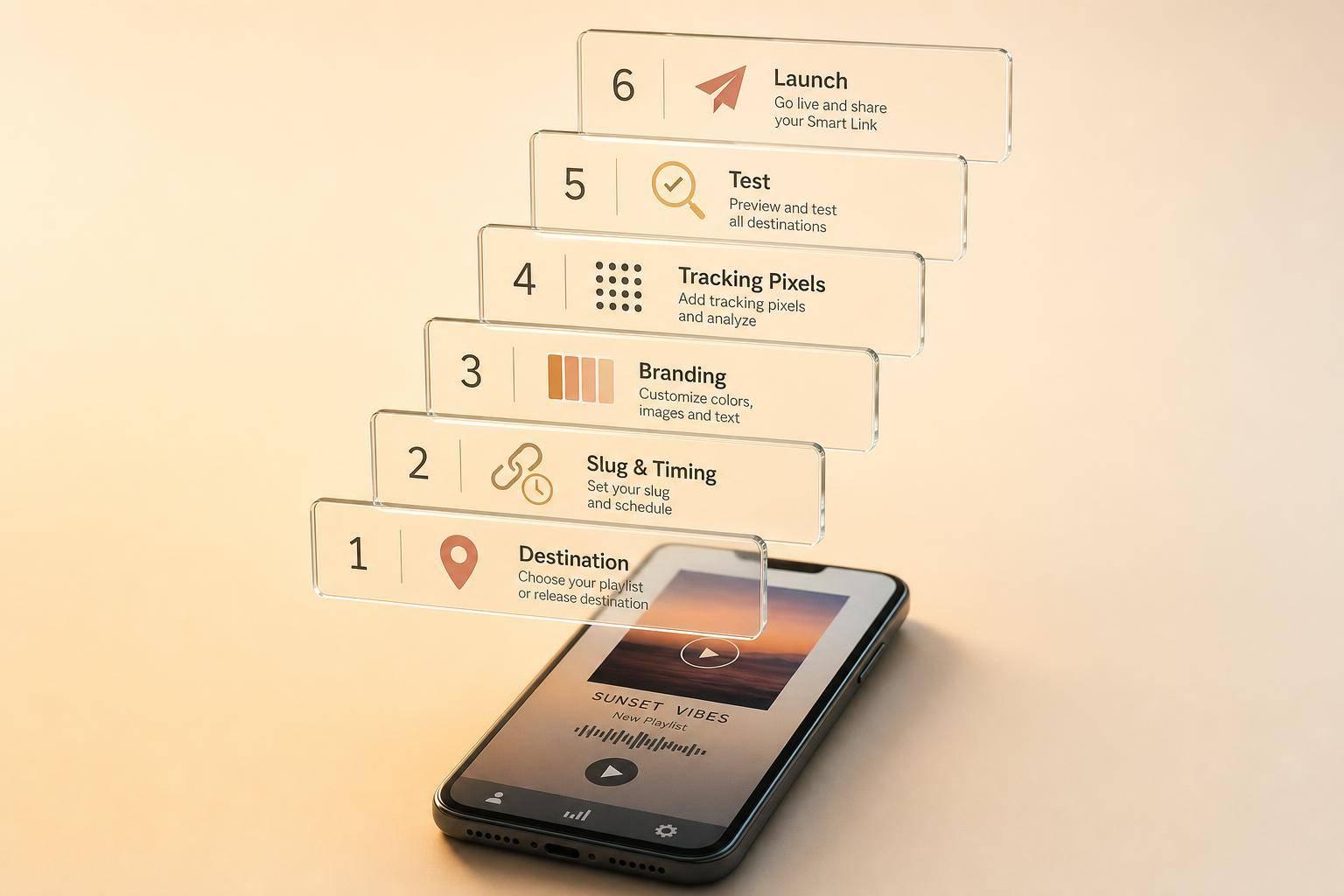
Smart Link Setup for Playlist Releases
If I want a playlist campaign to work, I set up the smart link in this order: destination, slug, timing, branding, tracking, then testing. That order helps me avoid broken links, missed data, and launch-day mistakes.
Here’s the short version:
- I choose one main destination first: either the live playlist page or a multi-platform release page.
- I set a clean custom slug and match the date, time, and time zone to the promo schedule.
- I use matching artwork, title, colors, and artist naming so the page lines up with the release.
- I add social buttons and, if needed, a short email signup form under the main CTA.
- I install Meta Pixel, TikTok Pixel, and GA4 before traffic starts, because the first 24 to 72 hours often bring the most useful visit data.
- I test the page on mobile, iOS, Android, and in-app browsers like Instagram and TikTok before I share it.
If I skip any of those steps, I can end up with wrong redirects, late launches, or lost tracking. The PromoLinks blog main point is simple: set the page up first, check every detail, and only then send traffic to it.
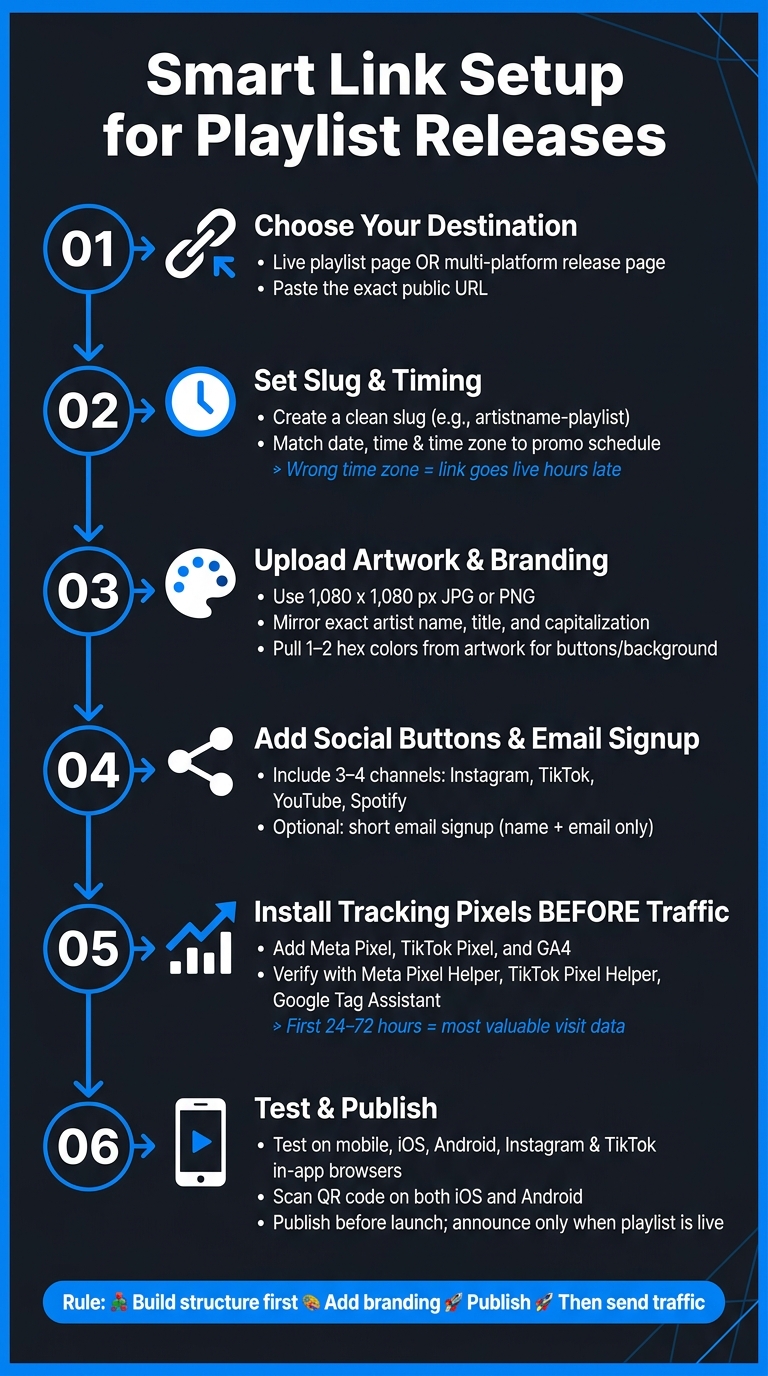
Smart Link Setup for Playlist Releases: 6-Step Checklist
What are SMART LINKS and How Can Musicians Use Them?
sbb-itb-e819543
1. Choose your playlist destination and paste the URL
Use one URL to send fans to the playlist destination that fits your campaign.
Pick the primary destination fans should land on first
Start with the goal. If you're doing a straight playlist push, send people to the live playlist page. If you want people to listen across services, use a multi-platform release page instead.
A playlist URL puts all the attention on that playlist placement. A release landing page gives people more choice and is easier to reuse in ads, social posts, and email. So if you're pushing a new single or album across platforms, a multi-platform release page makes a lot of sense. It lets listeners pick Spotify, Apple Music, YouTube Music, or whatever service they use.
Once you know where fans should go first, paste the exact public URL.
Paste the URL and confirm playlist details
Copy the exact public URL from the streaming platform and paste it into PromoLinks.me. PromoLinks.me pulls in the title, artwork, and platform details from that URL.
When it fills in the info, check it by hand. The title, cover art, and platform name should match your playlist campaign materials exactly. This is one of those small steps that saves headaches later.
Also, make sure you're not saving a private or unpublished URL. Open the link before you save it so you can confirm it loads for anyone, not just you.
Then move to the custom slug and launch timing.
2. Set the custom slug and release timing
With the destination in place, the next step is simple: make sure the URL and go-live time line up with the campaign.
Create a clean slug for sharing and ads
The slug is the short bit at the end of your smart link URL. Fans will see it in bios, text messages, ads, and even on print pieces.
A clean slug helps people recognize the release at a glance. Something like taylorgrey-playlist works well because it ties back to the artist name fans already know. On the other hand, newtrack-final-v3 feels rough and unfinished, which can chip away at trust.
Keep it simple:
- Use lowercase letters
- Add numbers only if needed
- Separate words with hyphens
PromoLinks.me formats slugs as lowercase letters, numbers, and hyphens. Once a slug has been shared at scale or built into a QR code, changing it will break existing links and scans, so make the call before promotion starts.
Match the launch time to your release schedule
Set the release date, time, and time zone so the page goes live at the same moment as your promo. Use U.S. date and time formatting when you fill in these fields. If a playlist release is set for Aug. 26, 2026, a time like 9:00 AM ET makes sense for a morning launch. Pick the time zone that fits the campaign. This step is a key part of your pre-release marketing checklist.
This part matters more than it seems. A 9:00 AM ET launch saved as PT will go live three hours late. That can throw off scheduled posts, emails, and paid traffic all at once.
| Field Name | Example Entry | Why it matters |
|---|---|---|
| Custom Slug | artistname-playlist |
Keeps the URL short, readable, and branded so fans recognize it |
| Date | Aug. 26, 2026 | Ensures the smart link goes live on the correct day |
| Time | 9:00 AM | Aligns the link with scheduled posts and emails |
| Time Zone | ET (Eastern Time) | Prevents early or late activation by matching the campaign's core time zone |
Next, add artwork, branding, and the fan actions that shape the landing page.
3. Set up artwork, branding, and fan actions
With your live date in place, the next step is making the page look like the release fans are about to hear.
Upload artwork and match your release branding
Use the same cover art, artist name, and release title from your distributor so the page lines up with what fans already see on streaming platforms. If the release has featured artists or a title with exact capitalization, mirror that in the smart link title.
For artwork, export at 1,080 x 1,080 pixels or larger in JPG or PNG. Keep the main details inside the safe area, then check how it looks on a phone before you publish. A design that looks clean on desktop can feel cramped on mobile.
A simple move that helps: pull one or two hex colors from the artwork and use them for the background and buttons. That gives the page a clean, matched look without much effort.
Add social buttons and optional email signup
Put social buttons below the main playlist CTA, and keep it tight. Three or four channels is enough, such as:
- TikTok
- YouTube
- Spotify
PromoLinks.me also lets you add an optional email signup block below the streaming buttons. Keep the copy short and direct, and only ask for name and email. The point is to make signup easy while keeping it secondary to the main playlist action.
Before you share the link, install tracking pixels.
4. Add pixels, publish the link, and share at the right time
Install pixels before traffic arrives
Once the page is ready, set up tracking before anyone clicks. That part matters more than it seems.
If you share the link first and install tracking later, those early visits are lost. You can’t get them back, and you miss the chance to build full retargeting audiences from that first 24 to 72 hours of activity.
Use Meta Pixel, TikTok Pixel, and GA4 to track visits and build retargeting audiences. In PromoLinks.me, add them in the Tracking section of your link editor. Paste in your Meta Pixel ID, TikTok Pixel ID, and GA4 Measurement ID so pageview events fire on each visit. After that, verify everything with Meta Pixel Helper, TikTok Pixel Helper, or Google Tag Assistant. When the smart link loads, you should see a PageView or ViewContent event. Run a few internal test clicks, then check that the events show up in your PromoLinks.me dashboard before you make the link public.
Publish, test on mobile, and start sharing
After tracking checks out, do one last mobile test before you publish. Tap every destination button - Spotify, Apple Music, YouTube, and the playlist itself - and make sure each one opens the right page. Test all interactive elements on mobile, and check them inside the Instagram and TikTok in-app browsers too, since those can display pages a little differently. If you made a QR code in PromoLinks.me, scan it on both iOS and Android to confirm it sends people to the right page.
Then publish the smart link before the playlist launch is live so the page is active and your pixels are already recording data. But don’t announce it yet. Wait until the playlist is live and playable.
For U.S.-focused campaigns, share the link as soon as the playlist is live, then push it across the channels you already use during the first 72 hours. A simple rollout can look like this:
- An Instagram feed post and Stories on day one
- A TikTok clip with the smart link in your bio
- An email to your list with the link placed front and center
- QR codes on printed materials that point to the same tracked URL
That way, all traffic runs through one link, with tracking in place from the first click.
Conclusion: The setup order that keeps a playlist-release smart link clean and effective
Order matters here: build the structure first, add the branding next, then publish.
That flow cuts rework and keeps every click trackable. When the technical setup is done first, you’re not stuck fixing broken links after fans have already started clicking.
The day-to-day payoff is a cleaner campaign. If you avoid last-minute link fixes, curators and collaborators are more likely to see you as organized and reliable. It also makes the next release easier to launch with a comprehensive music promotion strategy.
With PromoLinks.me, you can reuse the same layout for the next campaign. Then, after each release, check your analytics - clicks, platform splits, and traffic timing - to tighten the template and make each new playlist push faster to set up and easier to measure.
Core settings first, branding second, traffic last - that sequence keeps every playlist-release smart link clean and scalable.
FAQs
Should I use a playlist URL or a release page?
Use a smart link for general release promotion. It gives fans one place to pick their preferred streaming platform, which can cut drop-off and give you engagement data.
If you’re promoting a specific playlist placement, use the playlist URL instead. A deep link into that playlist works better than a general release page when that’s the goal.
When should I publish the smart link?
Launch your pre-save campaign 2 to 3 weeks before the release date. That window gives fans enough time to come across the link more than once, without it going stale.
On release day, your smart link should flip over to a full streaming page. Update your social bios and post the live link right away. Then keep using it for at least a month so you can keep the push going and gather audience data.
How do I know my tracking is working?
Use the Meta Pixel Helper browser extension to check that your pixels are firing the way they should. Then, in PromoLinks.me, look at real-time analytics to confirm that clicks, unique visitors, and conversions are showing up.
Before launch, test the link on both mobile and desktop. You should also make sure your UTM parameters and custom events, such as PromoLinkClick, appear in your connected Meta, TikTok, or Google Analytics accounts.
Related Blog Posts
Ready to create your smart links?
Join thousands of artists using PromoLinks to promote their music smarter.
Get Started Free